


Participant
April 27, 2019
Question

When using distribute spacing in illustrator it rearranges the order of my photos??

  • April 27, 2019
  • 2 replies
  • 644 views

Hi

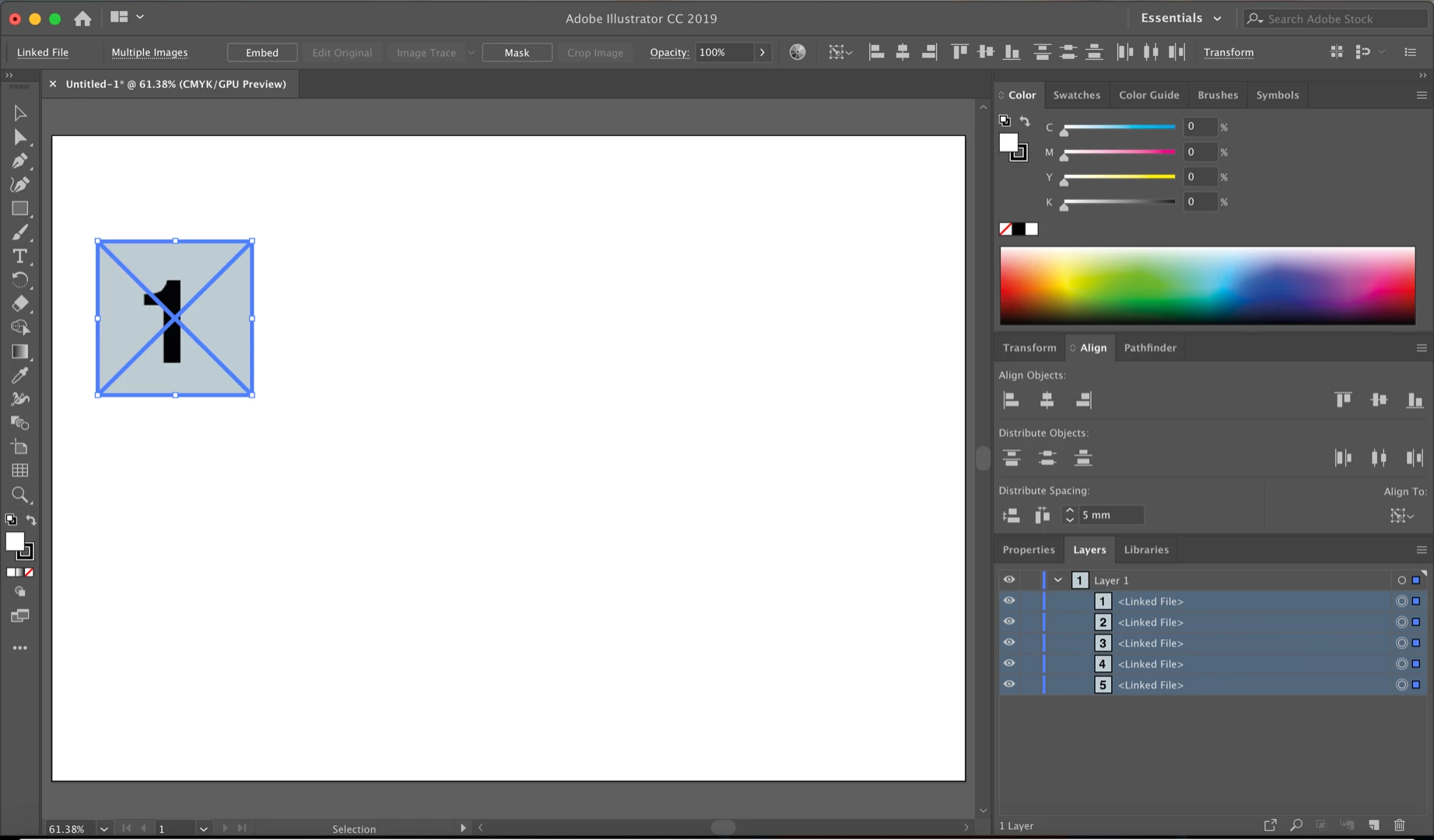
Im trying to space a series of photos with a margin of 5mm. I've been using distributing spacing to do this, importing the images, getting them in the correct layer order, and then using the distribute spacing function to space them (using photo 1 as the key object). For some reason when I do this it moves the second photo in the sequence (photo 2) to the left of the last photo in the row (photo 5). I have attached some screenshots before and after distributing the spacing below.

Before distribute spacing:
After distribute spacing:
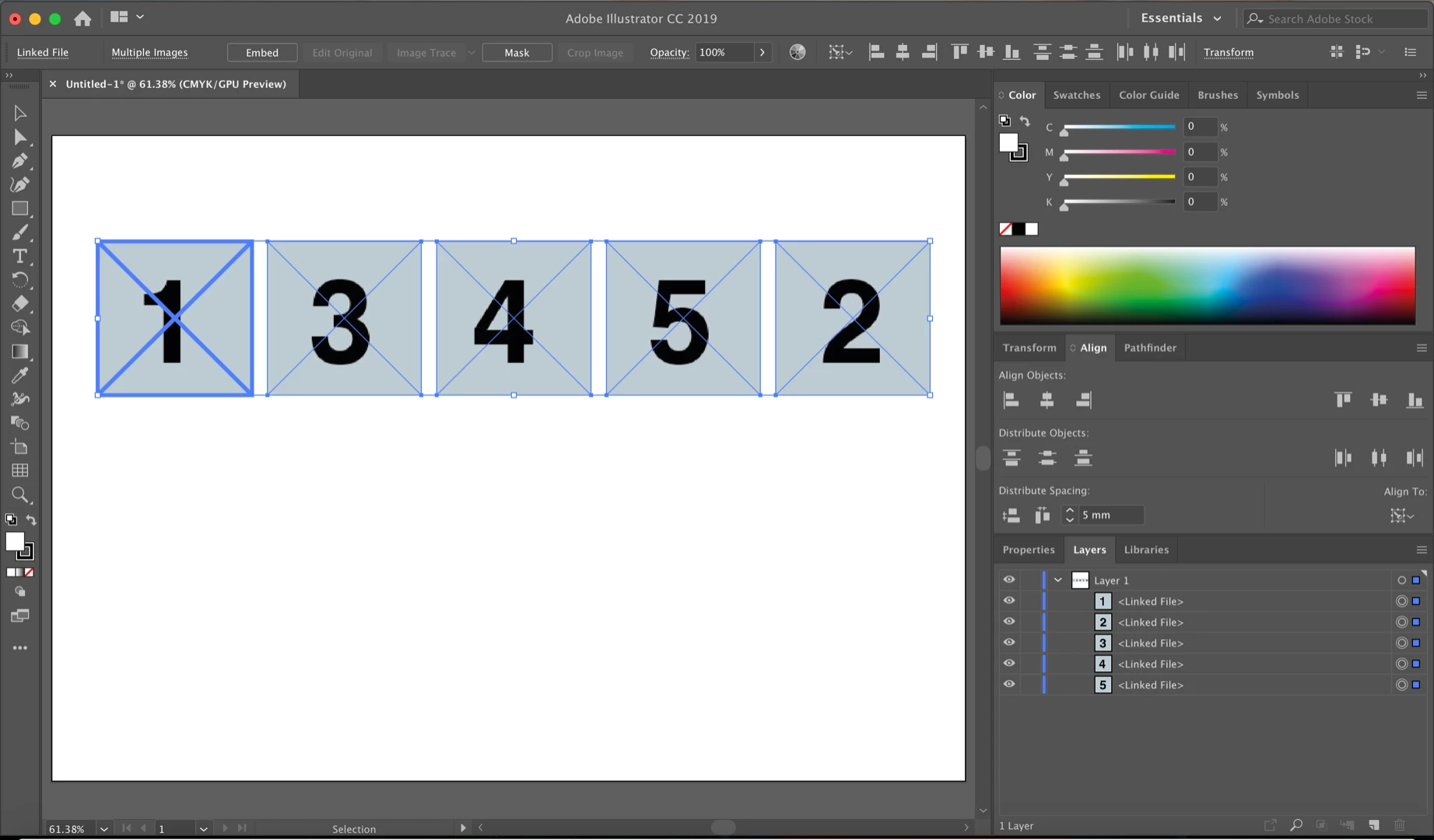
The photos should be in the order 1,2,3,4,5 but instead photo 2 is now to the left of photo 5.

Previously I have resolved the issue by dragging all the photos to the left then slotting photo 2 back in but surely there is a way of distributing the spacing without having to do this??

I would be grateful if anybody could help me resolve this issue or point out anything I may be doing wrong.

Thanks,

Charlie

This topic has been closed for replies.

2 replies

Srishti Bali
Community Manager
Community Manager
May 10, 2019

Hi Charlie,

Thanks for reaching out. As per your query, images are rearranged after you apply Distribute Spacing. That's definitely not normal.

To help you further with this issue I tried reproducing this issue at my end, however, I was unable to do so (see screenshot). I might need a few more details like:

  • Could you please confirm if the same thing happens on multiple files?
  • Which OS and version of Illustrator you are working on?
  • Have you recently started getting this issue?
  • I might need a sample file from you to look into this issue and report it to the product team (if required). Will it be possible for you to share the file? If yes, you can upload the file to the creative cloud and share the download link.

Looking forward to your response. We're here to help, just need more information.

Regards,

Srishti

Kurt Gold
Community Expert
Community Expert
May 11, 2019

This issue is reproducible with congruent objects that are located at the same position (x,y).

Take a look at this simple sample file:

https://drive.google.com/open?id=12EEagorsHz82yahKb6-jGV0ZHVYljsJO

There are four layers, each with four squares. Do a test and select the four squares on each layer, set the grey square as the reference object and then perform distribute spacing in the Align palette. Two times it will be wrong and two times it will be correct.

Monika Gause
Community Expert
Community Expert
April 27, 2019

Please report this as a bug on http://illustrator.uservoice.com