New Participant
May 31, 2017
Answered

White Lines in Pattern (not a precision problem)

  • May 31, 2017
  • 4 replies
  • 10141 views

Hello everyone and thanks in advance for reading and hopefully helping

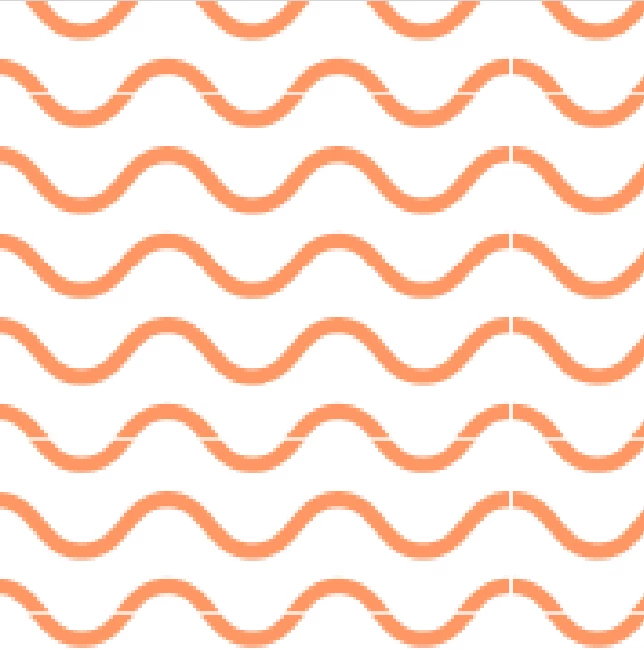
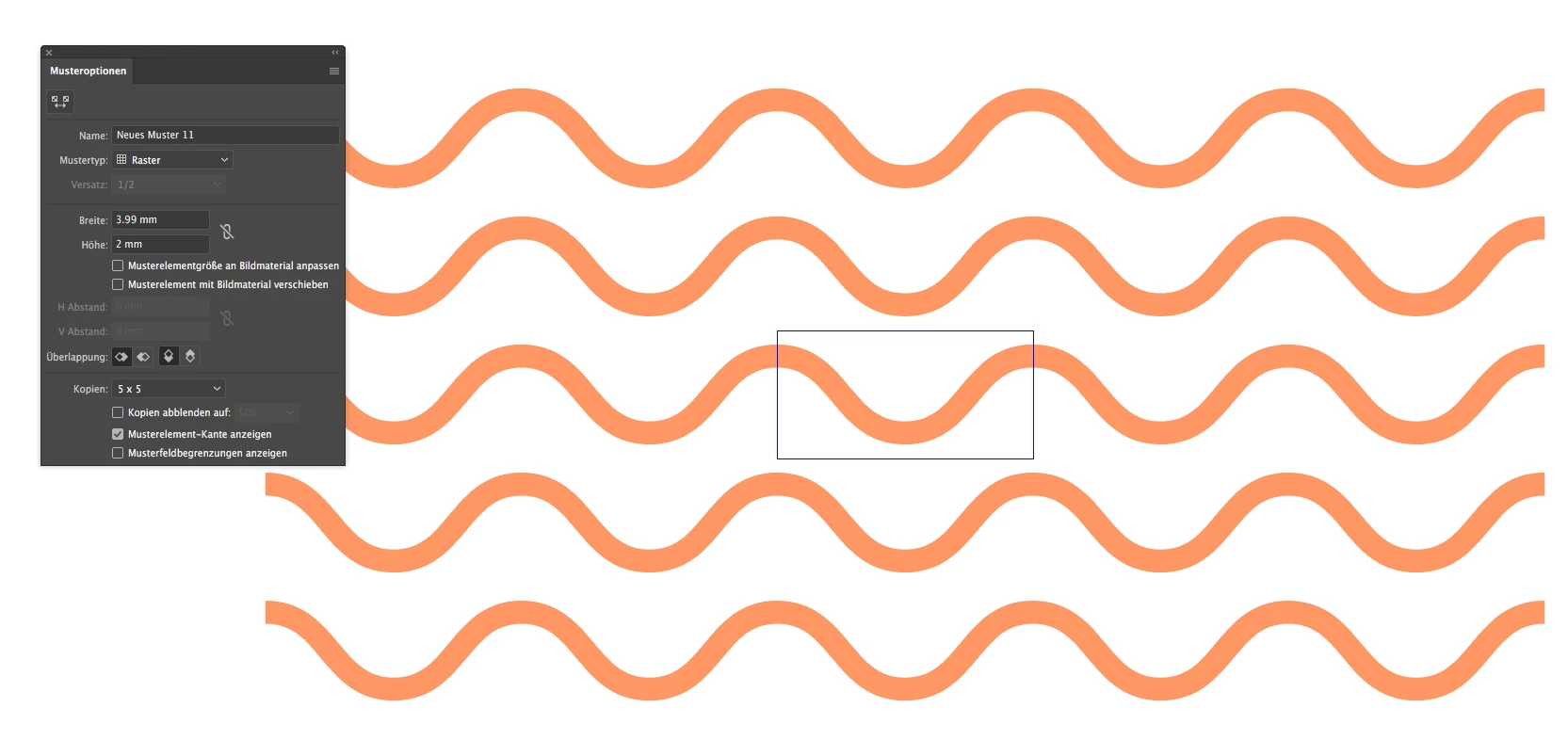
I've created patterns on simple shapes and though they are super precise, I get white lines when putting them into a photoshop file. Not only do I get vertical white lines (common with precision mistakes) but horizontal – which makes no sense, since my shapes are only duplicated horizontally (see below two screenshots of my layer in photoshop and one of my pattern in illustrator)

Photoshop:
Original File in Illustrator:
Thanks again for your help!

Michèle

This topic has been closed for replies.
Correct answer Monika Gause

Looks like an antialiasing issue.

Can you try and instead of opening the Illustrator file in PS, export a PSD from Illustrator. Use "Artwork optimized" as the rendering method

4 replies

laurenh22769
Known Participant
June 24, 2017

I tried unchecking the Anti-Alias in the dialogue box when opening my AI file in PS & this seems to have solved the issue.

laurenh22769
Known Participant
June 23, 2017

I am having the same issue, but my lines are the background color. I just posted a question about this as well. I did what you said above & I still have the same result. Any ideas?

Ton Frederiks
Adobe Expert
May 31, 2017

It is indeed an anti aliasing problem.

You work in millimeters and images work with pixels.

Especially at these small sizes (your pattern tile in pixels is 11,31 x 5,6693px) it is important to  work in pixelvalues without fractions.

If the pixelvalues contain fractions, the result will be rounded (up or down) to whole pixels.

Try to scale your wave line to 11px wide and make a patterntile with 11px Width and 5px Height.

Monika Gause
Monika GauseCorrect answer
Adobe Expert
May 31, 2017

Looks like an antialiasing issue.

Can you try and instead of opening the Illustrator file in PS, export a PSD from Illustrator. Use "Artwork optimized" as the rendering method

mishsmashAuthor
New Participant
May 31, 2017

This worked perfectly, danke Monika!

Also my coworker found out, that duplicating the contour within my pattern or actually duplicating the fill a level above helps.

It is a bit easier since you can still import illiustrator files in ps as smart objects and resize.