


Participating Frequently
April 24, 2017
Answered

Why can't I find the Create Symbol Variants under objects when trying to create a new symbol?

  • April 24, 2017
  • 5 replies
  • 4972 views

I am self-taught and learning how to create a new symbol a Glitter Texture with Stipplism. I am following a tutorial, but when I look for the step go to objects>create symbol variants...the button is not there. Where is it? Why can't I see it where it is supposed to be?
    This topic has been closed for replies.
    Correct answer Barb Binder

    Did you install the Stipplism plug-in from Astute Graphics?

    Stipplism - Astute Graphics

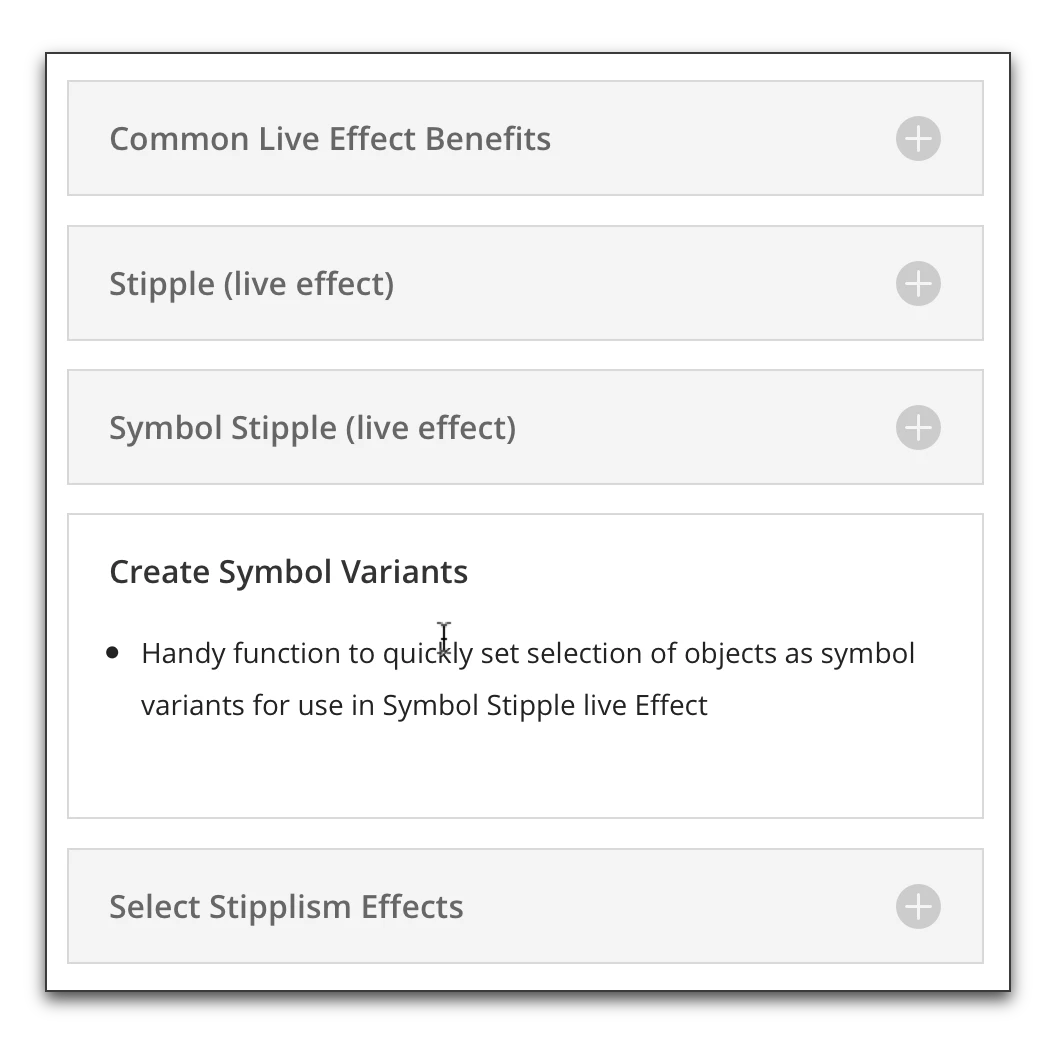
    When you scroll down the page to see the features of the plug-in, you will see Create Symbol Variants—which is not a feature of Illustrator out of the box.

    5 replies

    MairczAuthor
    Participating Frequently
    April 25, 2017

    Thank you for the help. No, I did not download stipplism, I didn't realize that the tutorial I was reading from required this plug-in feature. I did figure out how to achieve the same effect without the plug-in. Thanks again!

    sarahminordesign
    Participant
    October 11, 2017

    Since you achieved the same effect not downloading the stipplism plug-in, can you share that information with me?MairJTM

    MairczAuthor
    Participating Frequently
    October 11, 2017

    Hi Sarah,

    If my memory serves, I simply ended up doing a clipping mask. My purpose was to give my customer an idea of what my gold and silver inks would look like on our material. So, I copied an image of silver and gold foil from google images and masked it onto my drawing to create a similar affect to that of the stippling. The idea worked well and got the point across to my customer, he liked the gold ink 

    good luck!

    carlosgarro
    Community Expert
    Community Expert
    April 25, 2017

    Hi:

    The command is under the Object Menu: Object > Create Symbol Variants...

    You can check the following video from astutegraphicsYouTube channel:

    Create a Live Stipple Dot Effect in Illustrator - YouTube

    Best Regards

    Barb Binder
    Community Expert
    Barb BinderCommunity ExpertCorrect answer
    Community Expert
    April 25, 2017

    Did you install the Stipplism plug-in from Astute Graphics?

    Stipplism - Astute Graphics

    When you scroll down the page to see the features of the plug-in, you will see Create Symbol Variants—which is not a feature of Illustrator out of the box.

    ~Barb at Rocky Mountain Training
    Nancy OShea
    Community Expert
    Community Expert
    April 24, 2017

    This sounds like a question for the Illustratorforum to me.

    How to work with symbols in Illustrator

    Nancy

    Nancy O'Shea— Product User & Community Expert
    Peru Bob
    Community Expert
    Community Expert
    April 24, 2017

    What Adobe software are you using?

    You posted in the nontechnical Lounge Forum.

    MairczAuthor
    Participating Frequently
    April 25, 2017

    Thank you for the help and informing me that I have posted in the wrong forum. I have never used any of these before and took a shot.  Where should I have posted this question?

    Doug A Roberts
    Community Expert
    Community Expert
    April 25, 2017

    you're alright, a mod has already moved the question to the illustrator forum.