



GAVENN.CLRK
Participant
January 31, 2023
Answered

Wrong Color opacity on dark background showing up white - How to Fix?

  • January 31, 2023
  • 1 reply
  • 253 views

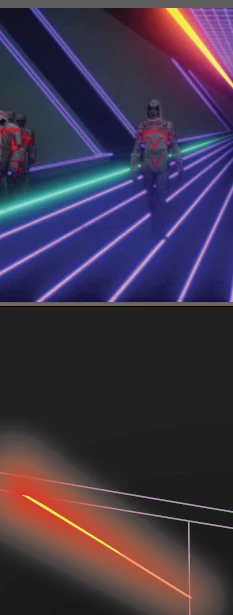
I'm owrking on a project in Illustrator where I'm using lots of glow/transparent objects on a dark background, but all of my attempts to fix the way this looks have failed and look awful. Whenever I put a fade on anything, it blends white into the background, which I do not want. How do I fix this? I'm at my wit's end. Thank you. 

Shown are an example of the glow-like effect I'm going for (top) and a small example of the poor transparency blending in my Illustrator document.
 

This topic has been closed for replies.
Correct answer Brad @ Roaring Mouse

If your colour mode is CMYK, change it to RGB.

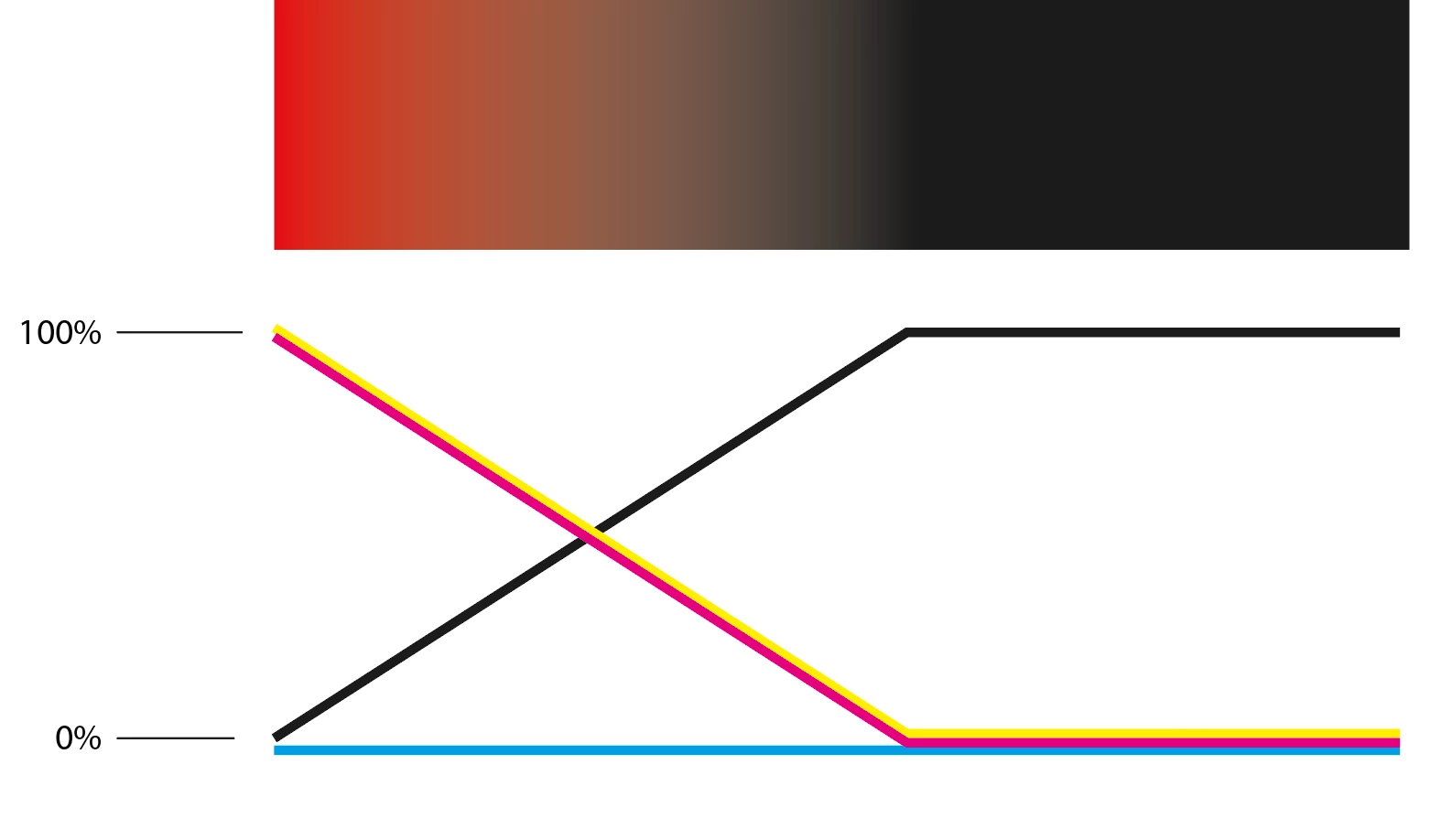
When you make a gradient in CMYK, it cause a "dip" in the middle due to the ramping values of C M Y & K layers. What you are showing is exactly what would happen if you did a gradient glow from Red (0C 100M 100Y 0K) to Black (0C 0M 0Y100K)

1 reply

Brad @ Roaring Mouse
Community Expert
Brad @ Roaring MouseCommunity ExpertCorrect answer
Community Expert
January 31, 2023

If your colour mode is CMYK, change it to RGB.

When you make a gradient in CMYK, it cause a "dip" in the middle due to the ramping values of C M Y & K layers. What you are showing is exactly what would happen if you did a gradient glow from Red (0C 100M 100Y 0K) to Black (0C 0M 0Y100K)