


Help - switching to illustrator - canvas size and image output size
Hi
I've been using photoshop for around 12 years, despite having illustrator as every time I open it, it whips me. But I need to learn how to use illustrator. Till now, we have been using photoshop for doing things like text logo's which I think must be crazy and rubbish. So I'm going to learn Illustrator, but goodness it is hard (for me at least). I haven't found anything in the docs or support that addresses this, but I have looked.
My current dilemma is really basic. In photoshop, we need to create a logo 1200 x 200 - simple - set canvas size, and all good. Resulting image is 1200 x 200.
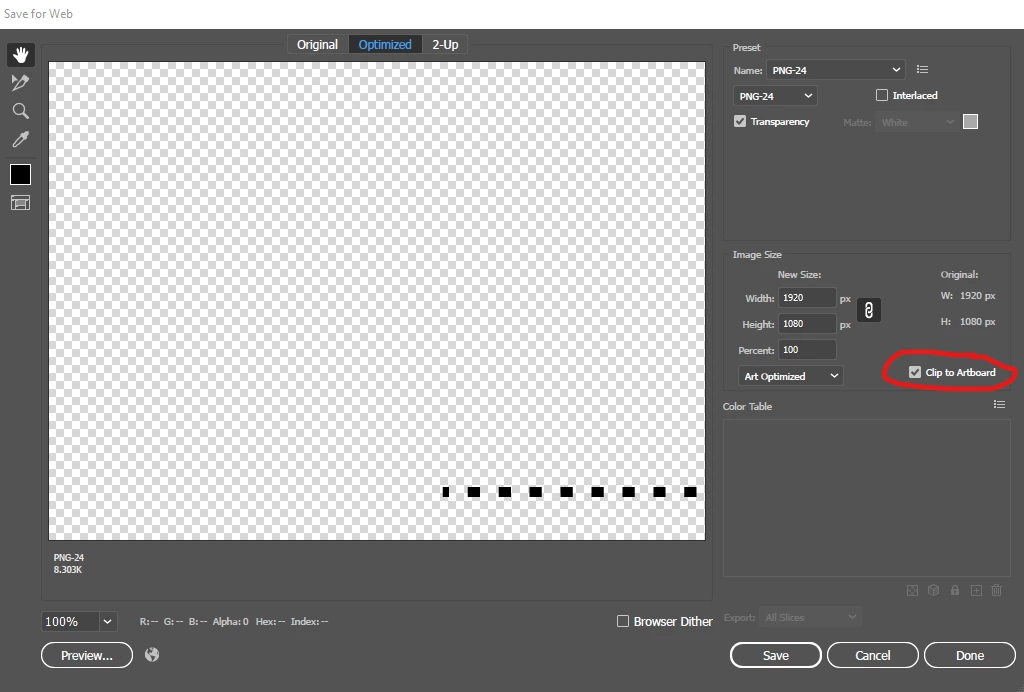
In illustrator I can't work it out. I've tried setting artboard size, but when it comes to save for web and devices it just crops 'canvas' to tight around the content - so no correct size and no white space.
At a conceptual level, what workflow should I use to create an output that is 2000px wide x 1200px high, in high res, in a web usable format. Do I have to draw a background rectangle 2000px x 1200px before adding actual image to it?
Any help gratefully received.
 AdChoices