


Amir Mahdi Moslehi
New Participant
June 10, 2021
Answered

Artboard Rotation while using touchpad for zoom in Illustrator 25.3

  • June 10, 2021
  • 64 replies
  • 122531 views

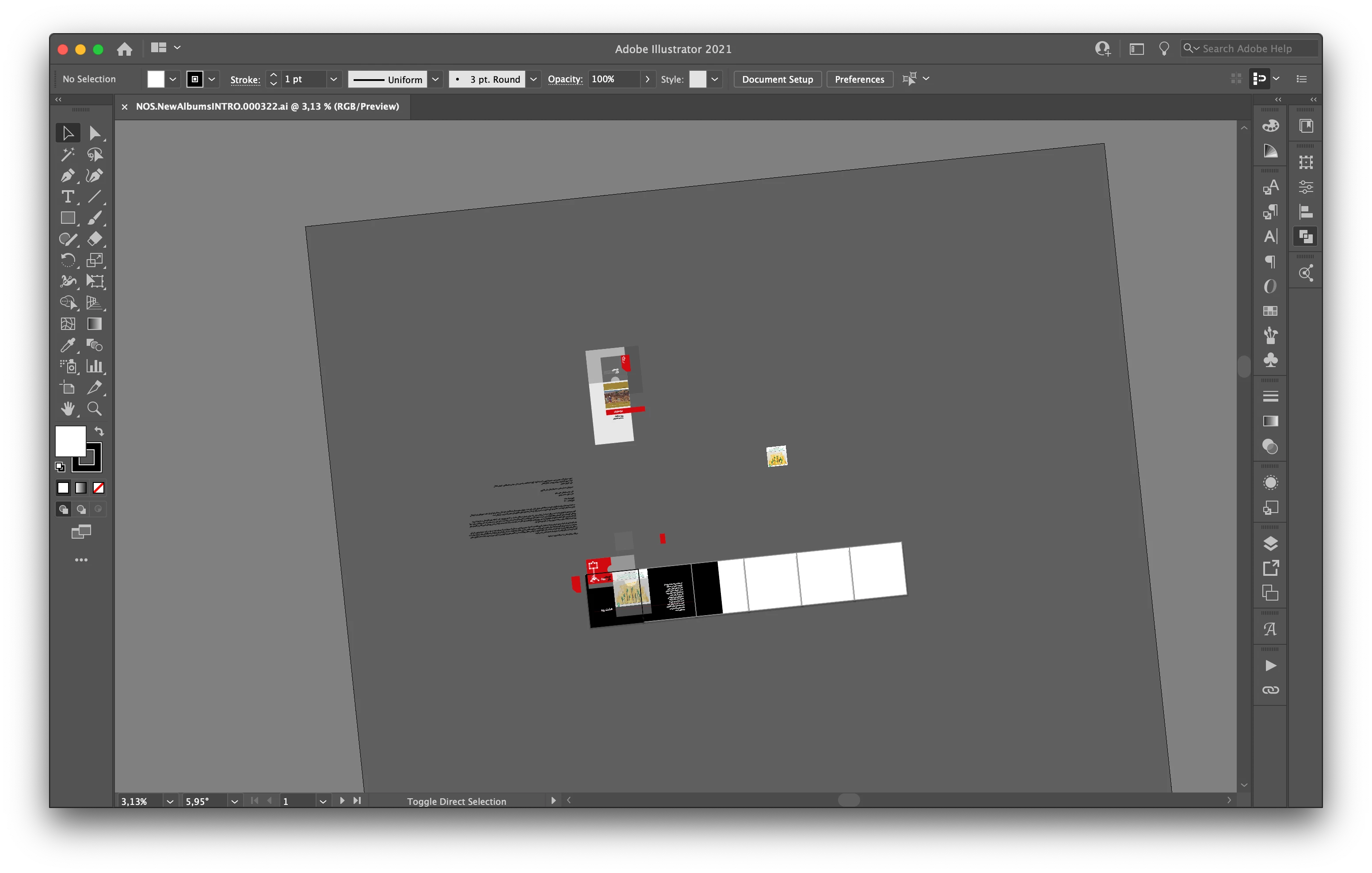
Hi, recently I faced a new problem. When I use the trackpad for zoom-in/out the artboard keeps rotating. I don't know how can I fix this problem.

Correct answer joannem27208843

Hi I solved this problem by going to macbook System Preferences> Track Pad >Scroll and Zoom > Rotate and uncheck rotate with two fingers .


Hope this helps if there isn't already another solution that i have missed. 

Jo 


64 replies

New Participant
July 7, 2021

Hi guys,
How can I turn off, Rotate View?

Doug A Roberts
Community Expert
July 7, 2021

In what way is it activating that you don't want? Via trackpad gestures?

New Participant
July 7, 2021

Exactly!

New Participant
July 6, 2021

I'm trying to work on a new project and I just rotating the canvas but I'm not clicking R or anything to rotate. But now I can't change it back to straight. How do I change it back without starting over and keep it from happening. 

Doug A Roberts
Community Expert
July 6, 2021

Reset the rotation by double-clicking the rotate view tool in the toolbar, choosing reset from the view menu, or using the contextual tool controls in the bottom left of the screen:

New Participant
July 4, 2021

please fix. its annoying, it happens every time i need to zoom or move the canvas (NOT ROTATE), its preventing my workflow and this is just about the last straw before i cancel my membership and switch to afinity. no one asked for this. i've never needed this feature nor will i ever need this feature.

m1b
Community Expert
July 4, 2021

I agree that this should be a preference setting that we can turn off. "Trackpad rotate gesture rotates view"?


In the meantime, if you are using a mac, and don't use rotate gesture in other apps, you can turn it off in system preferences > Trackpad > Scroll & Zoom:

New Participant
July 3, 2021

those are great reset tricks but yes I have been dealing with the same issue. If you are on a mac you can create a keyboard shortcut key too but Adobe needs to have a setting to turn that off.

New Participant
July 2, 2021

...i can't work like this

New Participant
June 30, 2021

Hi, maybe I just haven't found this yet, but is there a tool that will allow me to suppress or lock the rotate view feature? The new mac book pro's have a trackpad that is so large that it is almost impossible to navigate the artwork without accidentally knocking it into a 5-15 degree tilt..... If this doesn't exist, I hope it gets added asap. 

pixxxelschubser
Community Expert
June 30, 2021

Sorry, that's the only answer right now:

Hi.

Apparently, is not possible to disable the Rotate View feature.


By @pixxxelschubser


Inspiring
June 30, 2021

This new option of rotating the view in Illustrator is probably great for some users but it's just awfull for me! It keeps rotate when I really don't want, it makes me mad!! How can I unable this option ?

Anna Lander
Inspiring
June 30, 2021

Well, Rotate View tool doesn't start working spontaneously,  just don't call it (make sure to use the H shortcut for Hand, not Shift+H which is for Rotate View). You can also edit the Tools panel and delete the Rotate View tool from there. 

Doug A Roberts
Community Expert
June 30, 2021

It may do if you're using touchpad gestures to zoom.

New Participant
June 30, 2021

It keeps rotating by accident and I absolutely hate it. 

pixxxelschubser
Community Expert
June 30, 2021

Hi.

Apparently, is not possible to disable the Rotate View feature.


New Participant
June 29, 2021

Yo utlizo mi trackpad y si muebo mis dedos para hacer zoom hay ocasiones que me rota todo el lienzo por la nueva función que tiene illustrator y no quiero que rote!

Cómo bloqueo esta función o cómo puedo regresar a su angulo original?


Myra Ferguson
Community Expert
June 29, 2021

It doesn't appear there's a way to lock it. I saw that there is a feature request for a lock on the Illustrator Uservoice site. You could upvote it and add any comments there for the Illustrator team.

fanbrahms
Participating Frequently
June 28, 2021

hello everyone-

This might be easily solved, but as I could not find solution on YouTube, or anywhere else - please aid me in this. 

When zooming out, sometimes this happens - and I simply can't reverse it..


pixxxelschubser
Community Expert
June 28, 2021

Try to double click the Rotate View Tool (in a "tool group" with the Hand tool)

fanbrahms
Participating Frequently
June 29, 2021

Thank you! Worked with the shift pressed together with the rotate view tool. Have a great day!