

Participant
March 2, 2021
Answered

How to create this type of repeating text design?

  • March 2, 2021
  • 1 reply
  • 3458 views

How would I go about creating this type of repeating design? I've played with some options in the pathfinder but haven't had any luck. Thanks in advance!!

This topic has been closed for replies.
Correct answer Joely10623436

There you go my friend…

I've used a vector-mask in the Transparency Panel to hide a part of the Letters. Then Made a copy {ctrl+drag, the repeat as desired, with ctrl+D}.

Also another way is to create a pattern from the letters…


Of course, i took the Font from Adobe Fonts 🙂
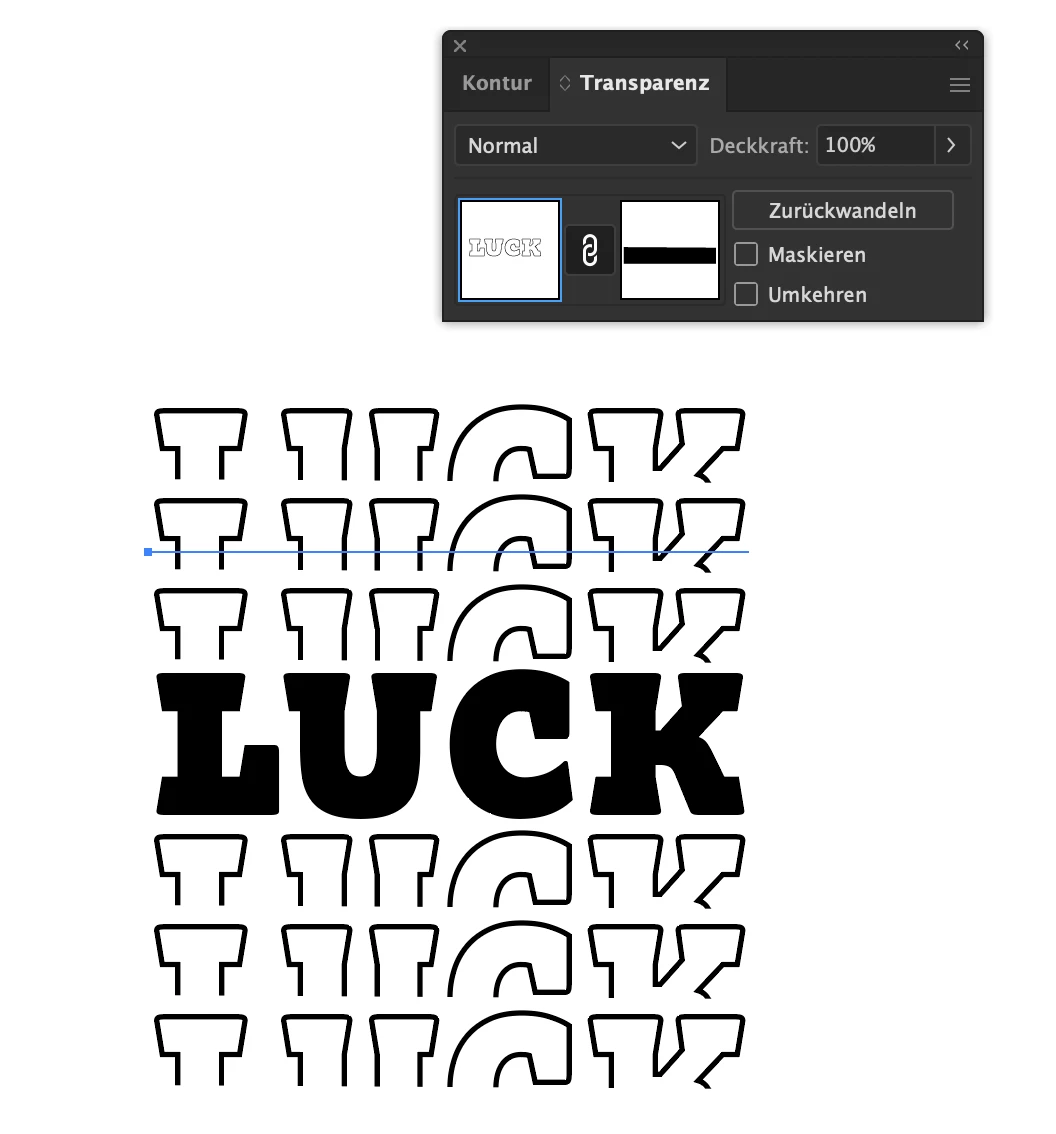
1 reply

Joely10623436
Community Expert
Joely10623436Community ExpertCorrect answer
Community Expert
March 2, 2021

There you go my friend…

I've used a vector-mask in the Transparency Panel to hide a part of the Letters. Then Made a copy {ctrl+drag, the repeat as desired, with ctrl+D}.

Also another way is to create a pattern from the letters…


Of course, i took the Font from Adobe Fonts 🙂

Participant
March 2, 2021

Thank you, that's super helpful!  I hadn't used masks through the transparency panel before and I think it will be super useful in the future.


My follow up question would be about creating outlines for the text after clipping to be able to export as an SVG for a cutting machine.  

I have the text with no fill and a 3pt stroke, but when I click "Create Outlines" it doesn't work and still just shows the achor points in the center of the stroke.

I tried doing Object -> Path -> Outline Stroke but it is grayed out and I can't click on it.  I also tried "Convert to Shape" but it gave me an error.  


-How can I create outlines for text with a stroke and no fill? I want to be able to cut around the stroke to just have the outline of the text in the end.

-Once the outline is created, will it create the outline without the section of the text that was clipped out earlier? If not, how do I remove that section?