


harshad_gehi
New Participant
August 1, 2017
Answered

How to enable Anti-Aliasing in Display

  • August 1, 2017
  • 2 replies
  • 2380 views

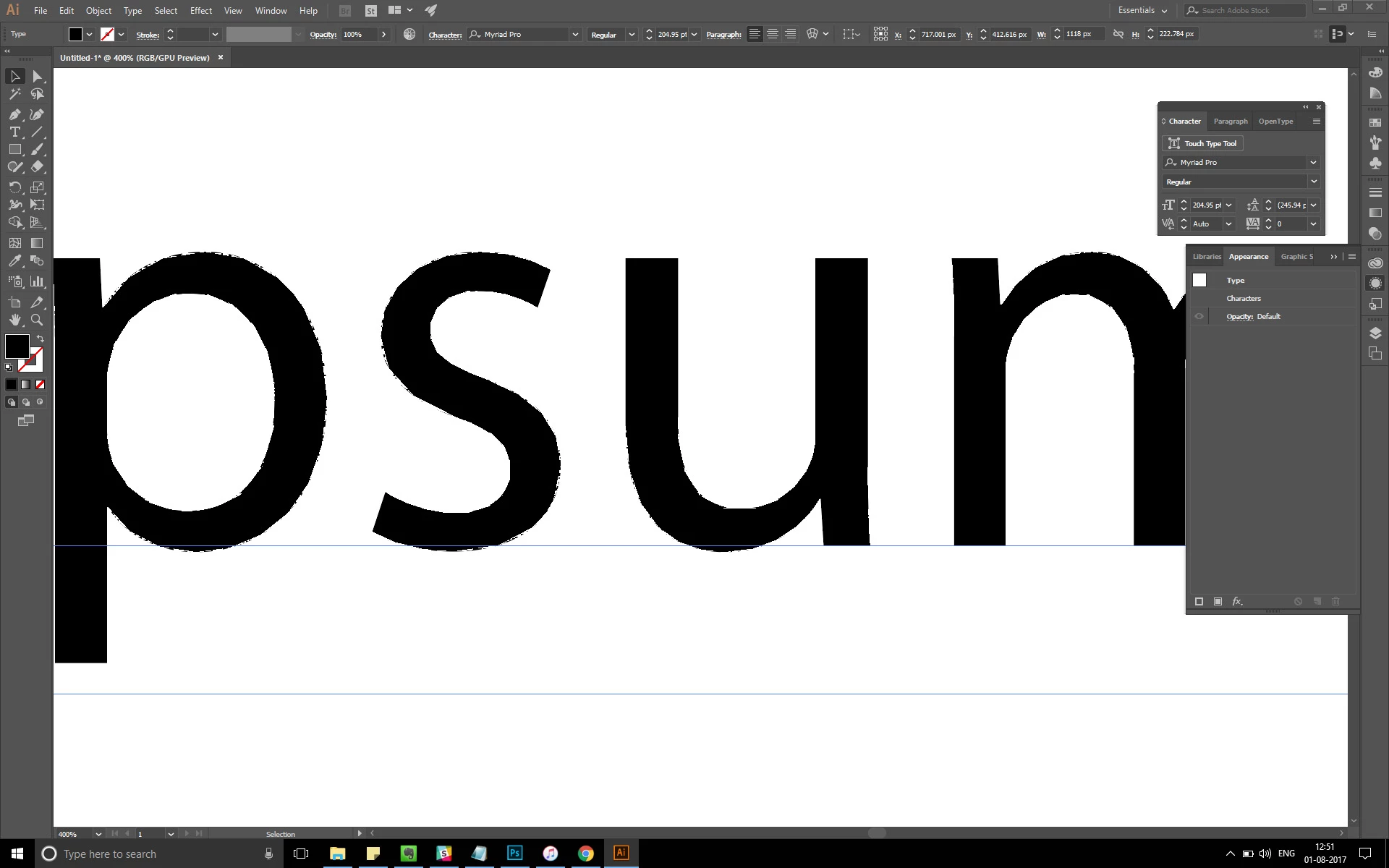
I don't know how suddenly text on my screen suddenly started to appear jagged, though it seems proper after saving the image. But even if I create outlines from the text it appears the same in display. Is there any solution to this?
This topic has been closed for replies.
Correct answer Doug A Roberts

click on the rocket icon and turn off GPU performance.

2 replies

Community Expert
August 1, 2017

Thanks to ( Doug A Roberts ) Too

Doug A Roberts
Doug A RobertsCorrect answer
Community Expert
August 1, 2017

click on the rocket icon and turn off GPU performance.

Community Expert
August 1, 2017

Turn OFF GPU Performance.