Exit
  • Global community
    • Language:
      • Deutsch
      • English
      • Español
      • Français
      • Português
  • 日本語コミュニティ
  • 한국 커뮤니티
0

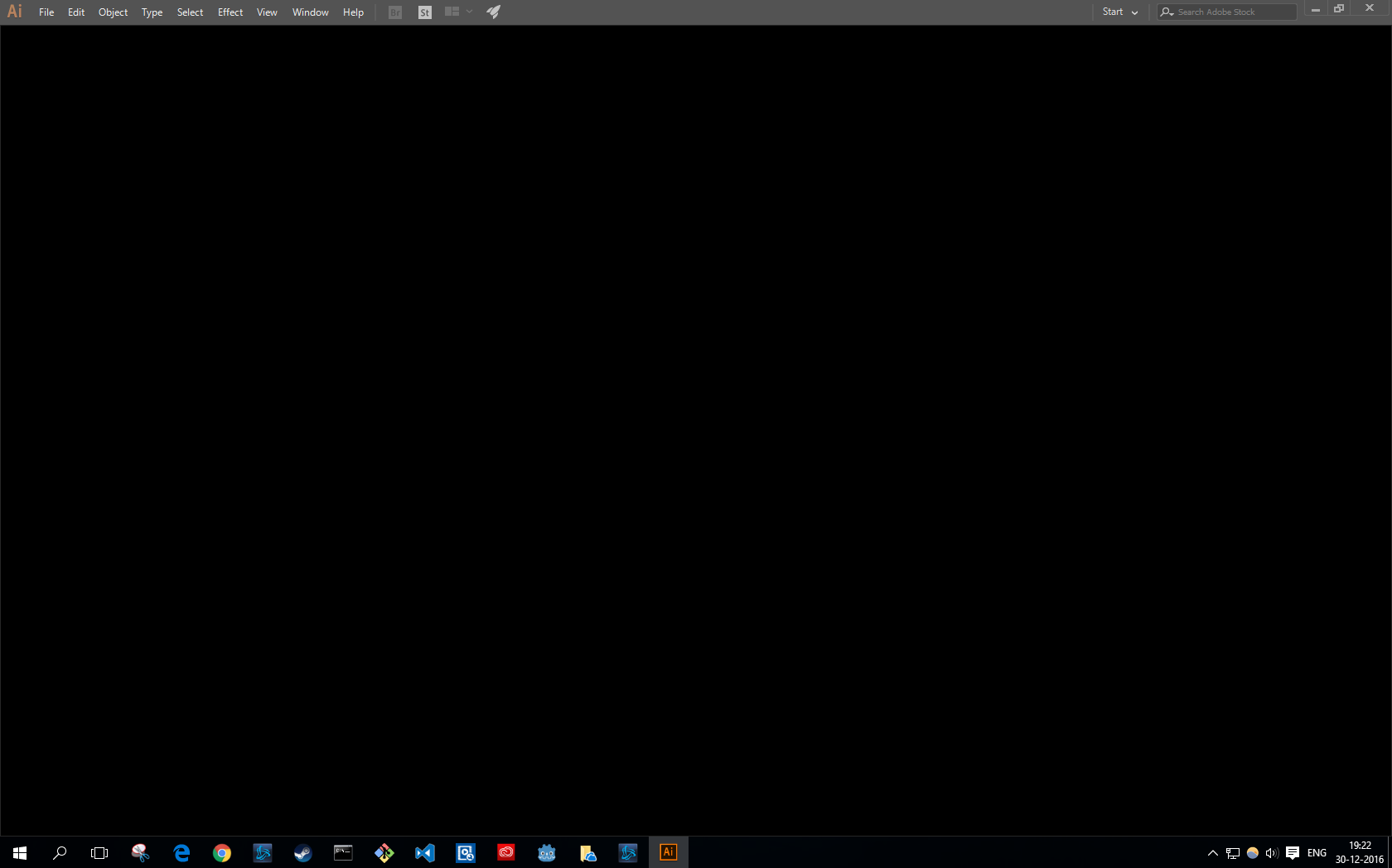
Starting Adobe Illustrator gives me blackscreen :(

Community Beginner ,
Dec 30, 2016 Dec 30, 2016

Adobe Illustrator blackscreen.PNG

i've tried to reboot, uninstall and install... nothing works.

While it normally always worked, now it suddenly doesn't?

2.2K
Translate
Report
Community guidelines
Be kind and respectful, give credit to the original source of content, and search for duplicates before posting. Learn more
community guidelines

correct answers 1 Correct answer

Community Beginner , Jan 03, 2017 Jan 03, 2017

The problem solved randomly by it self...

Maybe my Windows is once again corrupted.

Translate
Adobe
Community Expert ,
Dec 30, 2016 Dec 30, 2016

Which version?

Which system?

Did you already restart the computer or rebuild the Preferences file?

What happened after it last worked?

Translate
Report
Community guidelines
Be kind and respectful, give credit to the original source of content, and search for duplicates before posting. Learn more
community guidelines
Community Beginner ,
Dec 30, 2016 Dec 30, 2016

I use Windows 10 64bit.

And my Adobe Illustrator version is: 21.0.0 (64 bit) Adobe Illustrator cc.

At first, I couldn't edit Illustrator object colours, I uninstalled restarted and rebooted and suddenly Adobe Illustrator starts with a blackscreen.

And it basically kept it even after I uninstall the software.

Translate
Report
Community guidelines
Be kind and respectful, give credit to the original source of content, and search for duplicates before posting. Learn more
community guidelines
Community Expert ,
Dec 30, 2016 Dec 30, 2016

Go to the top of your options bar and change your workspace from "Start" to "Essentials" or something else, it usually resets it.

Translate
Report
Community guidelines
Be kind and respectful, give credit to the original source of content, and search for duplicates before posting. Learn more
community guidelines
Community Beginner ,
Dec 30, 2016 Dec 30, 2016

Thanks!

But if I go back to "start" I get a black screen again...

Translate
Report
Community guidelines
Be kind and respectful, give credit to the original source of content, and search for duplicates before posting. Learn more
community guidelines
Contributor ,
Dec 31, 2016 Dec 31, 2016

hi.

option a) try full windows shutdown/restart. ref. (reply #10) Re: Illustrator "hangs" after it starts up

option b) if this didn't work  try to manually disable 'The Start Workspace When Documents Are Open' option, ref. (reply #5) Re: Illustrator "hangs" after it starts up

Translate
Report
Community guidelines
Be kind and respectful, give credit to the original source of content, and search for duplicates before posting. Learn more
community guidelines
Community Beginner ,
Jan 03, 2017 Jan 03, 2017
LATEST

The problem solved randomly by it self...

Maybe my Windows is once again corrupted.

Translate
Report
Community guidelines
Be kind and respectful, give credit to the original source of content, and search for duplicates before posting. Learn more
community guidelines