


Inspiring
January 1, 2020
Question

Unable to launch Illustrator after downloading the last update 24.0.1 on macOS Mojave

  • January 1, 2020
  • 3 replies
  • 1250 views

Hello -


Coming from Illustrator 2019, I downloaded the last update 2020 (24.0.1).

The bad news is that I can't launch Illustrator anymore!!! :-PPP

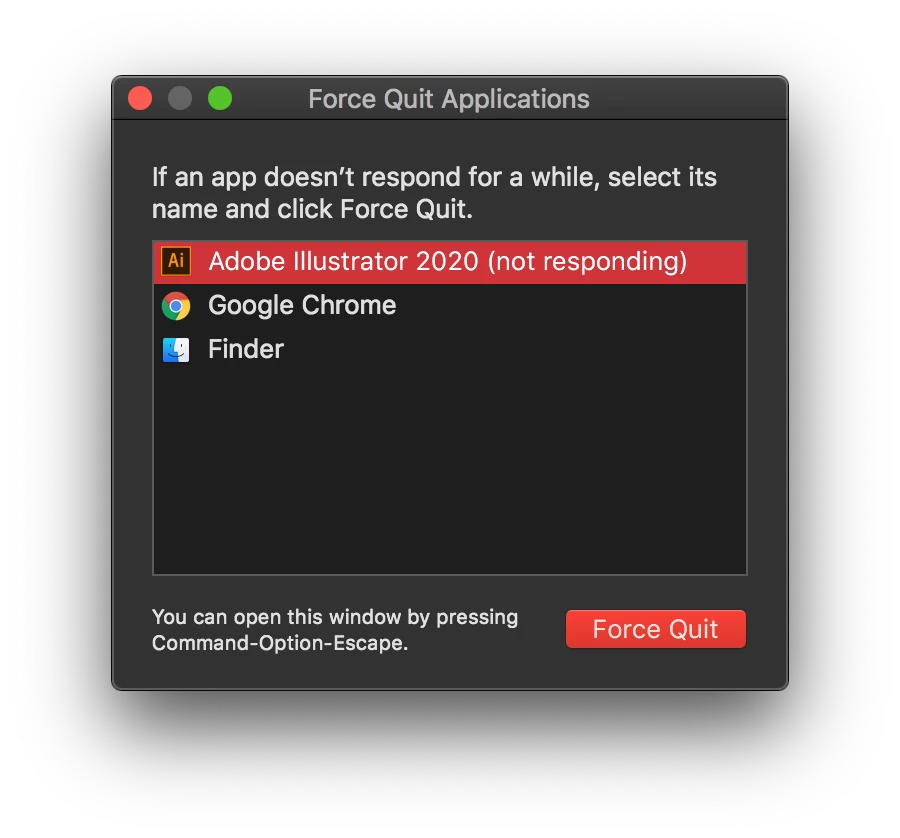
I have the menu appearing and the window where Illustrator would be is black while the "rainbow wheel" keeps turning and turning.

I have tried already several times, but I always get the same "error"  —>   "Not Responding".

I'm under Mac OS X Mojave 10.14.6


Any idea about waht I could do to be able to launch AI?

Thank you.


- Dimitri


{Renamed by MOD}

This topic has been closed for replies.

3 replies

Srishti Bali
Community Manager
Community Manager
January 9, 2020

Hi Dimitri,


Sorry to hear about this issue. I would like to know if reinstalling the application as suggested above worked for you, or the issue still persists.

If it is still not resolved, try following these steps and share your observations:


Regards,
Srishti

Inspiring
January 11, 2020

Hello -


Sorry for the late answer, was busy at work…

Well, I just clicked AI icon in the "dock" (Mac OS) and sadly enough AI didn't launched properly (I mean AI didn't no open).

I had to "force quit" the AI.

I tried to launch AI directly from AI's folder and there AI opened properly.


Hope it will work at the end. I lost a lot of time with this "story".

I find it really sad that I thought I was doing a good one by applying the upgrade, it unfortunately reminds me why I MUST not upgrade too often, because Adobe upgrades regularly cause problems.
Besides, my OS is all clean because it's a new machine, and there's mostly only Adobe CC installed on it.


I cross the fingers…


- Dimitri


Srishti Bali
Community Manager
Community Manager
January 15, 2020

Sorry about the trouble which is caused after after installing the update but we are glad that you are back on track. Give us a shout if you need any further help.


Thanks!

Steve Werner
Community Expert
Community Expert
January 1, 2020

I would also suggest restoring preferences as Monika suggests.


If that doesn't work, try using the Creative Cloud app to uninstall Illustrator, and install again. You could have a bad installation.

Inspiring
January 1, 2020

Hello Monika -

Hello Steve -


Thank you for your replies.

I tried to reset the preferences, but it doesn't.

So it seems I'm good to re-install Illustrator.


In "Uninstall Adobe Creative Cloud" app, I tried to find a "button" with which I could uninstall Illustrator, nut I didn't found such button. Would you mind to guide me a bit?

Thank you.


- Dimitri


Steve Werner
Community Expert
Community Expert
January 2, 2020

I meant you should UNINSTALL ILLUSTRATOR not uninstall the Creative Cloud.


If you go to the menu bar, you'll see the Creative Cloud app icon. Click on it to open the app. Find the application you want to uninstall (circled below) and click the ... menu and choose Uninstall.


Monika Gause
Community Expert
Community Expert
January 1, 2020

Did you reset the preferences when updating?

Maybe try that.