


- Home
- InDesign
- Discussions
- Re: 100% black is not being right for printing and...
- Re: 100% black is not being right for printing and...

Copy link to clipboard
Copied
I am facing a big problem about the 100% black is not being right for printing and coming out as 4 colours, from my InDesign document when I export it as a pdf. My swatch for the black text in Indesign is set at C=0 M=0 Y=0 and K=100, which seems not to work as100% BLACK after I have export it so pdf? Please can anybody help me, so I can get 100% black text in my PDF?
The only thing I want AFTER I export the pdf, is that the BLACK TEXT are 100% black, not a 4 colour rich black, in the exported pdf. I also have the same issue in Illustrator? So what is going on?
Thank you so muh!


 1 Correct answer
Hi everybody!!!
The problem was my Acrobat!!
I uninstalled it, and then I have reinstalled it and now it works!!!! See video: Loom | Free Screen & Video Recording Software
Thanks a lot everybody for your help!!!!

I don't know if this is a bug, but 2 others of my friends had the same problem. So I have to contact them and ask them to uninstall the Acrobat.
Again Thank you!!

 70
Replies
70
70
Replies
70


Copy link to clipboard
Copied
I've seen the video (thanks). The change to rich black shouldn't be happening. As has been said, there's something with your system. Start small by cleaning preferences and caches as has been recommended and, if not... I'd think on reinstalling.
PD. Have you tried placing the PDF in INDesign and previewing its separations there? Just to get sure that it is not something related only with Acrobat.
Best regards
Copy link to clipboard
Copied
sorry how do I cleaning preferences and caches?
I have meet 2 others who have the same problems as I have with the 100% black in Indesign, and they got 4 colurs black in pdf. So it is not jus me?


Copy link to clipboard
Copied
Troubleshooting 101: Replace, or "trash" your InDesign preferences [2009 Outdated & Locked]
At this point we are all guessing. If you could share the InDesign file and your PDF via Dropbox or your CC account it would be easier to help.
Copy link to clipboard
Copied
You can download my file here Hightail By the way, this is only a test. But at the moment all my 100% black text in all files in Indesign are 4 colors after I have exported to PDF.
Copy link to clipboard
Copied
- or link from Dropbox Dropbox - Test_adobe.indd - Simplify your life and Dropbox - Test_adobe.pdf - Simplify your life
Thank you so much

Copy link to clipboard
Copied
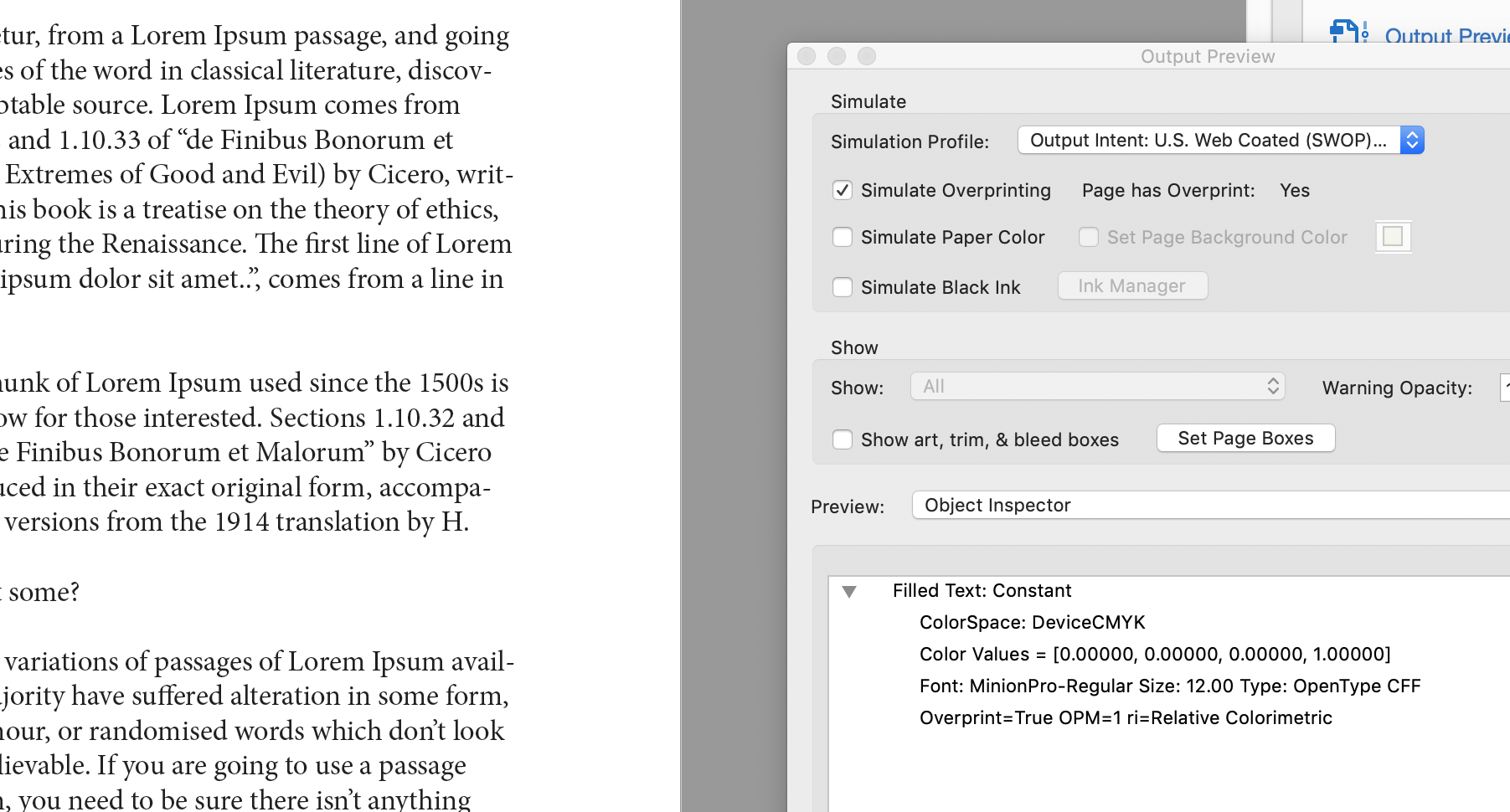
Both the Acrobat Pro Object Inspector and the Enfocus PitStop Pro Inspector indicate that the text is 0cmy100k.

Copy link to clipboard
Copied
Very strange??
But with me and 3 others here, we have all the same issue with 3 computers.
I havn't pitstop, but by Acrobat says 4 colors on text , see here: https://prnt.sc/o854aa
Copy link to clipboard
Copied
What happens when you change from separations to object inspector in the dropdown menu of the output preview window/panel?
Copy link to clipboard
Copied
This happen with the inspector: https://prnt.sc/o897rx
Copy link to clipboard
Copied
I just saw this in my InDesign Color settings: https://prnt.sc/o89jrw
Can this be the issue ??
But shall it be set to Europe General Purpose 2, or Europe Prepress?
Copy link to clipboard
Copied
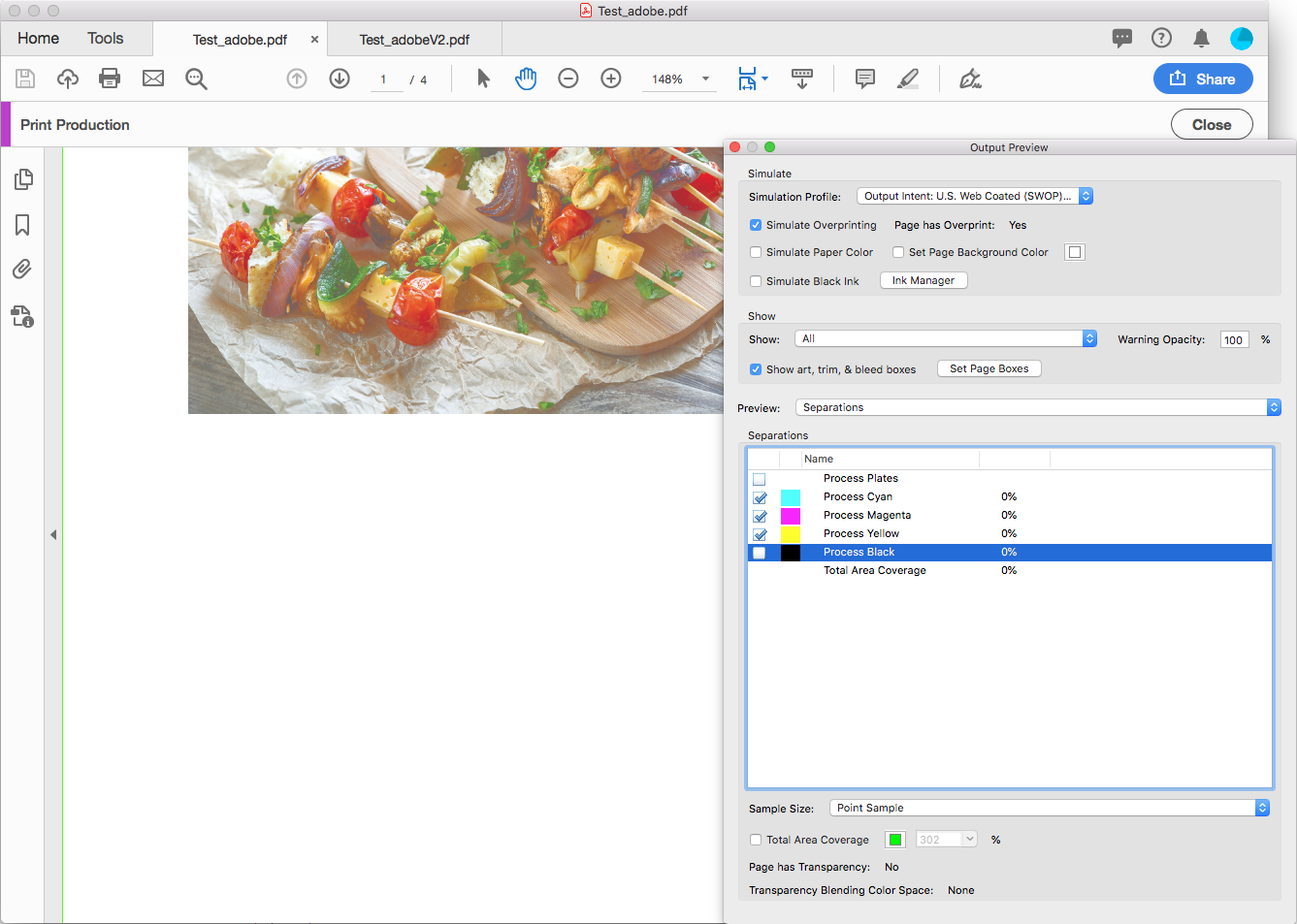
I'm also not seeing a problem with either Object Inspector or the Separations preview in the latest version of AcrobatPro DC.
Have you tried restarting your computer and reopening the Test_adobe.pdf?

Copy link to clipboard
Copied
Why doesn't I get same result as you?? Rob day?
I have also restarted my Mac, and open the file again, but same problem. The black has 4 colors??

Copy link to clipboard
Copied
You don’t get the same result because your text is RGB. This have showed us this: it is clear from your screen shot in the inspector.
Copy link to clipboard
Copied
That is not correct! I use CMYK ; see my printscreen http://prntscr.com/o8a266
I have been working with InDesign for 20 years. I have never had this problem, that my 100% black is being 4 colors in PDF
Copy link to clipboard
Copied
Please see my video, everything in Indesign is black text, Loom | Free Screen & Video Recording Software - but I have never used inspector , always use seperation.
Copy link to clipboard
Copied
Although totally unrelated to your issue, I did notice this in your video, if the content preparation window annoys you (like it does me and many other users):
Hide the message Content Preparation Progress when opening a PDF file
Copy link to clipboard
Copied
If the text is being converted on export to RGB, then the separations preview showing CMYK text makes sense as the inspector indicates the text is RGB. Separations preview is not a true indicator of how a file will RIP/separate, as many PDF workflow/RIP software will cleanly convert RGB black to K only black, whereas the separations preview does not have this feature, so it can be misleading. The object inspector should always show the true current value of an object, not what a possible conversion may or may not be as is the case with separations preview.
Copy link to clipboard
Copied
If the text is being converted on export to RGB
Hi Stephen, have you downloaded her PDF in #33 and inspected the text? If someone else sees the text object as RGB with the PDF passing PDF/X-4 compliance, there is a major bug in play.
Copy link to clipboard
Copied
I downloaded both files, and they are CMYK... That being said I can't be 100% certain that the PDF file that I inspected earlier today is the same file as in the video.
It would be a common and easy thing to say this is a case of user error. Just as it would be a common and easy thing to say that this is due to software bugs.
I did notice that the PDF export was modified, however, the settings shown should not have created an RGB conversion. I'd like to see a unedited PDF setting used.
Like the rest of the forum, I am at a loss to explain what is going on.
Copy link to clipboard
Copied
I did notice that the PDF export was modified, however, the settings shown should not have created an RGB conversion. I'd like to see a unedited PDF setting used.
Did you check the PDF for PDF/X-4 compliance? The copy I downloaded passed, and I returned it to haneadino and she is still seeing RGB. Clearly something is up with her AcrobatPro installation.
Copy link to clipboard
Copied
Yes Rob, I used both Acrobat and PitStop Pro and it passed PDF/X-4 compliance, with the text as CMYK in both Acrobat and PitStop.
Copy link to clipboard
Copied
I wonder if this could be a Mojave/Acrobat problem? haneadino’s version is a bit newer than mine, but my Cloud app tells me I'm up to date. Unfortunately i can't test in Mojave.
Copy link to clipboard
Copied
Since a week ago when work updated my Mac, I’m on Mojave with latest everything and I can’t reprodice these issues.
Copy link to clipboard
Copied
We don’t seem to be looking at the same file.

Copy link to clipboard
Copied
It is the same file as I have done from the Indesign file!
It seems that I can't get help here on the forum ?
Where shall I go??
I have been working with InDesign for 20 years. I have never had this problem, that my 100% black is being 4 colors in PDF


Find more inspiration, events, and resources on the new Adobe Community
Explore Now
 AdChoices