Participant
February 9, 2021
해결됨

A5 booklet printing in A6 pages on A4 paper, I want A5 on A4

  • February 9, 2021
  • 2 답변들
  • 4896 조회

Hey guys,

I am doing my first A5 booklet. The idea is to print my A5 dimension pages from indesign and have 2 x A5 pages on 1 A4 page so I can fold it, so it's an A5 booklet.


BUT.... when I go to print the booklet, it's printing 4 x A6 on one side of the A4 page not 2 x A5 on onside of the A4 page.

What am I doing wrong?

My indesign document setup is set to A5, do I need to set it to A4?


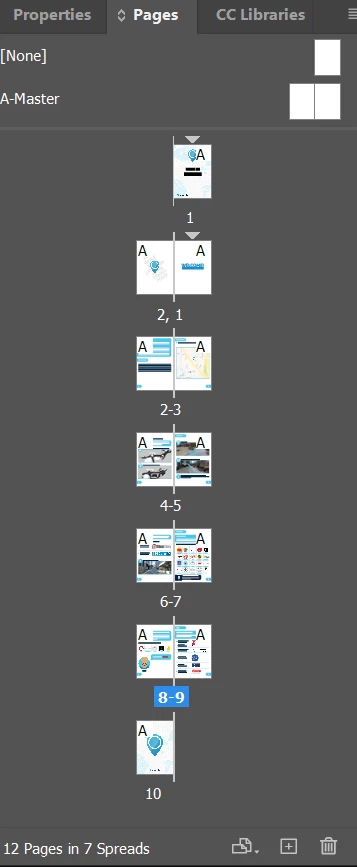
Here is my page layers.
이 주제는 답변이 닫혔습니다.
최고의 답변: rob day

My indesign document setup is set to A5, do I need to set it to A4?


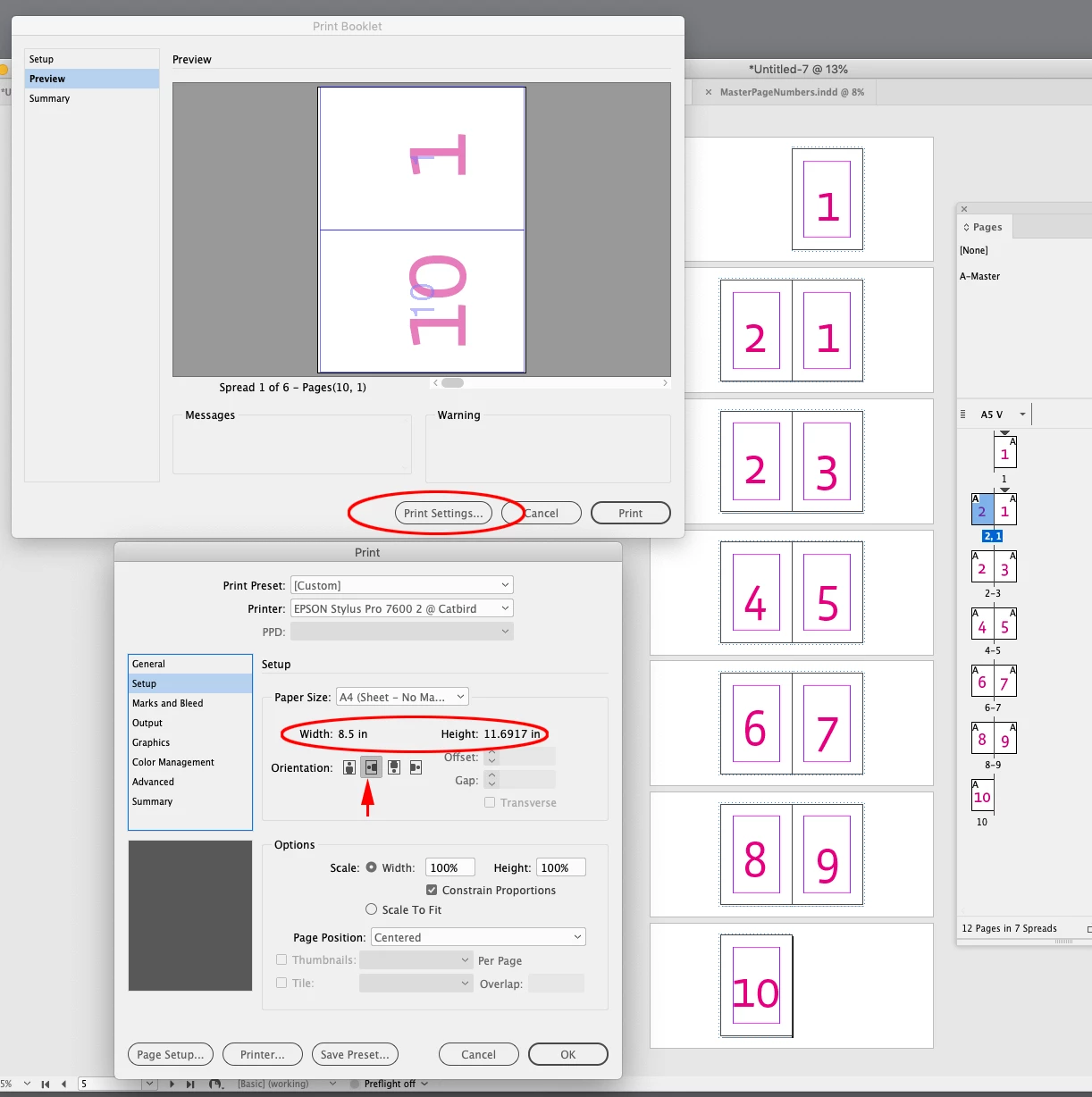
Set the document to A5 and the Paper Size to A4 in the print settings with the Orientation set to landscape—Print Booklet>Print Settings...>Setup>Paper Size. Also check Print Blank Pages in the General tab:


2 답변

rob day
Community Expert
rob dayCommunity Expert답변
Community Expert
February 9, 2021

My indesign document setup is set to A5, do I need to set it to A4?


Set the document to A5 and the Paper Size to A4 in the print settings with the Orientation set to landscape—Print Booklet>Print Settings...>Setup>Paper Size. Also check Print Blank Pages in the General tab:


Participating Frequently
May 17, 2023

I'm struggling with this. My settings all seem to be correct but I keep getting A6 sizes (8 pages per sheet (4 both sides)). What the heck is going on? What am I doing wrong?  I've even tried printing from pdf but getting the same thing, even though my preview shows only 4 pages per sheet (2 both sides). Am I in some kind of alternate universe or am I stoopid??? See all my settings below and thanks in advance 🙂

Participating Frequently
May 17, 2023

Does your copier perhaps also have a booklet printing feature in the driver that is activated?


Yes, it does. Should I deactivate it?

Sent from Outlook for Android<>
Community Expert
February 9, 2021

Export to PDF - then use the Print Booklet feature from there.

https://helpx.adobe.com/ie/acrobat/using/ways-print-pdfs.html#print_a_booklet