
Exit
  • Global community
    • Language:
      • Deutsch
      • English
      • Español
      • Français
      • Português
  • 日本語コミュニティ
  • 한국 커뮤니티
0

Blue Windows instead of blue screen after latest Update (Windows)

Participant ,
Apr 23, 2024 Apr 23, 2024

Hi, 

I have just installed this update by Creative Cloud:

2024-04-23_shot_002.png


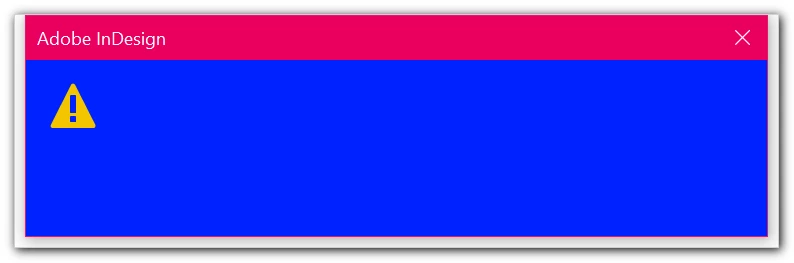
But this nice blue window appears after the first start of ID:
2024-04-23_shot_001.png


Maybe blue text on blue background...?


Any ideas what this could be?

TOPICS
Bug
544
Translate
Report
Community guidelines
Be kind and respectful, give credit to the original source of content, and search for duplicates before posting. Learn more
community guidelines

correct answers 1 Correct answer

Community Beginner , Aug 02, 2024 Aug 02, 2024

As stated here at Adobe forums, it has to do with a sync error of Indesign libraries stored on the remote server/storage. Removing such libraries from the server, starting Indesign, declining the recovery dialog, and putting the libraries back solved the problem for me.

Translate
Community Expert ,
Apr 23, 2024 Apr 23, 2024

Try resetting your preferences:

Windows: Start InDesign, and then press Shift+Ctrl+Alt. Click Yes when asked if you want to delete preference files.
macOS: While pressing Shift+Option+Command+Control, start InDesign. Click Yes when asked if you want to delete preference files.
A dialog will appear asking to delete the InDesign Preferences, select 'Yes' on this dialog.
Further info and instructions here if needed:
https://helpx.adobe.com/in/indesign/kb/indesign-preferences-support-file-locations.html


Reinstalling rarely fixes everything - you can do a complete reinstall using the
Creative Cloud Cleaner Tool https://helpx.adobe.com/creative-cloud/kb/cc-cleaner-tool-installation-problems.html


Translate
Report
Community guidelines
Be kind and respectful, give credit to the original source of content, and search for duplicates before posting. Learn more
community guidelines
Participant ,
Apr 23, 2024 Apr 23, 2024

Okay, so it's maybe an unknown cause and therefore the usual trick for everything & for years: resetting and loosing the preferences ... 😞


But at the moment ID starts normally. Maybe just a "temporarily bug" after this latest small update.


Translate
Report
Community guidelines
Be kind and respectful, give credit to the original source of content, and search for duplicates before posting. Learn more
community guidelines
Community Expert ,
Apr 23, 2024 Apr 23, 2024

Even after an update things can go wrong. 

So the routine thing to do is the usual tricks.

The link for resetting prefernces also has a more in-depth method of clearing your cache too.


If they are not working then let us know.

Translate
Report
Community guidelines
Be kind and respectful, give credit to the original source of content, and search for duplicates before posting. Learn more
community guidelines
Community Beginner ,
Aug 02, 2024 Aug 02, 2024
LATEST

As stated here at Adobe forums, it has to do with a sync error of Indesign libraries stored on the remote server/storage. Removing such libraries from the server, starting Indesign, declining the recovery dialog, and putting the libraries back solved the problem for me.

Translate
Report
Community guidelines
Be kind and respectful, give credit to the original source of content, and search for duplicates before posting. Learn more
community guidelines