Participating Frequently
September 16, 2022
해결됨

Color changes after export in PDF

  • September 16, 2022
  • 1 답변
  • 6189 조회

Hello everyone,

thank you in advance for your time and your help.

I have looked in the forum previous answers and i was able to get a little better results for the exportation, but in the end, even though the color is similar is not exactly the one i choose.


As i said, I have already changed on InDesign from CMYK to RGB since i need it only in digital format.


I also tried several types of export:

1) export (print) - no good

2) export (interactive) - no good

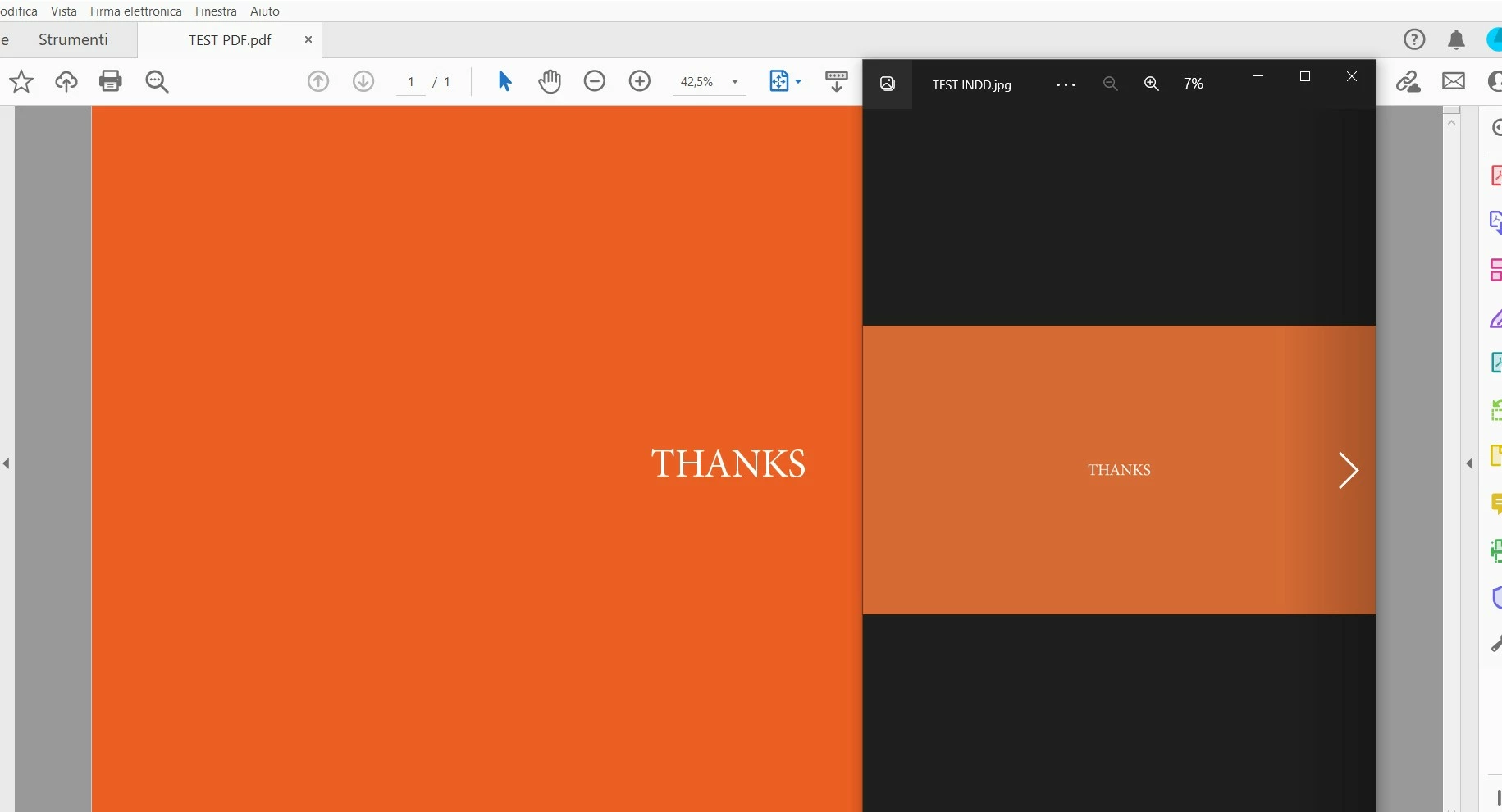
3) export in .jpeg - very good (exactly the same color) but when i then join together all the images with adobe acrobat DC, the turn again color as the same of the exportation in .pdf format.


The color code is this one: eb601d (also sometimes change alone in other colors code)


If a solution to keep the this color in .pdf format is not achievable i will try to change the color and do some tests until it remains the same in both indesign and .pdf exportation, but i hope not to change since it's a color that really fit well in the composition.

thank you very much in advance and sorry for my english!
이 주제는 답변이 닫혔습니다.
최고의 답변: rob day

Yes, i did a copy of the file with the same exact properties, i share with you my situation. Thanks for the patience.

wetransfer link, since i can't upload pdf (i'm super new here): https://we.tl/t-psJ5dRGVi1


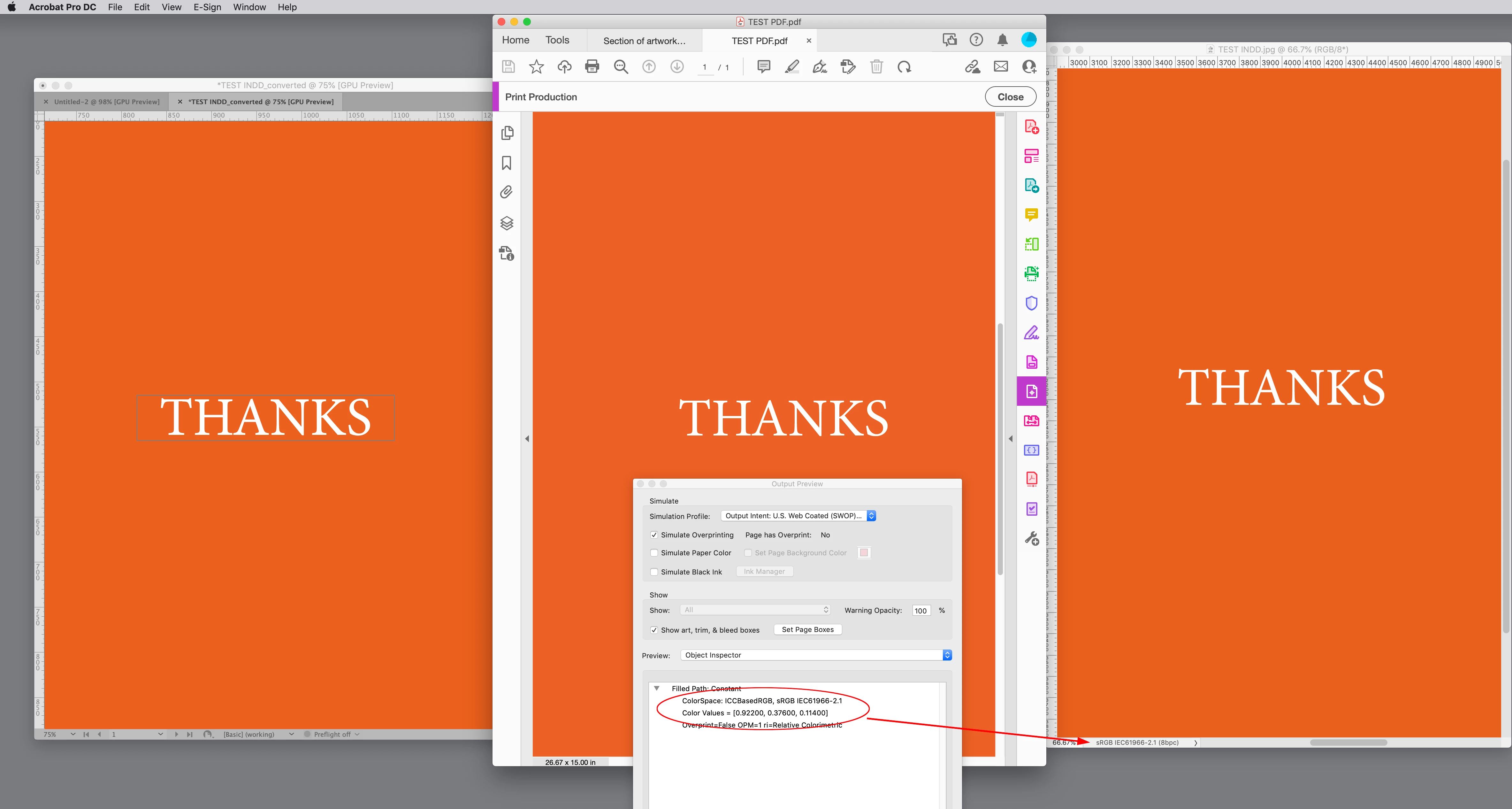
I’m not seeing any difference between InDesign and Acrobat—both colors are profiled sRGB with the same RGB values. In your capture it looks like you are viewing an exported JPEG in some third party app that has no color management—I would say its preview is wrong. Try viewing the JPEG in Photoshop, it is also showing the correct values and preview.


Here is ID on the left, Acrobat center, and Photoshop right. Multiply the Acrobat RGB values by 256 to get InDesign’s 8-bit values:


1 답변

rob day
Community Expert
Community Expert
September 16, 2022

As i said, I have already changed on InDesign from CMYK to RGB since i need it only in digital format.


Hi @Diego26157622gugw , InDesign documents do not have a single document color mode, you can always mix CMYK, RGB, and Lab colors on the same page even when the document Intent is set to Web or Mobile, or the Transparency Blend Space is set to RGB.


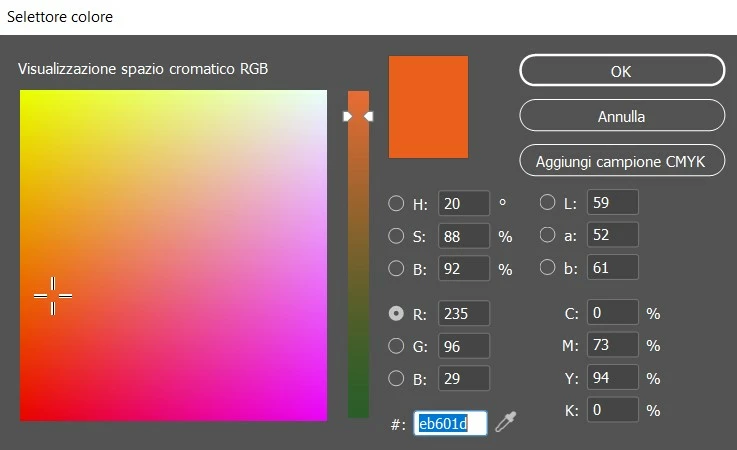
In your screen capture of the Color Picker you are making a CMYK Swatch or Color, see the Add CMYK Swatch (Aggiungi Camione CMYK) button, so the #eb601d RGB HEX value is about to be converted to CMYK.


In order to create an RGB/HEX Swatch or Color put your cursor in one of the R, G, or B fields (just selecting the Radio button doesn’t work), and click OK or Add RGB Swatch:


Participating Frequently
September 17, 2022

Thank you very much for the fast feedback.

I don't get why the result is the same as before, the indesign preview is different from the .pdf export, while the .jpg export work and gives the right same result of the indesign preview. I also tried to do it in a new file, and the result is the same.

I really don't understand what i'm doing wrong 😞

Participating Frequently
May 6, 2023

Hello, I am having the exact same problems as you did. I am trying to export pdf from Indesign and the colors come out brighter in the exported pdf than I intended. It looks perfect in the indesign preview and photoshop and in the jpeg. But it looks a lot brighter in the exported pdf from the Indesign. I really don't understand what I am doing wrong.. It would be very helpful if you could help! Thank you so much


Hello, here I am. The problem is not about exportation, color profile and so on but it is a problem of the adobe suite. I noticed that sometimes, like the time I had that problem, after some updates to the programs some things are messed up, like few time ago, there was a big bug with the zoom factor in Illustrator but it's another story.

To solve the problem you have to options: reverse the update to a previous version of Indesign or wait for a new update of Indesign. Sometimes, it's involved also Adobe Acrobat DC, try to make these downgrades or wait for a newer version (I think last time they noticed there was something bad with the exportation and they updated the software like 2 days later, so if it is not urgent you can also wait for few days to let them fix the problem). It's very frustating, I was like crying last time, but then I updated the program and everything solved... Instead if you have urgency, export the images and use other programs to make presentations (both online and the old style ones if really urgent, otherwise, have patient). Good luck, hope it helps