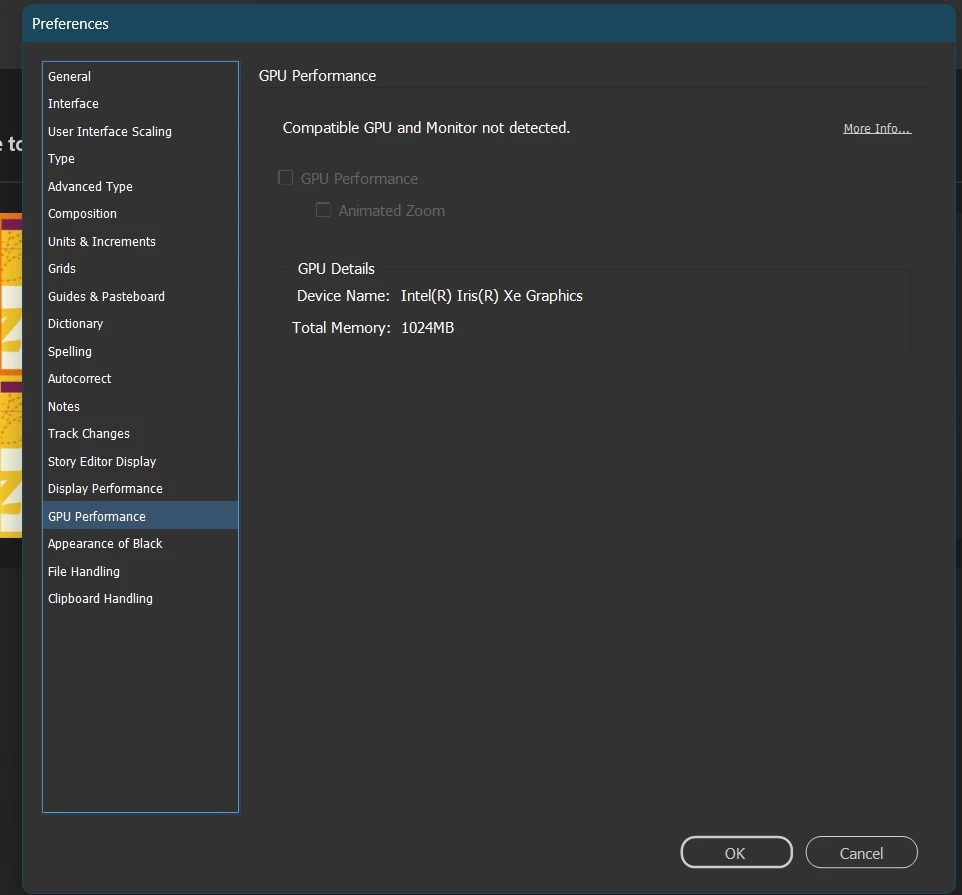
@Anas25667606uril Your monitor resolution is 1920 x 1080. To access the GPU feature on Windows, the monitor should have a resolution above 2K.
_______________________________________________________________________
High resolution monitors are becoming the standard. With the high monitor resolutions, it is getting difficult for CPU to handle the rendering. This is where the GPU comes into play. Rendering on high-density displays is best handled by the GPU. GPU acceleration makes the rendering of the documents faster while zooming, scrolling, and panning. The enhanced performance from using the GPU in InDesign powers features like Animated Zoom which make zoom actions smooth and animated. Based on our internal tests as well, we found that GPU acceleration provides better performance when the monitor resolution is greater than 2K and the GPU has atleast 1GB vRAM. Hence, these have been set as the minimum system requirements.
_______________________________________________________________________
If the GPU isn't enabled by default on Windows, please share the following information:
- Display adapters in Device Manager (Ensure that the display cable is connected to the GPU port on machines with dual display ports for proper rendering)
- Display settings (To access the GPU feature on Windows, the monitor should have a resolution above 2K.)
- Share the IDSniffer file available at %USERPROFILE%\AppData\Local\Adobe\InDesign\Version 20.0\en_US\Caches\GPULog\IDSniffer
Refer to FAQ section on https://helpx.adobe.com/indesign/kb/gpu-performance.html
Regards
Sanyam Talwar(he/him)
InDesign Engineering Team



 AdChoices