Participating Frequently
August 29, 2017
Answered

Corrupted Cursor in InDesign

  • August 29, 2017
  • 24 replies
  • 43315 views

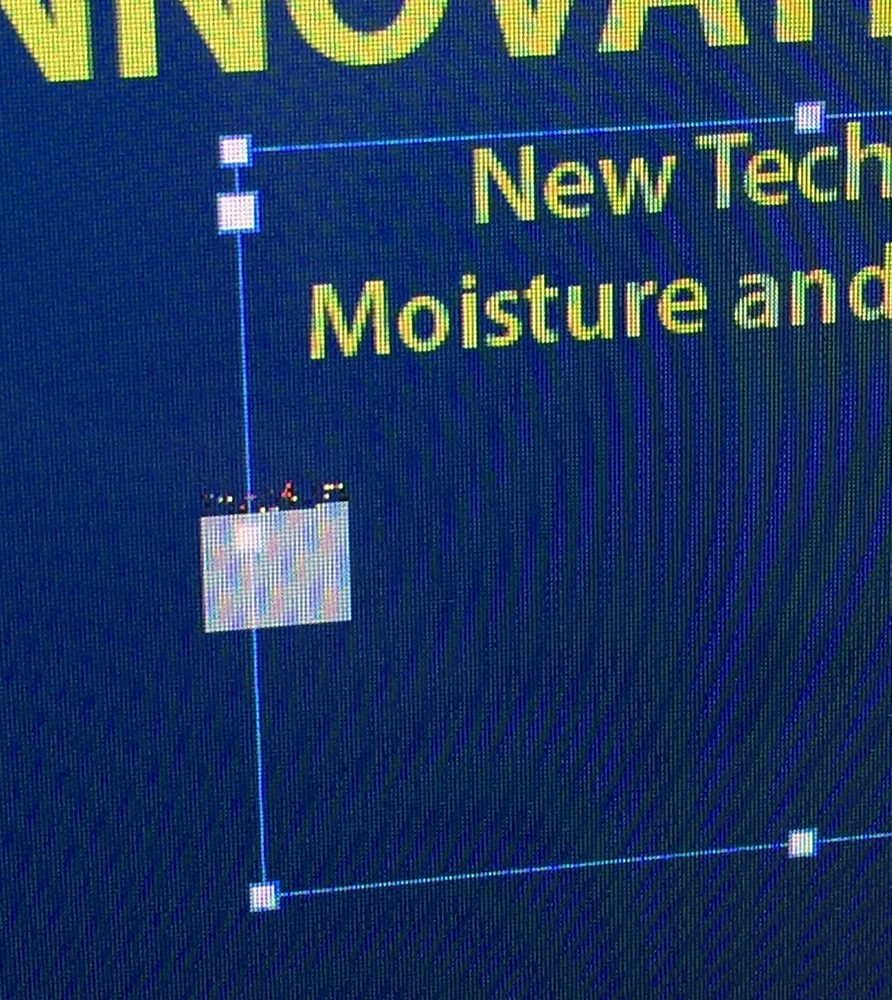
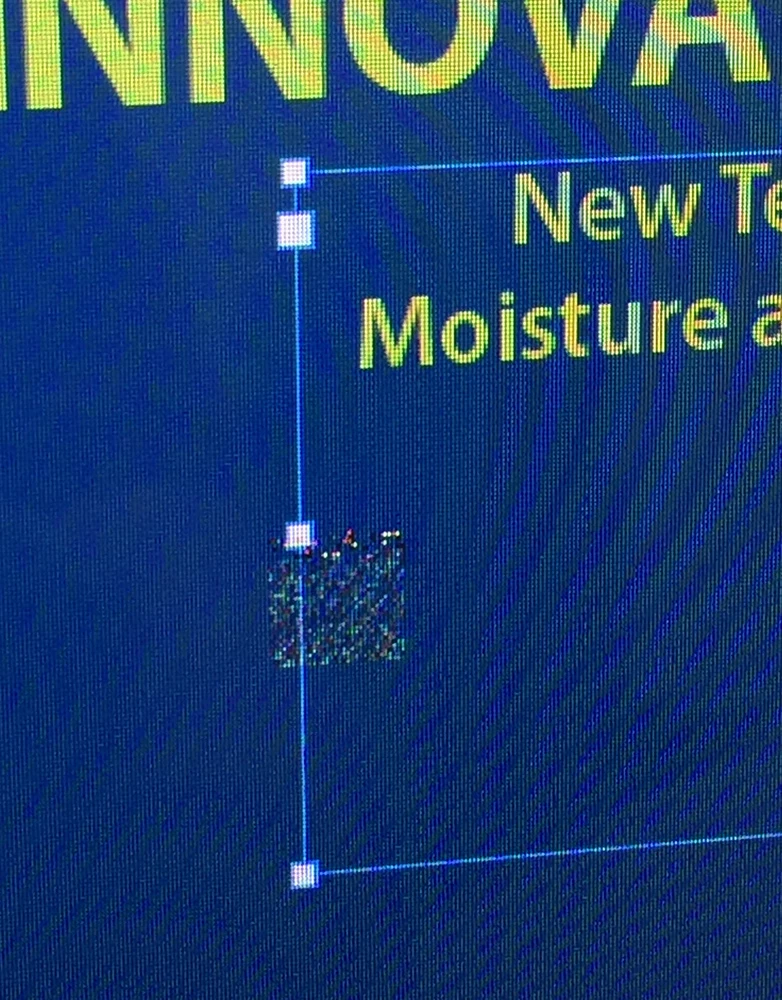
I can't verify if this is an issue with the upcoming version of macOS High Sierra (I've noticed it across several public betas), but the cursor will begin to act odd after switching between apps and InDesign 2017.1. When switching between other apps and InDesign, the regular arrow mouse cursor becomes to a box that changes depending on the the interaction with the page elements.  It takes a restart of InDesign to get the normal cursors/arrow back. Not sure if it's unique to switching between certain apps, but it's quite tricky to use once it acts up like this. No issues like this with any other Adobe apps. Anyone else on High Sierra have this issue?
This topic has been closed for replies.
Correct answer wrensauer

Hi everyone,

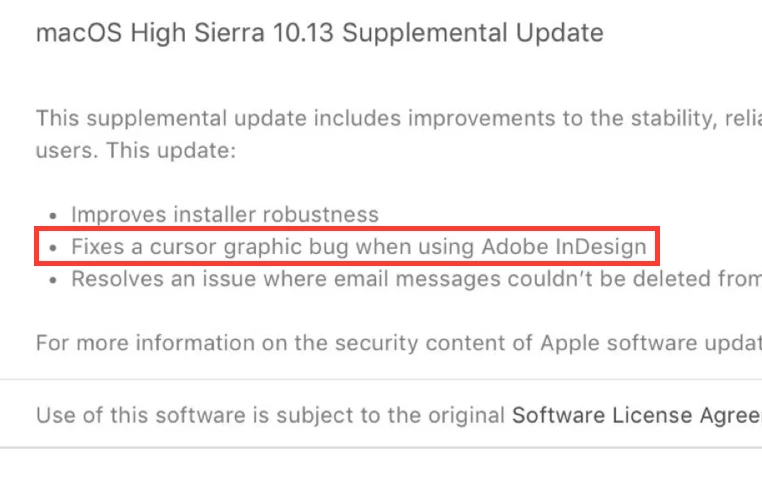
This issue has been resolved with the MacOS 10.13 Supplemental Update released today. Please update your OS if you're experiencing this issue with High Sierra.

Thanks,

Wren

24 replies

wrensauer
wrensauerCorrect answer
Inspiring
October 5, 2017

Hi everyone,

This issue has been resolved with the MacOS 10.13 Supplemental Update released today. Please update your OS if you're experiencing this issue with High Sierra.

Thanks,

Wren

Om Nath Jha
Legend
September 27, 2017

Hi all,

As you know, Mac OS 10.13 High Sierra is now publicly available for all Mac users to install. However, InDesign CC 2017 (and earlier versions) for Mac was not optimized for High Sierra. We are actively working with Apple on this issue to get it fixed asap. If you are experiencing InDesign compatibility issues with High Sierra, please report them to Adobe InDesign Feedback. By reporting on User Voice you will receive a notification when the issues are resolved. We apologize for any inconvenience.

Here's a link with more details: Known issues - Running InDesign CC on macOS 10.13 High Sierra

Regards,

Om

Participant
September 27, 2017

Has anyone trying rolling back to InDesign CC 2017.0 (i.e. without the most recent InDesign 2017 update installed) ? I just did that and it seems to be working so far....

Alexander Walter
Participating Frequently
September 27, 2017

I suppose it's a macOS graphics problem since I've discovered similar issues and graphical glitches in other apps (non CC) as well. Quitting InDesign and restarting only helps for a short amount of time before the funky block cursor reappears. Also the apps between the switches don't matter at all: it occurs with CC apps and other apps, too. I've tested on my MacBook Pro Mid 2012.

Participating Frequently
September 27, 2017

Just installed public release. Same issue. Reinstalling Sierra is not a fix!

Participant
September 27, 2017

Same here - installed High Sierra public release on all of our machines and we are all having this issue with the cursor

Participant
September 27, 2017

Then I'll step on soapbox and ask you this:

What the hell were you thinking?


lol okay bob. I'm just adding to the thread so I can get updates if there is a fix or workaround.

Participating Frequently
September 26, 2017

There's always and every time this: "we are actively working with Apple on this issue" etc. Surely there may be something with new Apple upgrades, but it keeps astonishing me that most of the times only Adobe apps have these severe problems. For instance: There is a long standing issue with Indesign: open a dialogue window from within Indesign, then type in the Find field the name of the Indesign document you want to find. Nothing shows up! I know there is a work around for at least 2 years. But it tells me that there is no real interest at Adobe in delivering the best possible apps.

My solution to the afore mentioned problem: revert to Indesign build 12.0.0.81 and this bug is gone. Also: more speed, no troubles with table headers, more contrast in the UI... and happy upgrading to High Sierra!!

PS: also a user since version 1.0, because back then I got fed up with Quark Xpress not really seeming to care.

Pradeep Verma
Adobe Employee
Adobe Employee
September 26, 2017

Hi Tom,

You will be happy to hear that most of the other issues that you have mentioned in your post are being addressed with the upcoming release of InDesign. If you would like, you can join our Prerelease program (https://www.adobeprerelease.com/​​) to get access to the Beta builds of InDesign for the upcoming release and try them at your end. We would love to have an experienced user like you provide us with valuable feedback in our Prerelease program.

For this specific issue with the cursor, based on our current investigations and findings the issue needs to be addressed by Apple and we have been working closely with them to provide all the necessary information to quickly fix the issue. From what we have learnt, the issue should be fixed with the next dot release of High Sierra from Apple.

Regards,

-Pradeep.

Participating Frequently
September 26, 2017

Well hi Pradeep,

this sounds good, a response that sounds like real communication! I've subscribed to the prerelease program, looking forward to testing the new release beforehand...

Kind regards

Tom

Participant
September 26, 2017

Having the same problem, Apple really needs to get their act together...

iD2comm
Known Participant
September 26, 2017

... same cursor issue (InDesign) here. I don't have the option to change the GPU performance setting (Compatible GPU and monitor not detected) on my 2012 iMac.

Inspiring
September 25, 2017

Explain if possible, someone, how this can be an Apple issue. An Adobe issue. What code is Adobe tapping into for their InDesign cursor that no other application is?

BobLevine
Community Expert
Community Expert
September 26, 2017

InDesign didn’t change…the O/S did.

Participating Frequently
September 25, 2017

Cursor bug is still in latest release of HS that was made available today (17A365). I've seen a response from Adobe that they're aware of the issue and hopes it will get resolved in the next couple of minor updates that Apple rolls out. So, must be an Apple issue. Since it's not in beta anymore, more ID users should discover the problem and put pressure on A/A to fix.

BobLevine
Community Expert
Community Expert
September 25, 2017

I’ve personally done all I can via social media to alert users to this but yes, I suspect plenty of users to be showing up here in the next few days.

Goofy Foot Press
Inspiring
September 25, 2017

What's so strange (and fascinating) about it is that the cursor will do just fine for the first 15 minutes or so, and then for no reason that I can figure out, it falls down the Adobe or Apple rabbit hole. I've not been able to find how to replicate it--it seems to have a mind of its own, and when it decides to get funky, there's no bringing it back short of quitting InDesign.

Thank heaven it's not like glitches in past years where the glitch would take all of your work with it. There's no problem saving a file before quitting InDesign and opening it up without having lost any work. This one appears to be an annoyance instead of a migraine--said with fingers crossed.

maxjamesxx
Participating Frequently
September 25, 2017

Apple has updated a number of core underlying technologies in this release of macOS, and it's likely a case of Adobe needing to update its apps to work correctly with the new OS. If I had to guess, it likely has something to do with Apple's update to it's Metal GPU graphics technology. I guarantee Adobe release an update after the 25th and will address this issue.

BobLevine
Community Expert
Community Expert
September 25, 2017

That's quite the guarantee you've got there but if it's an Apple bug nothing Adobe does is going fix it.

Goofy Foot Press
Inspiring
September 25, 2017

The good news is that Photoshop has been working flawlessly with High Sierra. And given some of the early bugs with InDesign way back when, at least I can fix this one by quitting and restarting InDesign every half hour or so. So while it's annoying, it's not catastrophic.