

Kathy5FFA
Inspiring
February 20, 2023
Answered

Disable Dialog Box

  • February 20, 2023
  • 2 replies
  • 712 views

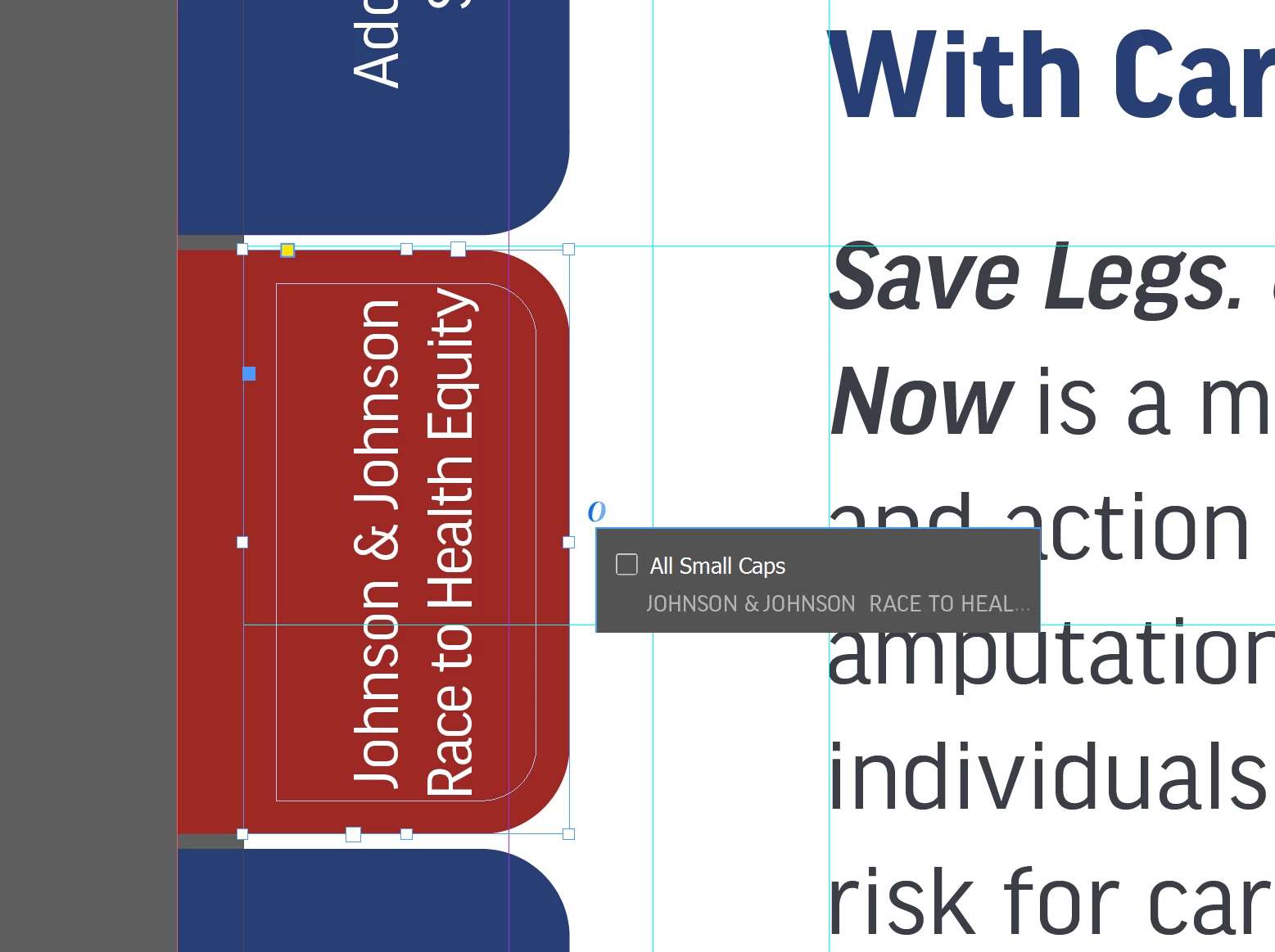
Hello. I would like to disable a pop up box that keeps coming up when I'm trying to drag a text box and then I can't drag. In the image below, the text box that says "All Small Caps" - how can I disable this from appearing? Thank you.
 

This topic has been closed for replies.
Correct answer Barb Binder

Hi @Kathy5FFA:


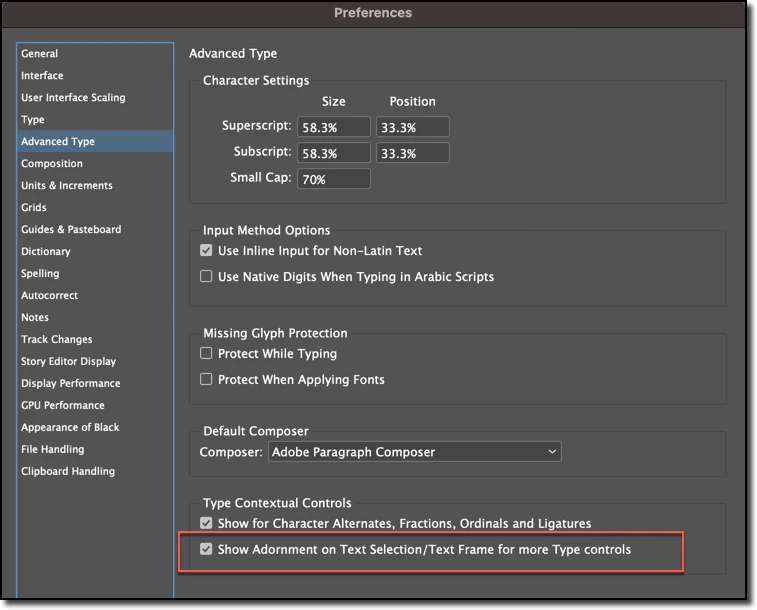
You can disable the adornment in preferences. But really, if you just drag from someplace else and not on the O, you could leave it there and it shouldn't be a problem.


~Barb


2 replies

Barb Binder
Community Expert
Community Expert
February 20, 2023

We are always happy to help. @Kathy5FFA.


~Barb

~Barb at Rocky Mountain Training
Barb Binder
Community Expert
Barb BinderCommunity ExpertCorrect answer
Community Expert
February 20, 2023

Hi @Kathy5FFA:


You can disable the adornment in preferences. But really, if you just drag from someplace else and not on the O, you could leave it there and it shouldn't be a problem.


~Barb


~Barb at Rocky Mountain Training
Kathy5FFA
Kathy5FFAAuthor
Inspiring
February 20, 2023

Thank you. I don't use the feature and I like to work zoomed out. No matter how I try to click on the right side, it won't let me drag with this on unless I zoom in. I appreciate it.