
Participant
November 12, 2020
Answered

Double spacing bug in 'running header' feature.

  • November 12, 2020
  • 2 replies
  • 379 views

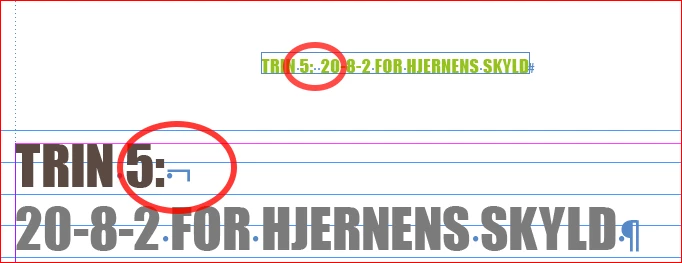
Pretty sure the problem is that the running header feature is seeing the soft return (shift-enter) as a spacing. But the spacing bug only happens on the page, it's taking the information from.


The following pages don't have this problem and the only difference is that these pages take the 'running header' information from another page than their own.
 

Can see this problem dates back before 2016 and as far I can see, hasn't been solved.

Adobe employees are also confirming it's a bug in the posts.


The last post in this thread by jutaipeter actually fixes the problem. But it's a workaround:
https://community.adobe.com/t5/indesign/possible-running-header-text-variable-error/td-p/9217981?page=1

This topic has been closed for replies.
Correct answer Laubender

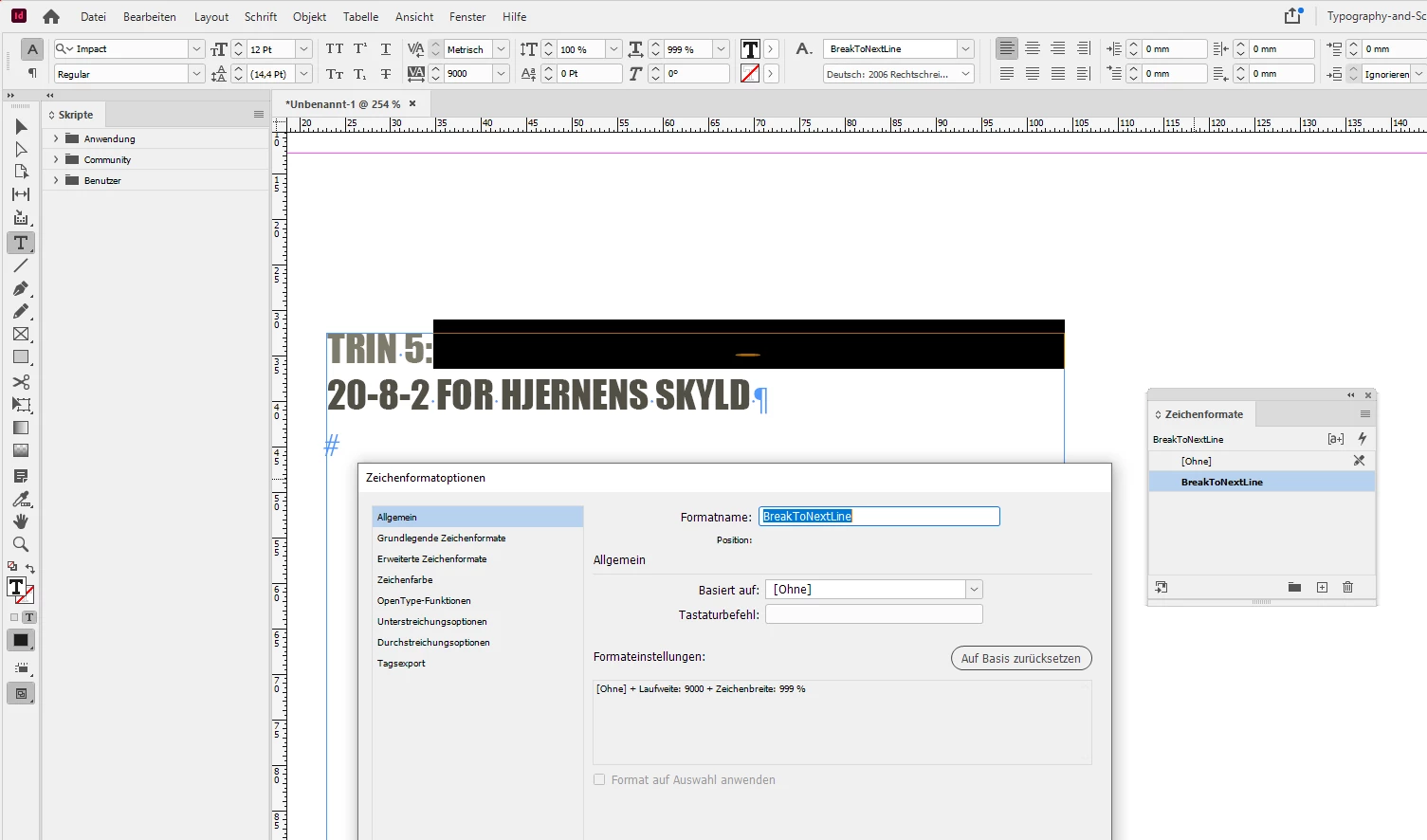
Another workaround would be to use a "special" character style for the blank after "TRIN5:" so that the text will break to the next line automatically. Set the blank e.g. to Tracking: 9000 and Width to 999% :


No need to use a line break special character.


Regards,
Uwe Laubender

( ACP )

2 replies

Community Expert
November 19, 2020

Hi Theis,

you have to be very careful if you like to edit text before or after the blank with that special character style. Best reset the applied character style to [None] before doing edits. And there is an issue if you already applied a character style to the blank and you do not want to add another one in your lists of styles. Then a manual override could do.


Regards,
Uwe Laubender

( ACP )

LaubenderCommunity ExpertCorrect answer
Community Expert
November 13, 2020

Another workaround would be to use a "special" character style for the blank after "TRIN5:" so that the text will break to the next line automatically. Set the blank e.g. to Tracking: 9000 and Width to 999% :


No need to use a line break special character.


Regards,
Uwe Laubender

( ACP )

Theis YAuthor
Participant
November 19, 2020

Yes, this is also a solution. But I guess you have to adjust the special break if there should be any type or size changes.

The workaround I mentioned in the first post, worked for the job. But could cause problems in other scenarios:


"The method that works for me all the time: go to the Variables menu, and choose "Use: Last on Page", and you may also also check in "Delete End Punctuation" (however, this is not necessary, I think)." - jutaipeter 


Thank you for looking for a solution tho!


- Theis

Theis YAuthor
Participant
November 19, 2020

I've tried your solution now. I thought the special character would break into a new line but that isn't the case. it works pretty well.