e ch n
Inspiring
March 8, 2025
Answered

¿Error de programa o archivo corrompido?

  • March 8, 2025
  • 3 replies
  • 945 views

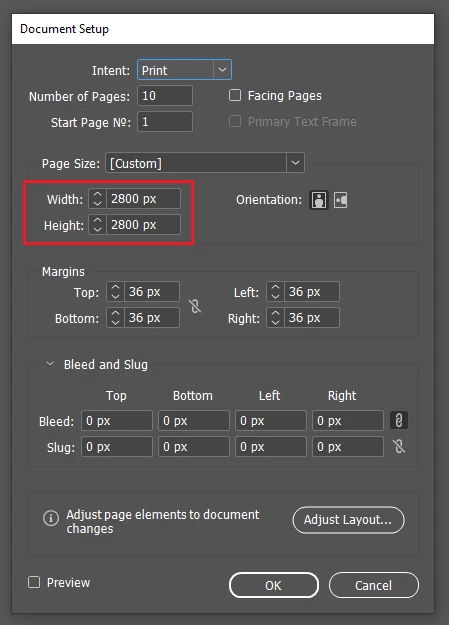
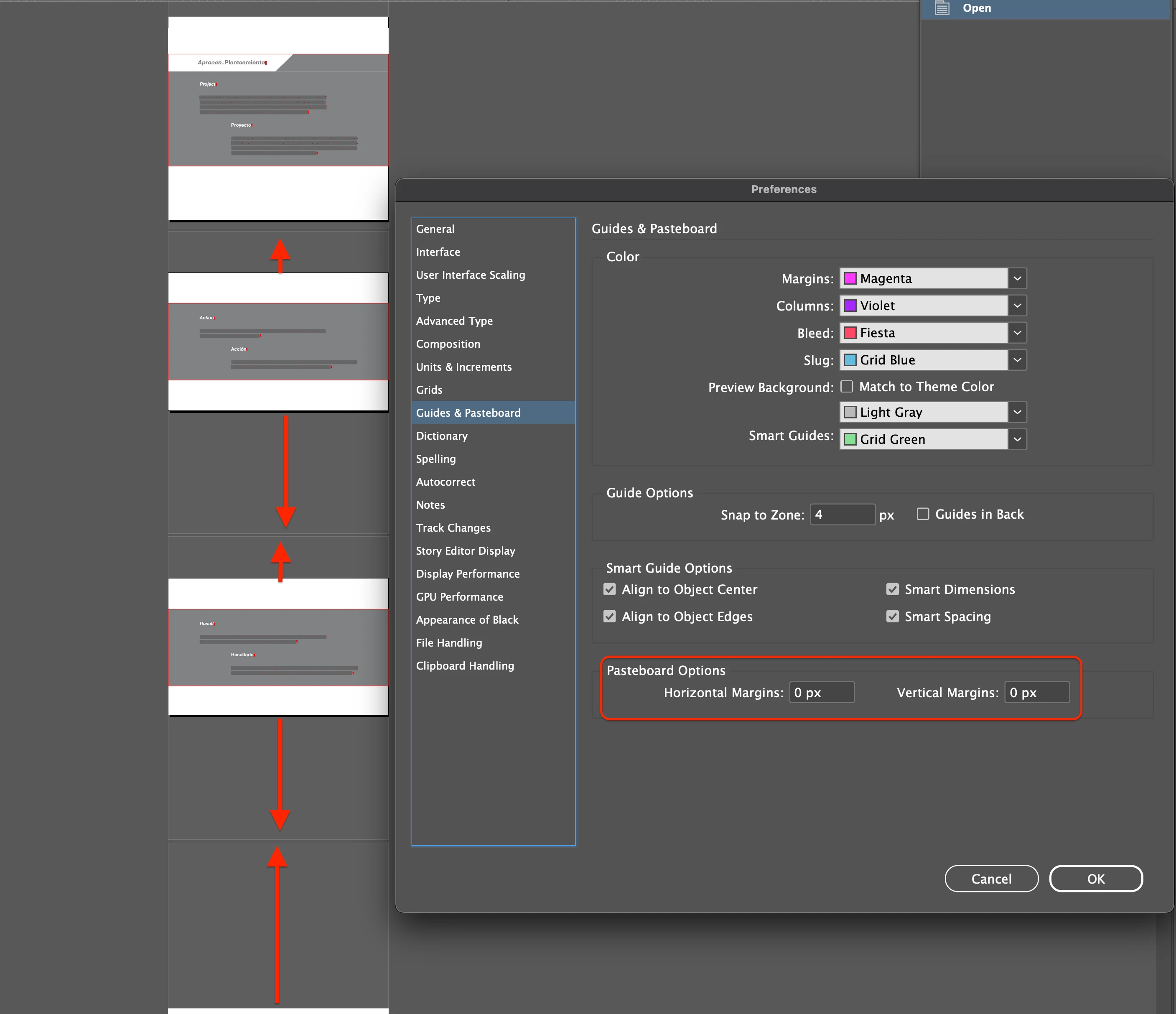
En la captura de pantalla adjunta, se puede observar que en la ventana de preferencias, el espacio vertical y horizontal de la hoja está marcado en cero, pero el archivo coloca espacios verticales con medidas totalmente aleatorias en cada hoja. 


¿Es este comportamiento un error de programa, una configuración errónea, o el archivo se corrompió?


Gracias.
 

Correct answer Robert at ID-Tasker

@e ch n 


I hope you won't mind me replying here - so it might be helpful for others.


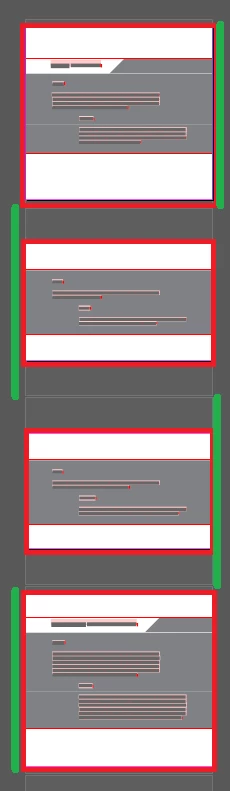
Your pages - marked in Red - are different for each spread.


But the size - height - of each spread - marked in Greeen - is the same as the height of the highest page - and as per definition of your document:


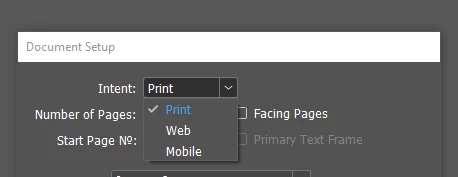
You've this file created for print? Will you be printing it - or is it rather for Web / Mobile Intent:


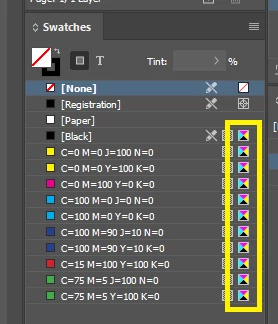
If for Web / Mobile - then you should create a new document - with the same PageSize - so your colors will be RGB - not CMYK:


3 replies

Robert at ID-Tasker
Robert at ID-TaskerCorrect answer
Legend
March 10, 2025

@e ch n 


I hope you won't mind me replying here - so it might be helpful for others.


Your pages - marked in Red - are different for each spread.


But the size - height - of each spread - marked in Greeen - is the same as the height of the highest page - and as per definition of your document:


You've this file created for print? Will you be printing it - or is it rather for Web / Mobile Intent:


If for Web / Mobile - then you should create a new document - with the same PageSize - so your colors will be RGB - not CMYK:


e ch n
e ch nAuthor
Inspiring
March 11, 2025

Hola, @Robert at ID-Tasker  


Está bien la respuesta en el foro, totalmente de acuerdo, gracias

1.- Sí, el largo de cada página es diferente, pues la cantidad de texto que cada una contiene es distinta; lo que es constante en cada página, es el ancho y los márgenes anterior y posterior a cada texto según el estilo de párrafo correspondiente, ello delimita el inicio y término del texto, y como resultado, la medida vertical de cada página


2.-El documento será para Web, no para impresión; está erróneamente configurado, lo corregiré


3.-Todas las páginas son individuales, no hay páginas opuestas


4.-La altura de 2800 px de la página, la coloqué como base para de ahí, mediante la herramienta “Page Tool” ajustar su medida según lo requiera, al menos, esa fue la idea…


5.- Explicas que si es para Web, debo crear un nuevo documento con la misma dimensión de página para que los colores sean RGB y no CMYK; ¿no podría solamente cambiar su uso a Web y colocar igualmente las medidas de 2800 px por 2800 px para ajustar cada página según necesite, o cómo seria el proceso correcto?


Con lo arriba expuesto, ¿qué sería lo correcto a realizar, Robert?


Muchas gracias.

Robert at ID-Tasker
Legend
March 11, 2025

You're welcome.


I don't think there is a reason for you to be worried about this extra spacing. 


Unfortunately, when you change Intent from print to web - InDesign doesn't change built-in colors - there was a thread about that recently - so you'll have to create a new document - then you can just copy your pages there - InDesign will use "new" definitions of the built-in styles and colors. 


Robert at ID-Tasker
Legend
March 8, 2025
Robert at ID-Tasker
Legend
March 8, 2025

It's because you've some astray objects on the pasteboard. 


Try IDMLing - export as IDML, open, save with a new name - do not overwrite your original file. 


If it won't help - then go to each page, hit Ctrl+A - Select All - you should see where the "extra" objects are located.


Then, unselect everything on the page - press SHIFT and draw a rectangular selection close to the edges of the page - to UNselect everything on the page.


Now, you should have only this / those astray object(s) selected - you can either try to move them - or just hit DELETE.


If it won't fix the problem - you can send me your document privately - please click my nickname - and I'll fix it for you.