

Barb Binder
Community Expert
Community Expert
October 19, 2018
Answered

FindChangeByList—apply a paragraph tag that resides in a folder

  • October 19, 2018
  • 3 replies
  • 1370 views

Here's the next scenario.

I need to find a tab and a space and replace with an en dash. This is working when the style is not in a folder.

text      {findWhat:"--"}          {changeTo:"^_", appliedParagraphStyle:"Footnote"}        {includeFootnotes:true, includeMasterPages:true, includeHiddenLayers:true, wholeWord:false}      Find all dash-dash and replace with an em dash.

How do I specify the folder called Footnotes, and then the style within?
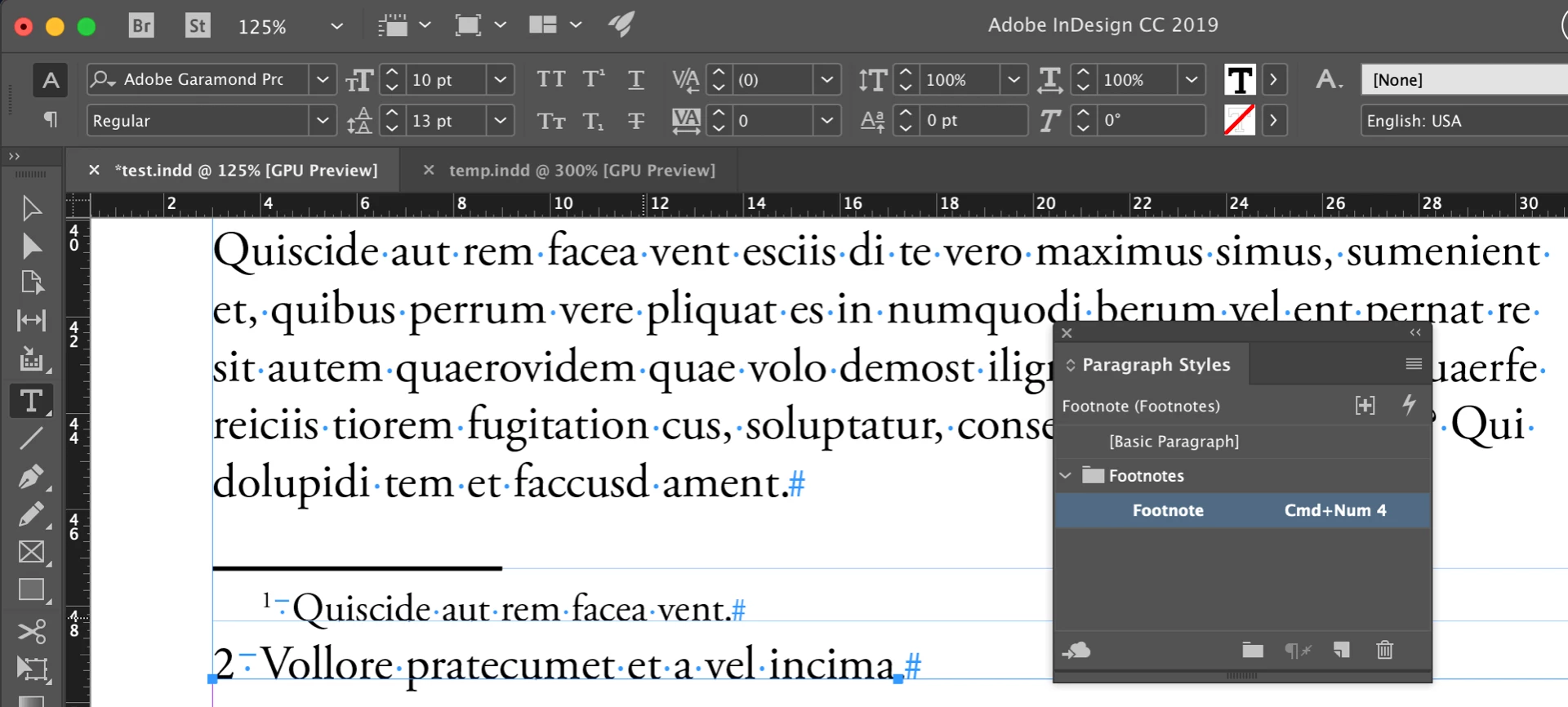
~Barb

This topic has been closed for replies.
Correct answer Manan Joshi

Hi Barb,


Try the following

text {findWhat:"--"} {changeTo:"^_", appliedParagraphStyle:app.doScript('function getStyle(){var ps = app.activeDocument.allParagraphStyles;for(var i = 0; i < ps.length; i++){if( ps[i].name == "Footnote" ) return ps[i]}}getStyle()', ScriptLanguage.javascript)} {includeFootnotes:true, includeMasterPages:true, includeHiddenLayers:true, wholeWord:false}


-Manan

3 replies

alternative text
Participant
June 26, 2019

How to replace all Dread color text with red color using this script?

Community Expert
October 19, 2018

Hi Barb,

I see that you created a new thread, i posted the answer on the previous thread as well. For anyone visiting this thread, mentioned below is something that works for me

  1. text {findWhat:"--"} {changeTo:"^_", appliedParagraphStyle:app.doScript('function getStyle(){var ps = app.activeDocument.allParagraphStyles;for(var i = 0; i < ps.length; i++){if( ps.name == "Footnote" ) return ps}}getStyle()', ScriptLanguage.javascript)} {includeFootnotes:true, includeMasterPages:true, includeHiddenLayers:true, wholeWord:false

Remember the tabs though

-Manan

-Manan
Inspiring
June 19, 2019

Hi Manan Joshi​ and BarbBinder​ I just came across another sweet way to target styles in folders; with this one you can exactly pinpoint to the folder & style you want to use:

{appliedParagraphStyle:app.activeDocument.paragraphStyleGroups.item("Foldername").paragraphStyles.item("Stylename")}

Community Expert
June 19, 2019

Hi peteremil ,

another way, not tested yet, could be a selection of text where the right character style or paragraph style is already applied.

You'd simply reference the selection then with:

{ appliedParagraphStyle : app.selection[0].appliedParagraphStyle }

Or if you have a text frame selected you could point to the applied paragraph style of the first paragraph in that text frame.

Note: In ExtendScript counting begins with 0 and not with 1. So the first paragraph is paragraphs[0] . The second paragraph is paragraphs[1] .

{ appliedParagraphStyle : app.selection[0].texts[0].paragraphs[0].appliedParagraphStyle }

Regards,
Uwe

Manan JoshiCommunity ExpertCorrect answer
Community Expert
October 19, 2018

Hi Barb,


Try the following

text {findWhat:"--"} {changeTo:"^_", appliedParagraphStyle:app.doScript('function getStyle(){var ps = app.activeDocument.allParagraphStyles;for(var i = 0; i < ps.length; i++){if( ps[i].name == "Footnote" ) return ps[i]}}getStyle()', ScriptLanguage.javascript)} {includeFootnotes:true, includeMasterPages:true, includeHiddenLayers:true, wholeWord:false}


-Manan

-Manan
Barb Binder
Community Expert
Community Expert
October 19, 2018

You are amazing! Thank you!

~Barb

~Barb at Rocky Mountain Training