Participant
July 16, 2018
해결됨

How to change the color of numbers only in text?

  • July 16, 2018
  • 1 답변
  • 1950 조회

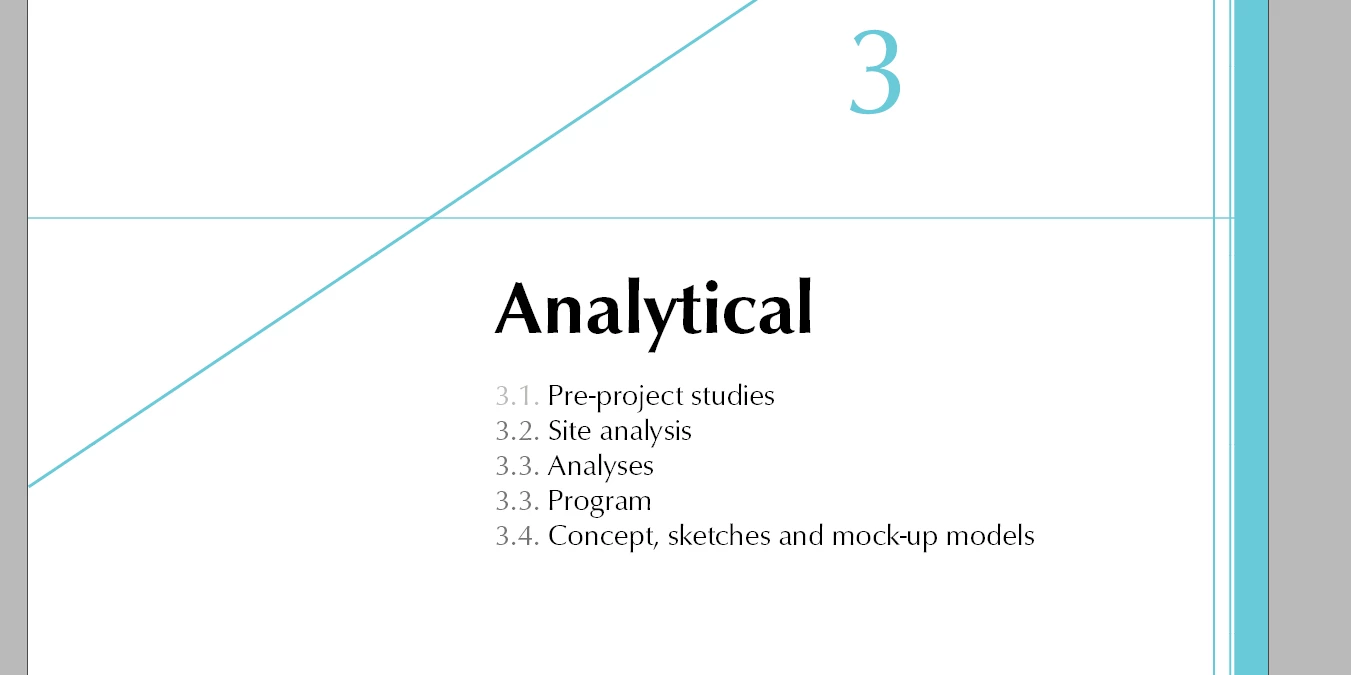
Hi! I wonder if it is possible at all in InDesign to change the colors of numers ONLY in text?

I have many chapters and sub-chapters and I have to include the numbering but I want it to be less direct and visual - example in the attachment. Chaning each number manually takes too much time. Can I do it faster?

이 주제는 답변이 닫혔습니다.
최고의 답변: SJRiegel

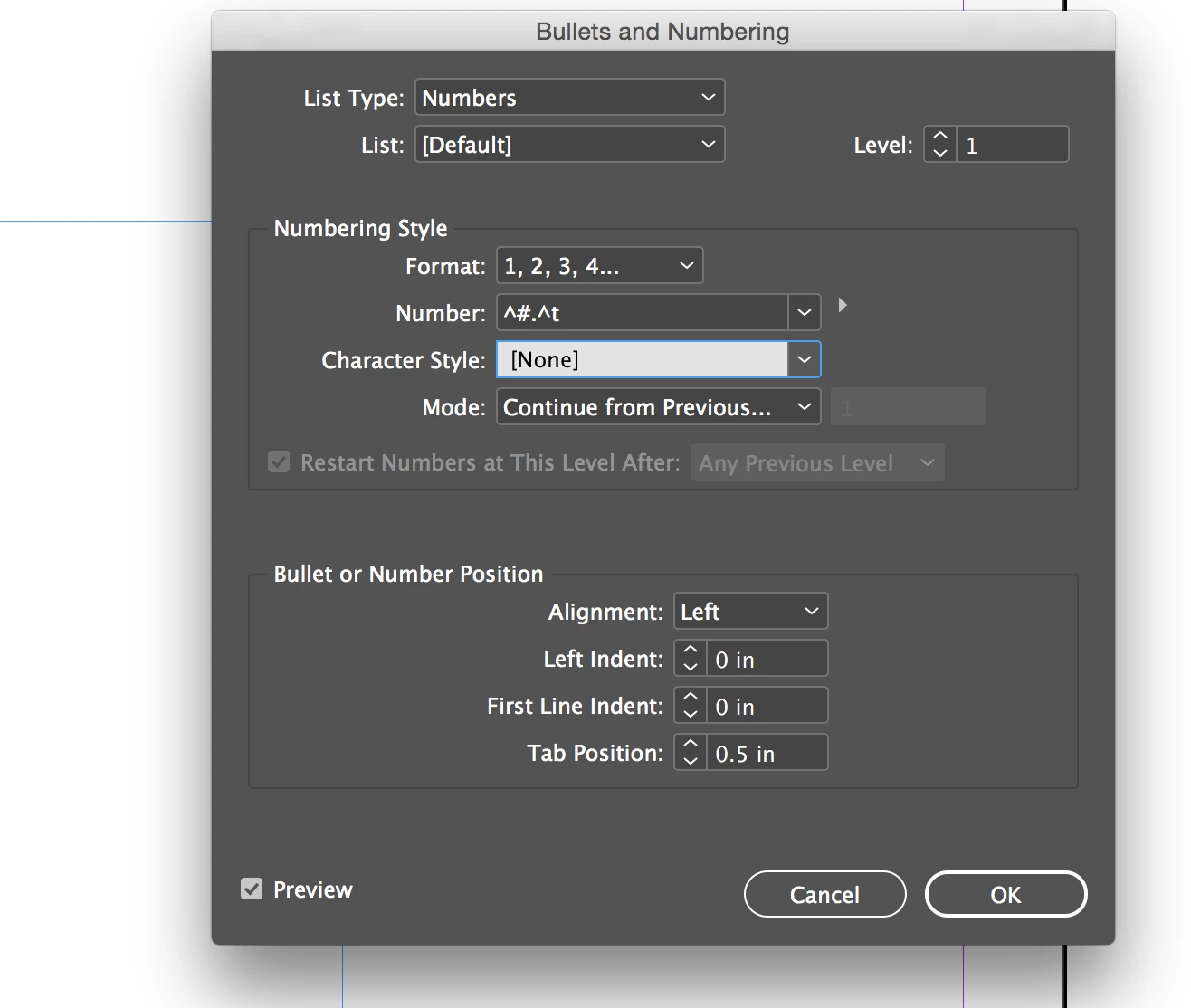
If those are automatically applied numbers, you can apply a Character Style (that defines color only) in the Bullets and Numbering dialog.

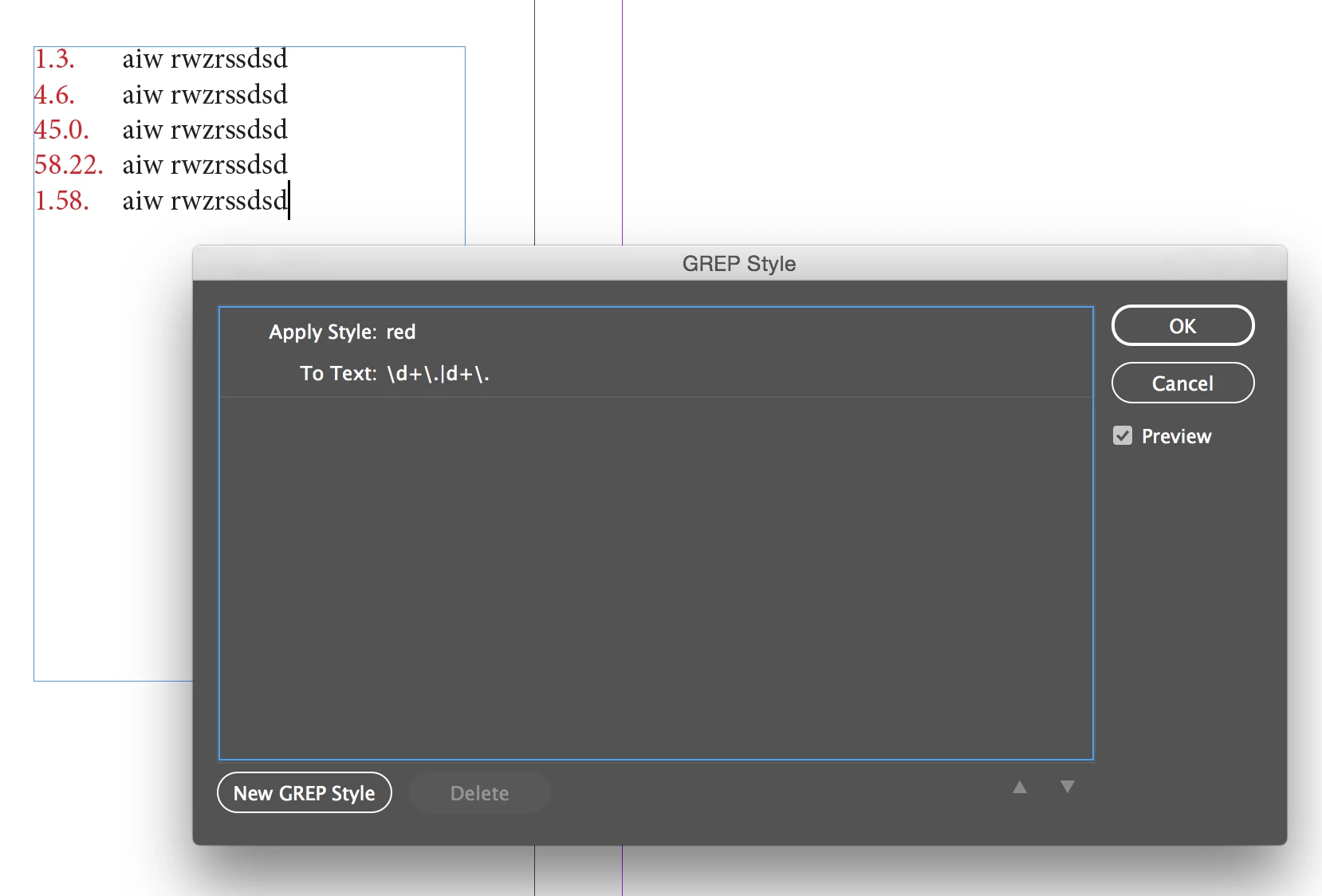
If they are plain text, you can use a GREP style.

1 답변

SJRiegel답변
Legend
July 16, 2018

If those are automatically applied numbers, you can apply a Character Style (that defines color only) in the Bullets and Numbering dialog.

If they are plain text, you can use a GREP style.

Participant
July 16, 2018

Wow, that is exactly what I meant - thank you!!