


Participant
November 11, 2019
해결됨

How to change workspace in Indesign

  • November 11, 2019
  • 1 답변
  • 756 조회

When I take indesign tutorials, it shows a screen like this:
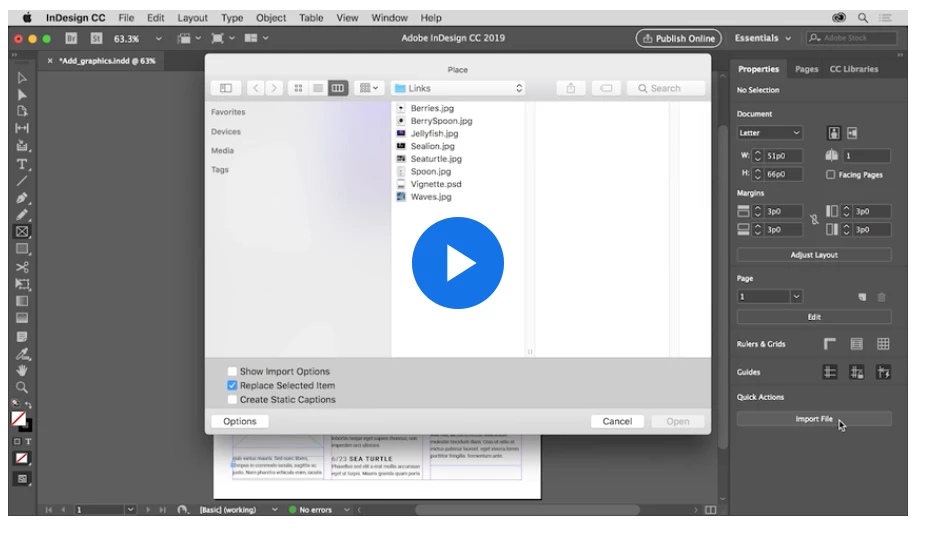
 

When I open a sample template the view I get is the one below.  How do I get the same tools and functions that Adobe is showing in its tutorials? 
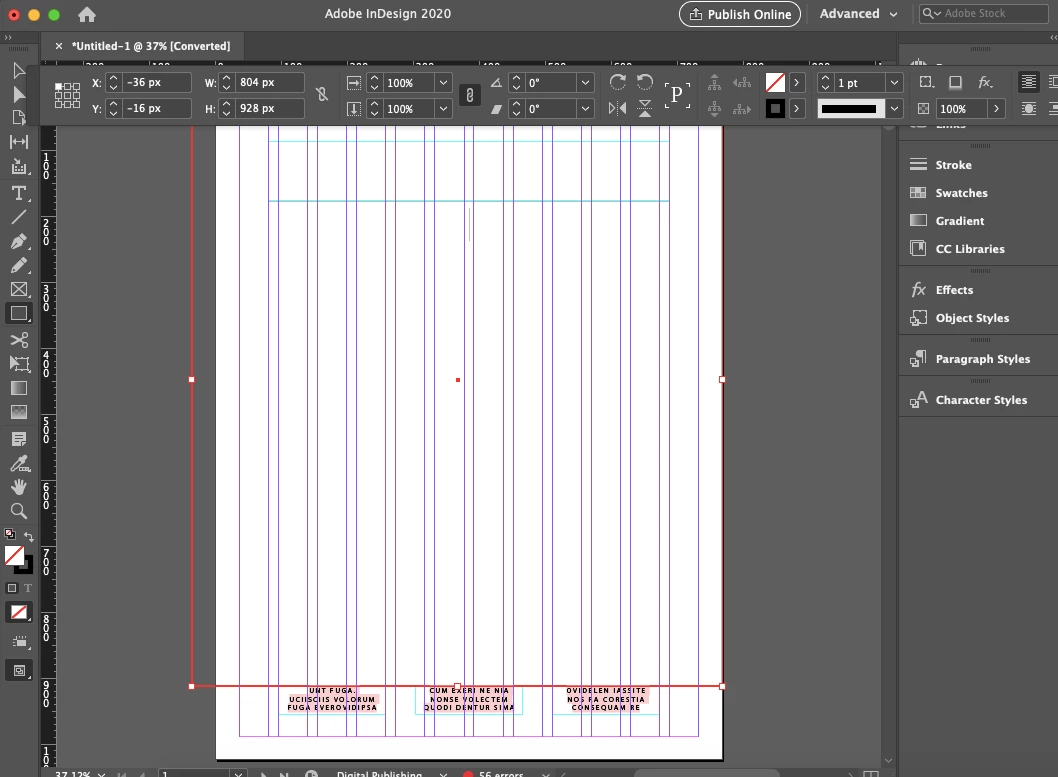
 

{Renamed by MOD}
이 주제는 답변이 닫혔습니다.
최고의 답변: Ashutosh_Mishra

Hi,


We'll be happy to help.
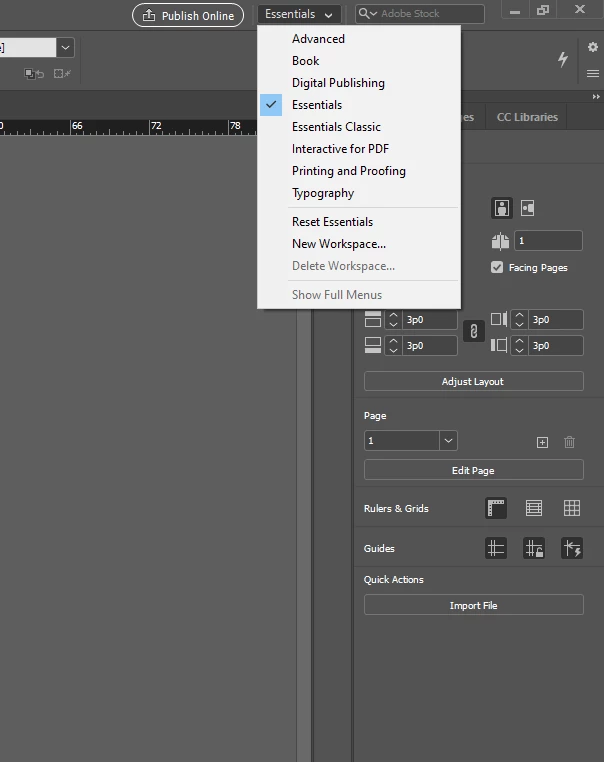
You can simply change the workspace from the Workspace menu on top bar.
In the tutorial, Essentials workspace is being used. You are using Advanced workspace.

I have attached a screenshot below to help you understand better:


You can learn  more about InDesign on https://helpx.adobe.com/indesign/tutorials.html

Hope it helps!

Regards,

Ashutosh


1 답변

Ashutosh_Mishra
Inspiring
November 11, 2019

Hi,


We'll be happy to help.
You can simply change the workspace from the Workspace menu on top bar.
In the tutorial, Essentials workspace is being used. You are using Advanced workspace.

I have attached a screenshot below to help you understand better:


You can learn  more about InDesign on https://helpx.adobe.com/indesign/tutorials.html

Hope it helps!

Regards,

Ashutosh


rittenhouse작성자
Participant
November 12, 2019

That worked.  Thank you for taking the time to address my question.