

How to change your grid guides (# of rows, columns, gutter size)?
I am running InDesign CS6. After I set up grid guides in my document, using Layout>Create Guides and Layout>Margins and Columns, I sometimes decide that a change should be made to the grid.
However, I cannot find a way to edit the grid guides. When I go back up to Layout>Create Guides and Layout>Margins and Columns, the settings does not reflect the existing grid structure (Like if I had 3 rows by 5 columns, it doesn't show this.) It just behaves as if I have no previously set up guides.
This happens even if I select all the guides and am in working on the master pages.
Also, I don't see any menu field/control to control this, like the user did in this YouTube tutorial (skip ahead to about 1 min 55.)
InDesign: Modify a Grid in an Existing Document - YouTube
In this video, you can see he uses the top menu to modify the grid with the controls in the red circle below. BUT these controls don't show up for me, even if I've selected the guides.
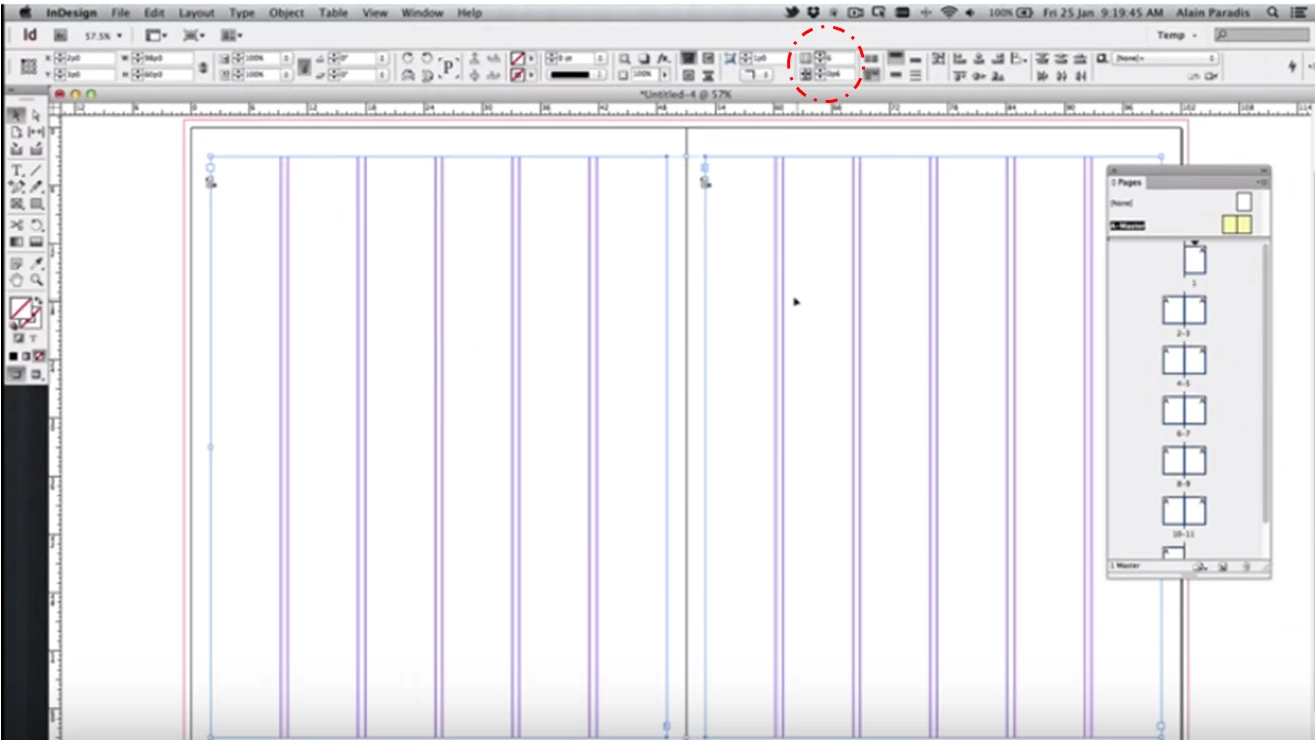
The only way I've figured out a workaround is the select all the guides, delete them, and start all over and create new guides OR manually drag each guide/select a guide and input values individually which takes forever.
Any ideas? Thanks!
 AdChoices