

design_deity
Inspiring
August 17, 2022
Answered

How to turn off blue dashed line around my text box?

  • August 17, 2022
  • 6 replies
  • 1857 views

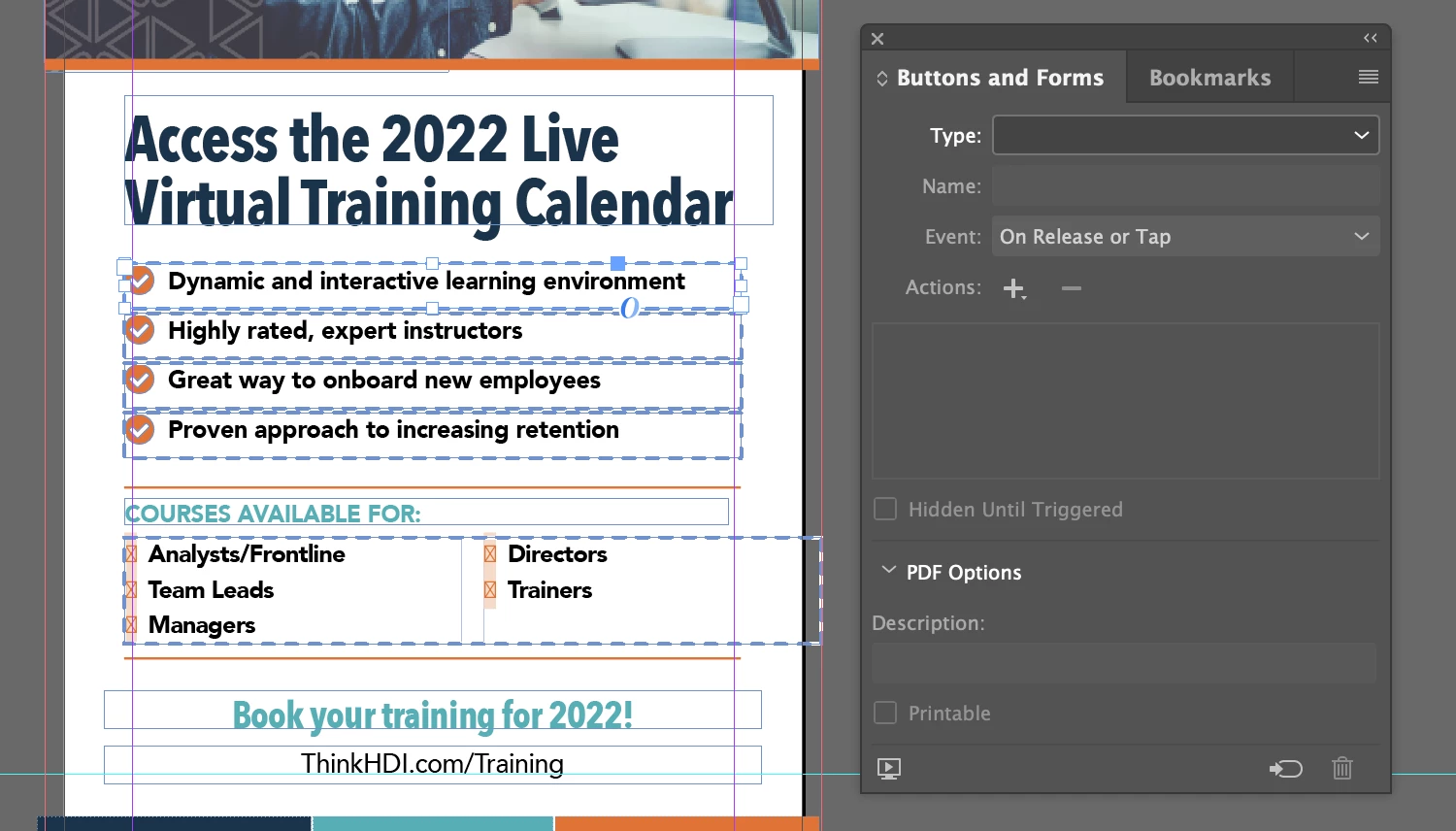
I broke Google. I found a similar question from 2016 in here, but that solution doesn't work. I picked up this job from a designer who is no longer at the company. Does anyone know how to turn off the dashed blue — they are driving me nuts?


Thank you for helping to restore my sanity!


—Dimitry



Nothing in the Buttons window:
 

Correct answer design_deity

I hate picking up design files from designers who don’t know what they are doing. This document is so full of #### I am ready to scream! No worries, everyone. Thank you for your help. 


I'm going to rebuild the file. 😐

6 replies

Brad @ Roaring Mouse
Community Expert
Community Expert
August 17, 2022

Thse text boxes are defined as buttons. If you don't need them for further use (say in a PDF), you can convert them back to plain text boxes: Right click on any of them, and pull down to Interactive > Convert to Object. Thta should clear it.

Rishabh_Tiwari
Legend
August 17, 2022

Hi @design_deity ,


Sorry to hear about the trouble. Did you try the suggestions marked as the correct answer in this similar discussion https://community.adobe.com/t5/indesign-discussions/why-is-there-a-blue-dashed-line-around-my-text-box/m-p/8688931/thread-id/29396#M29399?


If not, please try that and let us know if this helps or if you need any further assistance.


Regards

Rishabh

Mike Witherell
Community Expert
Community Expert
August 17, 2022

Did you rule out the Object Styles?

Is it grouped?

Mike Witherell
James Gifford—NitroPress
Legend
August 17, 2022

I don't think an object style would make a stroke outline persistent or 'invisible' in the stroke menu unless it was corrupted. But clearing any style would be a good thing to check/do.


design_deity
design_deityAuthorCorrect answer
Inspiring
August 17, 2022

I hate picking up design files from designers who don’t know what they are doing. This document is so full of #### I am ready to scream! No worries, everyone. Thank you for your help. 


I'm going to rebuild the file. 😐

James Gifford—NitroPress
Legend
August 17, 2022

Uh, yeah, I was avoiding saying anything about what I can see in those sample shots...


But sometimes someone has to clean up after the parade. 🙂


Legend
August 17, 2022

Have you checked the Hyperlinks panel? 

design_deity
Inspiring
August 17, 2022

I have, no hyperlinks.

jmlevy
Community Expert
Community Expert
August 17, 2022

Did you check the stroke panel?

James Gifford—NitroPress
Legend
August 17, 2022

My immediate thought, but I'll assume this is more complicated.


My question is, do the dashed lines disappear in Preview mode?


design_deity
Inspiring
August 17, 2022

The lines do not appear in Preview Mode.