

Participating Frequently
March 9, 2020
質問

Image not showing up after export to pdf - not showing up in overprint too

  • March 9, 2020
  • 返信数 7.
  • 36244 ビュー

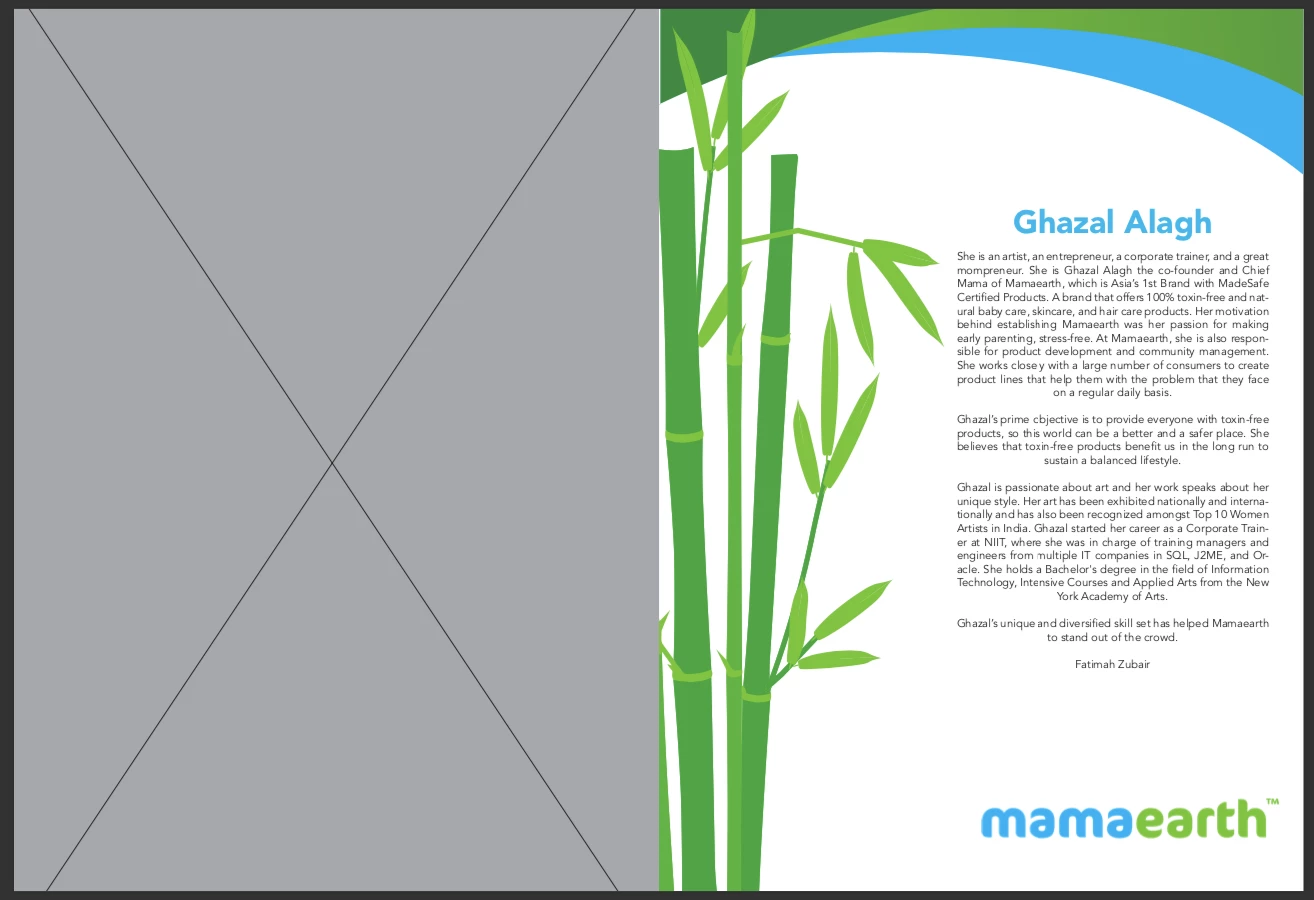
Hi. I would like to know what to do when an image does not show up in overprint and export. Kindly have a look at the screenshot. I need your help!!


    このトピックへの返信は締め切られました。

    返信数 7

    Participant
    September 21, 2023

    I've had a similar problem. In my specific case, the image was loaded in a layer that had a fill colour on.


    When turning this fill colour off (even though it wasn't visable in the first place since my image was on top of it) the export did finally show my image.

    Here what it looked like when my image did export:

    Here the setting when my image didn't export and just showed white in the PDF:

    Community Expert
    March 12, 2020

    Hi Chandralekha,

    so the issue is only visible in the exported PDF?

    Do you view the PDF with Adobe Reader or Acrobat Pro DC ?


    If yes, look into Adobe Reader or Acrobat Pro's Preferences:

    Page Display > Page Content and Information propert


    Make sure that this is checked:

    [x] Show large images


    Regards,

    Uwe Laubender

    ( ACP )

    daveomster
    Participant
    September 16, 2022

    So I'm late on the response here, but I found this forum when having the same issue. When exporting a interactive PDF, the image was not showing up when I would send the PDF online through email. I fixed by optimizing the image in Photoshop. The image was much huge and needed to be shrunk down. Just something to try if anyone ever stumbles across this forum. I was able to troubleshoot and get the image to appear.

    rob day
    Community Expert
    Community Expert
    March 12, 2020

    What preset are you exporting to? Does it happen if you export with the PDF/X-4 preset, and you view in AcrobatPro? Looks like you might be viewing the PDF in a browser?

    Legend
    March 12, 2020

    Is the gray box what you see in Overprint preview? That does not look like a missing link or non-print setting. I lean toward it being some kind of file corruption. If you haven't already. try exporting the InDesign file as IDML. If that doesn't help, try resaving the photo under a new name, and placing it again.

    Chandralekha作成者
    Participating Frequently
    March 12, 2020

    No, it just disappears and there is no gray box on the page in InDesign. The gray box appears only when exported to pdf.

    Community Expert
    March 11, 2020

    Hi Chandralekha,

    go to your Links panel after selecting the frame.

    Is the link still intact or is it missing? Relink the image.


    Regards,
    Uwe Laubender

    ( ACP )

    Chandralekha作成者
    Participating Frequently
    March 12, 2020


    The photo is linked and is 'not' set to non-printing. But it disappears when I click on overprint preview.


    Community Expert
    March 12, 2020

    To solve the issue I would:

    1. Remove the old frame with the image.

    2. Place the image again.


    Perhaps do a bug report. Keep the old version of the document and supply it to InDesign development:

    https://indesign.uservoice.com/


    Regards,
    Uwe Laubender

    ( ACP )

    Scott Falkner
    Community Expert
    Community Expert
    March 9, 2020

    Check your attributes panel. Is the image set to non-printing?


    Also, I can’t see much in the attached screenshow with the layers lanel visible. The image is too small whn I view it.

    Chandralekha作成者
    Participating Frequently
    March 11, 2020

    Hi. No the image is not set to non-printing. The box is unchecked. This is the screenshot of the layers.

    Legend
    March 11, 2020

    What about Window>Output>Attributes?

    Chandralekha作成者
    Participating Frequently
    March 9, 2020

    This is how my layers are.. Am I doing any mistake here?