



해결됨
Imported text has short black lines caused by footnotes
Hi all,
I hope someone can help me with this weird problem.
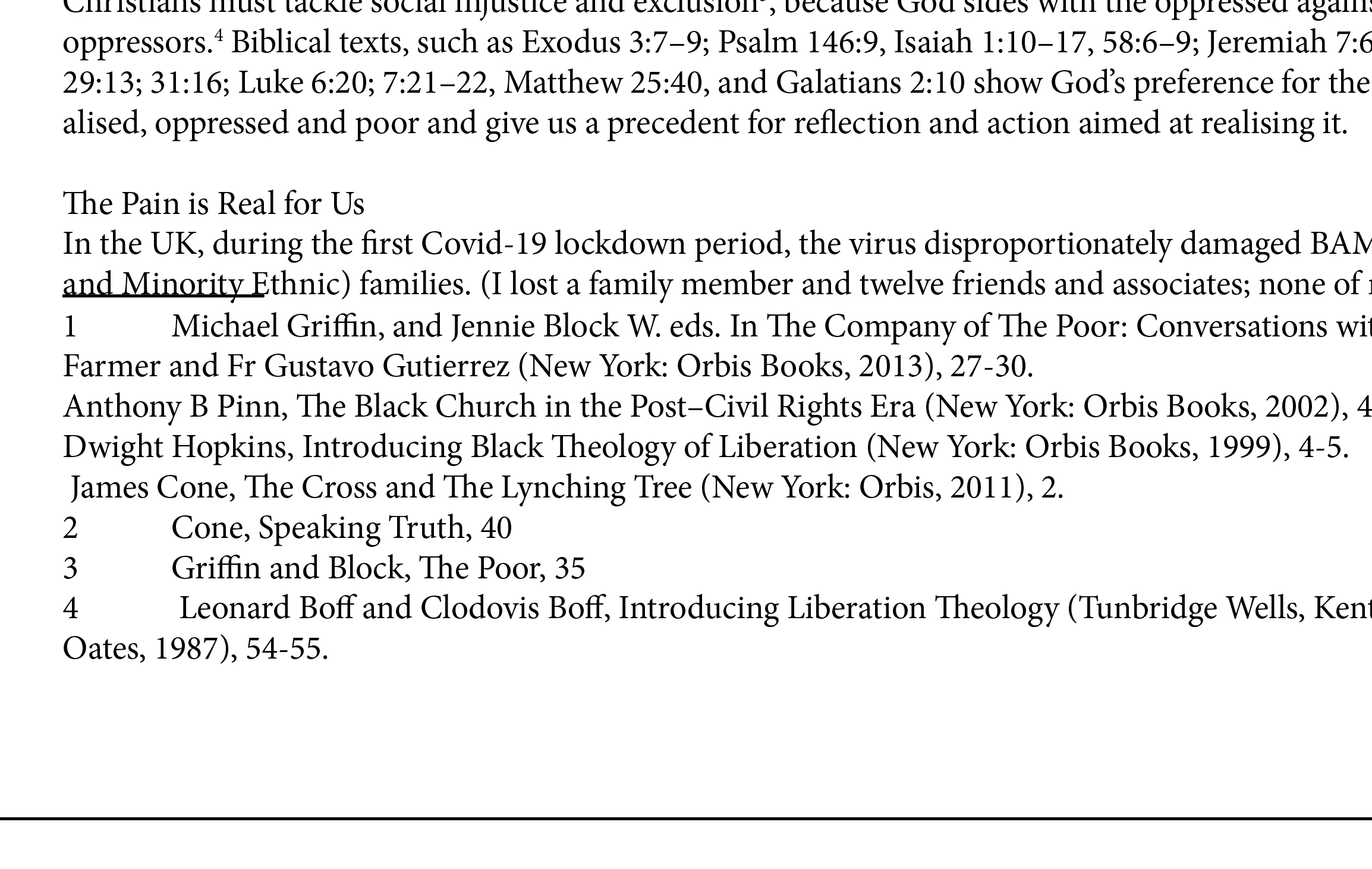
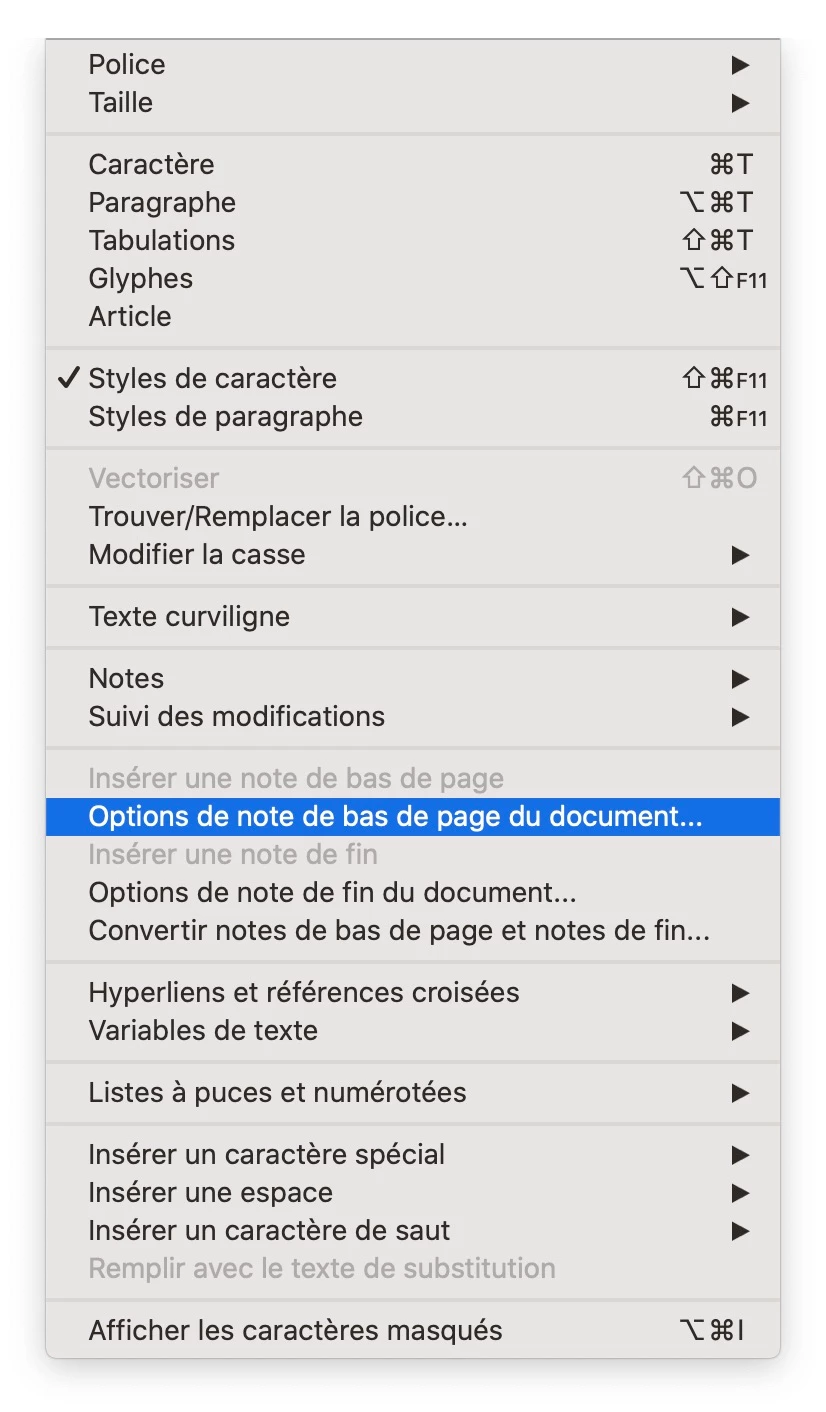
Im importing text from word documents that has a lot of footnotes. Where the footnotes end a black line appears to be underlining the last line of text. If I import without footnotes, its gone....but so are the needed footnotes. What is causing this line to appear with the footnotes? Its not a rule above or below in para settings. There is no underline used.
Any help would be much appreciated. This book is hundreds of pages long and simply cant import without the footnotes to avoid the line.
Please see the attached below. It appears wherever the footnotes begin.
Cheers
Phil
 as there are hundreds.
 AdChoices