
Answered
In InDesign, does this custom stroke style possible?
I need a line that wants its endpoint to be rounded
But not a circle or a rectangle
Just like this:


I need a line that wants its endpoint to be rounded
But not a circle or a rectangle
Just like this:
This seemed like something I might want to do for myself some day...
It can be done in a paragraph style by using a combination of 2 paragraph rules (for the rounded corners) and paragraph shading (to fill the gap), as follows:
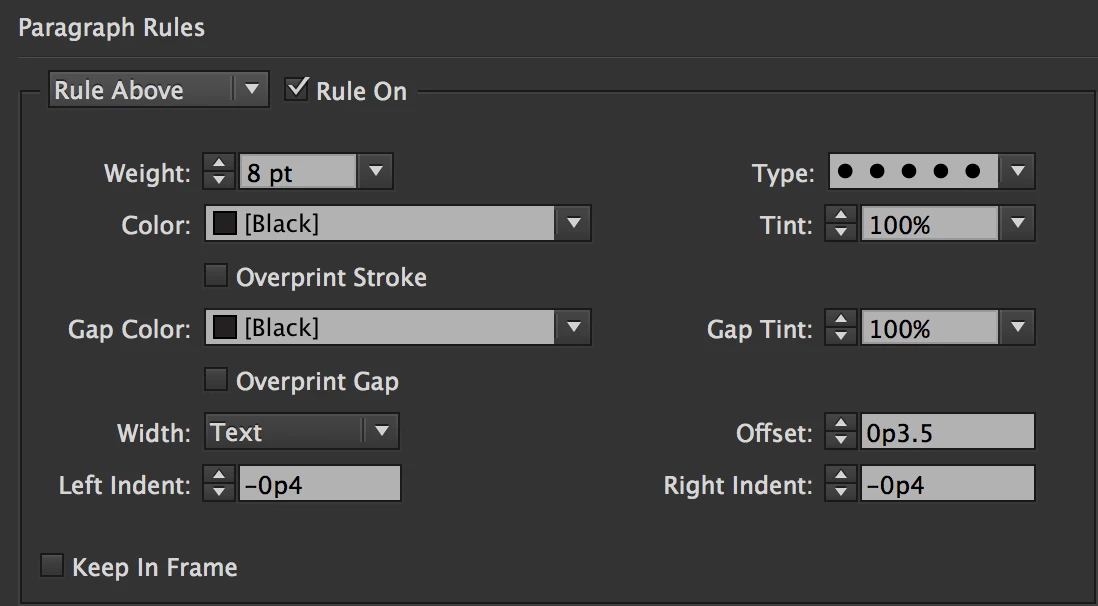
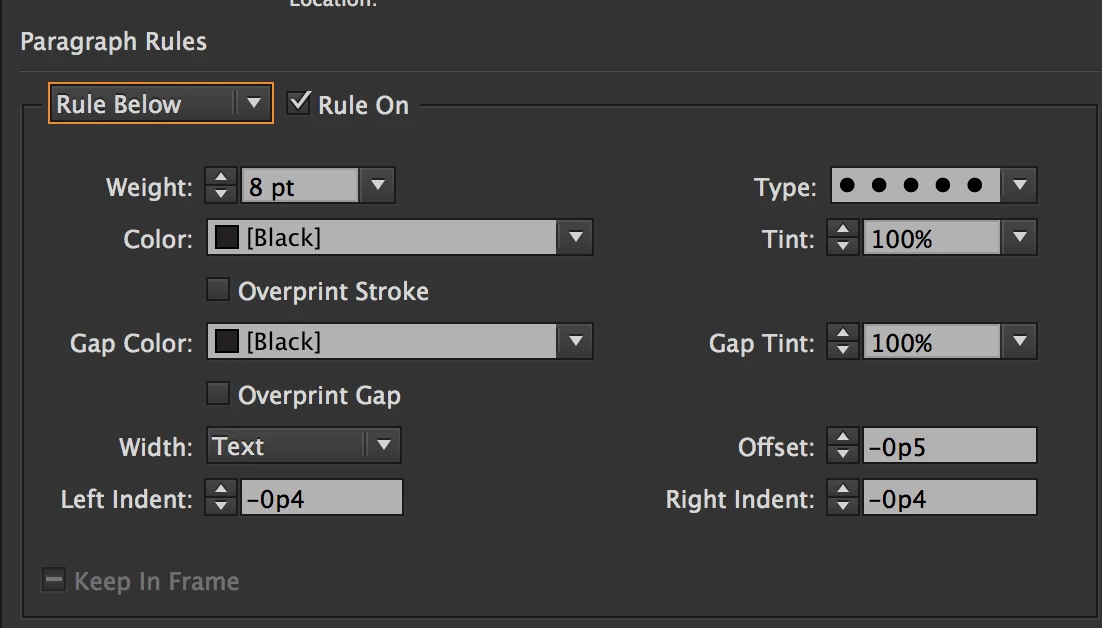
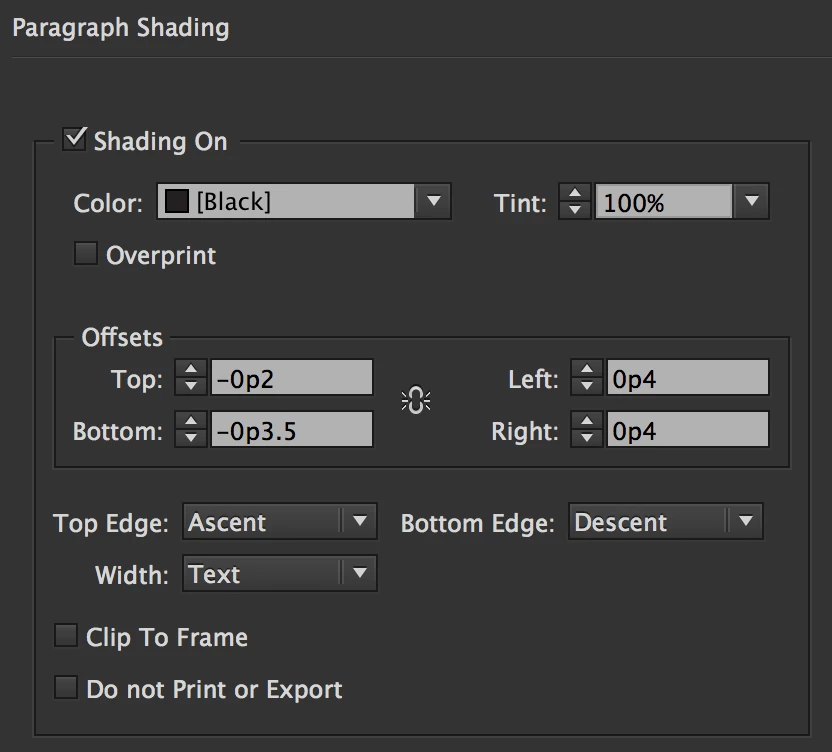
It took some tinkering around to get the exact offsets and indents needed so everything matches up, but it wasn't as difficult as I feared.
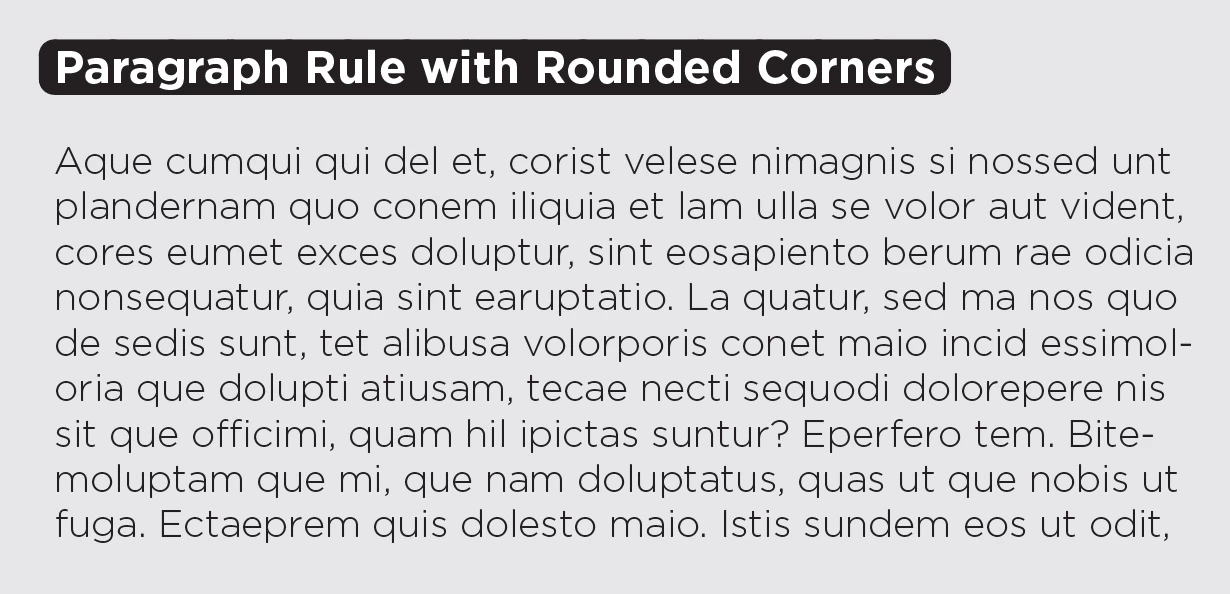
If it needed to work for headers on multiple lines, that would be problematic unless the width were changed to Column for everything, in which case this would work perfectly for text of any number of lines—the rounded box just expands downward. If the OP intended to use this as a rule only, the offset values can be adjusted so that the rounded rectangle is below the text, although different styles will be needed for paragraphs of different line counts.
Already have an account? Login
Enter your E-mail address. We'll send you an e-mail with instructions to reset your password.
 AdChoices