Participating Frequently
October 1, 2025
Answered

InDesign Share for Review links not working

  • October 1, 2025
  • 94 replies
  • 15658 views

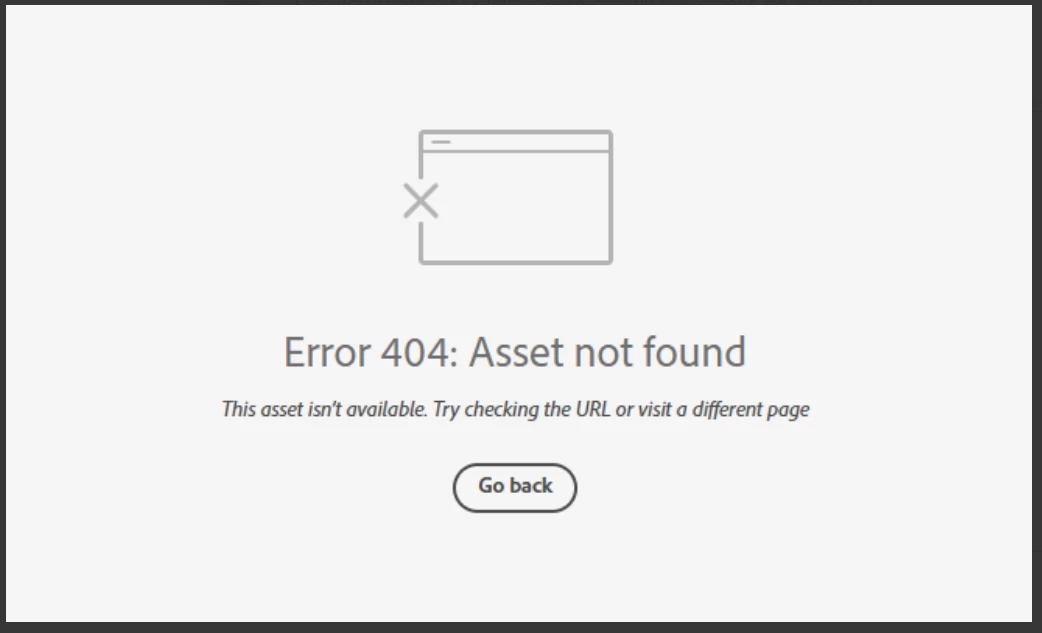
Anyone else having issue with InDesign review links not working today? I have sent out a few and reviewers are getting this message. Other programs seem to be working fine.

 

Correct answer Anubhav M

There is another thread about this specific issue:

https://community.adobe.com/t5/indesign-discussions/text-can-no-longer-be-highlighted-in-share-for-review/m-p/15532194#M637472


Hello everyone,

Thanks for your patience. The problem related to Share for Review links not working as well as the missing options for commenting have both been resolved. Kindly try re-opening your links and let us know if it helps.

Anubhav

94 replies

Participant
October 2, 2025

Hello,

I am experiencing an issue with one of my review links created in InDesign.
At first, when trying to access the link, I received a 401 (Unauthorized) error. After several attempts, the link now shows a 404 (Not Found) error.

As a result, all the comments left by my collaborators seem to have disappeared. These feedback notes are essential for the progress of my project.

Could you please let me know if it is possible to:
1. Restore access to the review link or the associated comments,
2. Or retrieve the version history and/or the comments linked to this project?

Thank you in advance for your assistance.

Anubhav M
Community Manager
Community Manager
October 2, 2025

Hello @oceane_1733,

I'm sorry to hear about your experience. Could you share more details, such as whether this issue occurs with all your files and if accessing the links on a different web browser/device helps resolve the problem, so I can investigate this with the team?

Looking forward to hearing from you.

Anubhav

Participant
October 2, 2025

Hello Anubhav,

Thank you for your reply.

I have already tested all the suggested options:

  • Accessing the links on different web browsers (Chrome, Firefox, Edge),

  • Using incognito/private navigation,

  • Trying from different devices (desktop and mobile).

Unfortunately, the issue remains the same. I am no longer able to access any of my InDesign review links, not just this particular one.

This means that all feedback and comments from my collaborators are currently inaccessible, which is very problematic for the progress of my project.

Could you please escalate this issue to your technical team to check whether the links or associated data can be restored?

Thank you very much for your support.

Best regards,
Océane

Participant
October 2, 2025

Good morning, I have several issues related to the creation of a link to my InDesign document. Either people cannot access the document because it displays "Error: asset not available" or it only displays the 1st page of the document with a kind of transparent veil. The document is well synced on my server and I can find the link on the Creative Cloud app. I've tried to package the document to create a new one and the same error still happens. In addition, the doc is displayed with a weird name like "0486b83b-d074-4397-8f49-94639663a18b PDF", instead of the real name of the file. Any solutions ? 

Thank you very much in advance !

Anubhav M
Community Manager
Community Manager
October 2, 2025

Hello @marisol_1031,

I'm sorry to hear about your experience. Could you check if this happens with all of your share links? Also, try opening the links on a different browser/device, and share your observations.

Looking forward to hearing from you.

Anubhav

Participant
October 2, 2025

Hi, I am having the same proplem, indesign specifically

Participating Frequently
October 2, 2025

My team has been getting this message all day when I try to share to them for review and comments. Even I'm getting the 404 when I click the link. Servers seem to be fine according to this:

Participating Frequently
October 2, 2025

I've been happily sharing review links from InDesign and Illustrator for over a month and all of a sudden today, I am getting the below message on my review links in two different browsers. Any ideas why this might be happening? 

Error 404: Asset not found
This asset isn’t available. Try checking the URL or visit a different page
Participant
October 2, 2025

This is happening to us too. We use review links to send product proofs to clients and nobody can access them anymore. The links either ask to sign into an adobe account, show the error 404 or only half load with no backround and only the first page of the document. Its very frustrating. Ive tried updating all apps and trying different browsers to open them but nothing is working. It must be an adobe issue. If anyone has found a fix please let me know.

ffiigg
Inspiring
October 2, 2025

I just chatted with Adobe support who said the following: 
"... so we've tried most of the T/S steps and now we need to share this case with our backend team as it is a sever issue and it will be fixed right now most of the cx is facing the same error. Usually this type of server issues are fixed within couple of hours and team is constantly working to fix this. So we will update you once this issue is fixed as your case is open with us." 

Participating Frequently
October 2, 2025

Must be a major server issue I've had this error all day and I'm in New Zealand. Was working fine yesterday. The absolute worst timing.


Participating Frequently
October 2, 2025

Adobe man,

Sort ya s*** out seriously. Trying to share a review link to my team where the link has been working for the past couple weeks has all of a sudden started coming up with Error 404 Asset Not Found Try checking the URL or visit a different page. I have tried everything. Unistalled and re-installed inDesign, logged in and out of creative cloud, created a new link which came up with the same error, opened the link in incognito which worked for me but not my team, updated all apps, cleared all cache. The asset is literally sitting in my Review Links folder online and it still doesn't open.
This error isn't new, it's been happening for years how the heck has it not been fixed. 
Sharing for review needs a MAJOR OVERHAUL!! Such a terrible process right now.

Participating Frequently
October 2, 2025

Participant
October 1, 2025

An Adobe Indesign review link I created 4 days ago suddenly stopped working. It was accepting comments just fine, but now is inaccessible. I need to get those comments, but also allow for future comments. Please advise!

leo.r
Community Expert
Community Expert
October 1, 2025
Participating Frequently
October 1, 2025

Same issue. Share fore review updating really slowly and 2 different clients getting 404 errors. Also the link titles are, "your work" not name of file. 

Participating Frequently
October 1, 2025

Mac OS Sequoia, INDD 20.5

Participant
October 1, 2025

I'm having the same issue. Mac OS Tahoe, InDesign 20.5

Participant
October 1, 2025

Ive had the same problems all day too. Was working with two separate clients, one it was working for most of the day then it just suddenly went down. Both with the same error asset not found message that you've shown. Where as at my end it was all ok. Strange.