


Copy link to clipboard
Copied
Environment:
Mac OS 11.5.1
InDesign: 16.3.2
Macbook Pro 13" M1
InDesign language is set to English USA in preferences. However when I run spell check, the language is set to Indonesia. I attempt to reset the "dictionary" (Edit > Spelling > User Dictionary) to English, however it does not function.
I attached a screenshot of my dialog boxes.
Has anyone else experienced this issue? Is there a fix? Am I missing something with my settings? Any help would be greatly appreciated.
I
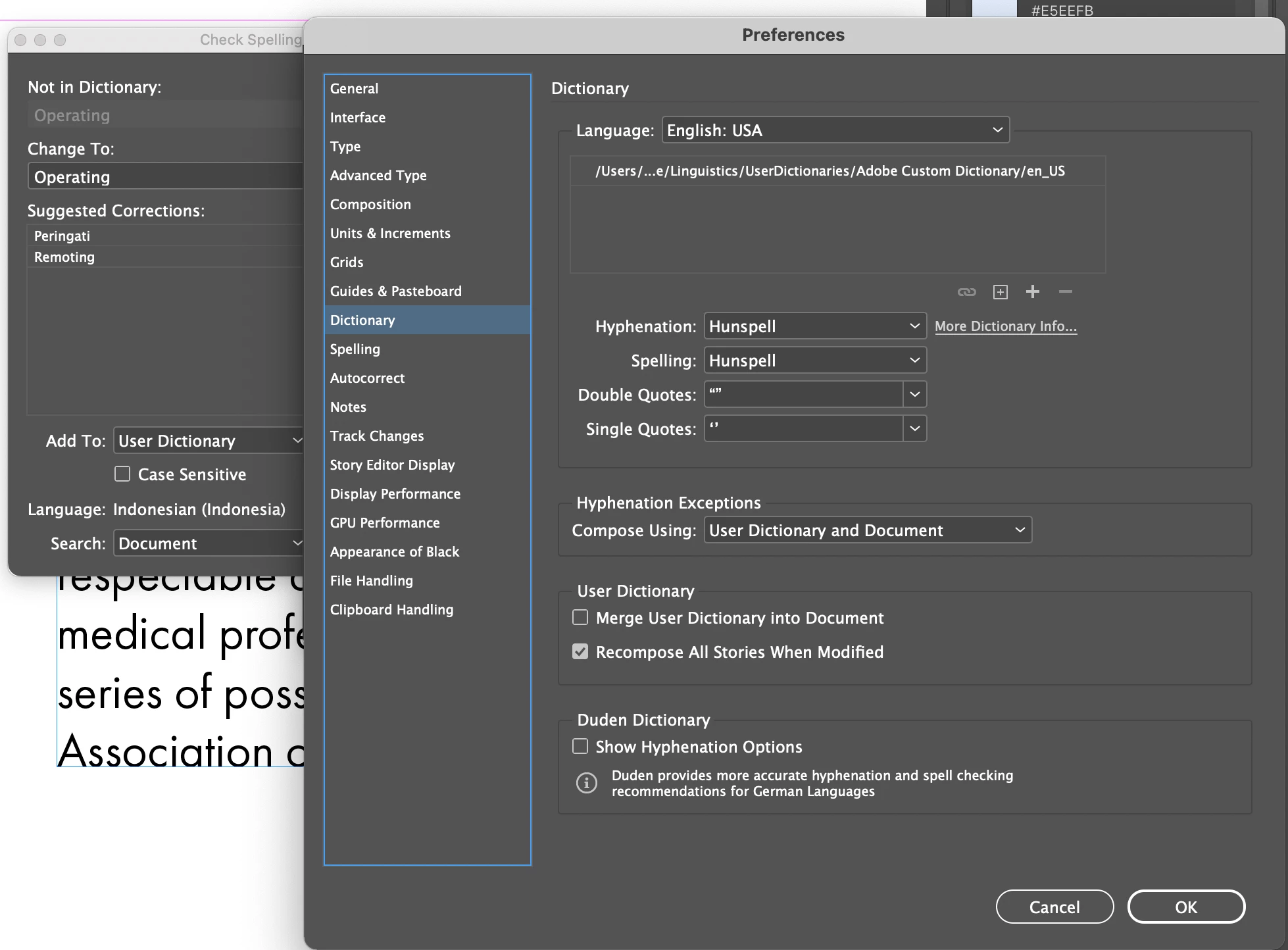
Language settings within a document are a Character-Level setting.
Check your paragraph styles and your character styles to see what language is applied.
Further, you can use Find/Change with nothing in the Find and Change to fields -fill in the language you want in the advanced Character formats, and change all.
One error in my post -- don't leave the find field blank -- put ^? in it. (Wildcard for Any Character)
Copy link to clipboard
Copied
Language settings within a document are a Character-Level setting.
Check your paragraph styles and your character styles to see what language is applied.
Further, you can use Find/Change with nothing in the Find and Change to fields -fill in the language you want in the advanced Character formats, and change all.
Copy link to clipboard
Copied
One error in my post -- don't leave the find field blank -- put ^? in it. (Wildcard for Any Character)
Copy link to clipboard
Copied
Thank you for your reply. This saved my life! Greatly appreciate it.
Get ready! An upgraded Adobe Community experience is coming in January.
Learn more