Participant
February 5, 2022
Question

inDesign won't open files
  • February 5, 2022
  • 1 reply
  • 443 views

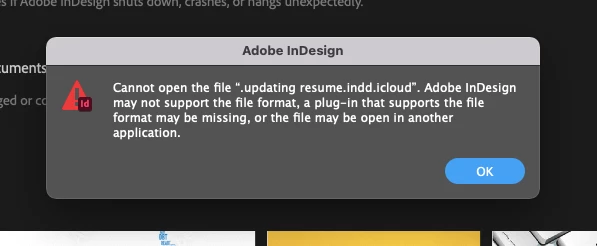
 I am trying to open one of my files and i am getting this notice, i am not sure what this means, can someone clear this up

This topic has been closed for replies.

1 reply

J E L
Community Expert
Community Expert
February 6, 2022

Hi @najifa, Sorry to hear about the trouble. Did you get it solved yet? If not, is the name of the file written exactly like this: .updating resume.indd.icloud


Does the file name have a single period (.) in front of it? Are you trying to open the file from your local system or from your icloud account? Find the original file wherever it is located, make a copy of it and paste it back to a different local directory or your desktop. Rename the copy simply, resume.indd" and try to open it from within InDesign via File > Open. If it opens, save a copy of it immediately. Then save a copy of it to whatever name you want to whatever directory you need.


You can also read more about this issue on this thread: Unable to open files with extension indd.icloud in... - Adobe Support Community - 10855212


If it still won't open, the file could be corrupted, and we'll give you some steps to try from there. Let us know how it goes!