Inspiring
September 22, 2022
해결됨

Is it possible to find hyperlinks and apply a character style via GREP or script?

  • September 22, 2022
  • 2 답변들
  • 3414 조회

Hi -- Have a long document with an imported Word file many hyperlinks. Some of the hyperlinks lost their styling (mea culpa) after import. Ideally, I'd like to highlight all hyperlinks so I can scroll through and see which ones aren't styled correctly, but I'd setttle for a find/replace/GREP type search.


Found a script from from Peter Kharel that seems like it would highlight the links, but it didn't work for me in ID 2021 or ID 2022.


Alternately, is there a way to search via GREP? (Like an anchored object or table?)


Just wondering if something exists. TIA for any ideas.
이 주제는 답변이 닫혔습니다.
최고의 답변: rob day

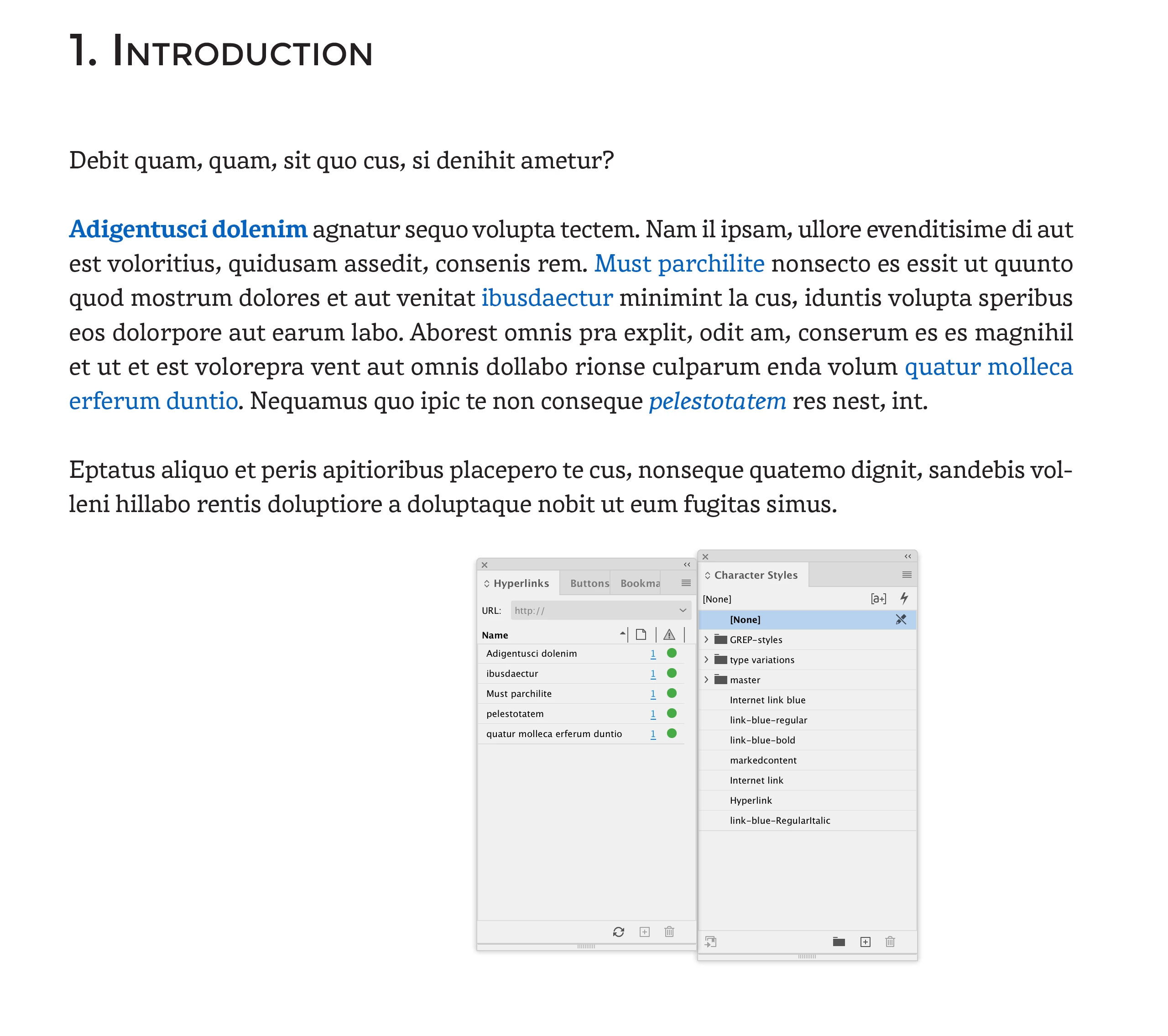
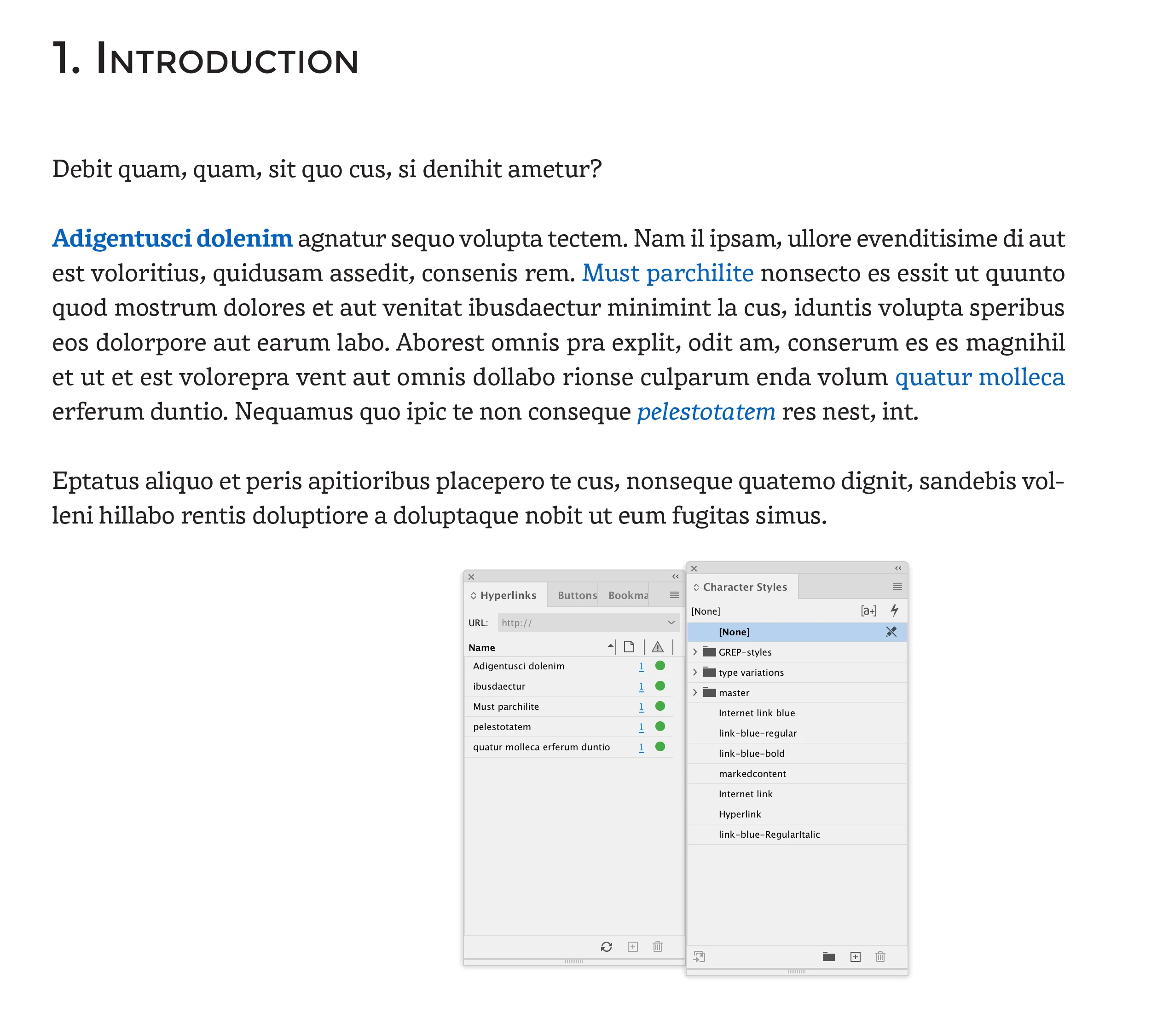
Sample page here. If I understand correctly, all the links would change to the style in the jsx file (link-blue-bold).  Which wouldn't really work for this current project, but could be handy for something in the future.


Hi Barbara, Would this work?:


var doc = app.activeDocument

//hyperlink character styles
var rcs = doc.characterStyles.itemByName("link-blue-regular");
var bcs = doc.characterStyles.itemByName("link-blue-bold");
var ics = doc.characterStyles.itemByName("link-blue-RegularItalic");

var hlts = doc.hyperlinkTextSources;
var t;
var i = hlts.length;
while(i--) {
    
    t = hlts[i].sourceText.characters[0].appliedFont
    if (t.name == "Rival	Regular") {
        hlts[i].sourceText.appliedCharacterStyle = rcs
    } 
    if (t.name == "Rival	Bold") {
        hlts[i].sourceText.appliedCharacterStyle = bcs
    }
    if (t.name == "Rival	Regular Italic") {
        hlts[i].sourceText.appliedCharacterStyle = ics
    }
}


Before:


After:


2 답변

rob day
Community Expert
Community Expert
September 22, 2022

Hi @~BarbaraT , Did the hyperlinks’ Character Styles get broken (set to [None]), or were they just overridden?

~BarbaraT작성자
Inspiring
September 23, 2022

Could be some of both. I think I inadvertantly deleted a style that didn't appear to be used, but was. (The Word doc came in with a few different character styles that turned out to be for hyperlinks.) I also had import-mapped some character states to styles -- so maybe that overwrote some of them?

rob day
Community Expert
Community Expert
September 23, 2022

Could be some of both.


If it was just one style you deleted, then maybe clear the overrides for all of the hyperlink’s applied styles and only apply your style to hyperlinks with "[None]" applied?:


var doc = app.activeDocument;
var hlts = doc.hyperlinkTextSources;
var cs = doc.characterStyles.itemByName("Your Style Name");
var i = hlts.length;
while(i--) {
    if (hlts[i].appliedCharacterStyle.name != "None") {
        hlts[i].clearOverrides(OverrideType.CHARACTER_ONLY)
    } else {
        hlts[i].appliedCharacterStyle = cs;
    }
}


brian_p_dts
Community Expert
Community Expert
September 22, 2022

A quick jsx would do it: 

var doc = app.activeDocument;
var hlts = doc.hyperlinkTextSources;
var cs = doc.characterStyles.itemByName("Your Style Name");
//note that if the style is in a group, this won't work
//you'd need a longer statement to get the correct style
var i = hlts.length;
while(i--) {
    hlts[i].appliedCharacterStyle = cs;
}
~BarbaraT작성자
Inspiring
September 22, 2022

Thanks for this! Do I need to change some of the names above to fit my documents?

ie: doc.hyperlinkTextSources? and "Your Style Name"? 


brian_p_dts
Community Expert
Community Expert
September 22, 2022

The links are on different paragraph styles, nested a couple levels deep. Lead with something like, "../name/name/styleName " ?


The applied paragraph style and their groupings don't matter. What does matter is where the Character Style you want to apply is. Let's say the Character Style you want to apply is called "Links". If that style is in a top level Character Style Group called "Hypers", you'd change the var cs line to: 

var cs = doc.characterStyleGroups.itemByName("Hypers").characterStyles.itemByName("Links");

 If you the grouping is nested, then you nest the group call like so: 

var cs = doc.characterStyleGroups.itemByName("HypersLevel1").characterStyleGroups.itemByName("HypersLevel2").characterStyles.itemByName("Links");

Or, you could just temporarily copy your character style to the root panel and run my code.