Participant
August 4, 2022
해결됨

Looking for best way to layout a French fold (11x17 to 8.5x11) with indesign and PDF.

  • August 4, 2022
  • 2 답변들
  • 2562 조회

Any help or ideas are welcome----I am building a wire bound book that will end up being 8 1/2 x 11 printed on 11 x 17 pages folded in half vertically. I am looking for a smart way to lay out this book to enable efficient assembly and printing. There are crossover images so the pages look complex. One consideration is exporting all the pages as PDFs and then assembling them again in indesign allowing the pages to be shuffled around and put into proper order. Another option is to build it all in Indesign and shuffle the art as needed. Thoughts? Thank you. Michael

이 주제는 답변이 닫혔습니다.
최고의 답변: rob day

Unless you know a good way to "PLACE EACH PAGE" from File 1?


Hi @Michael_S33 , You can place InDesign pages the same way you place an image or PDF, which is what Scott is suggesting (not a copy and paste). When you Place check Import Options in order to select the page. Assuming you are looking for this:


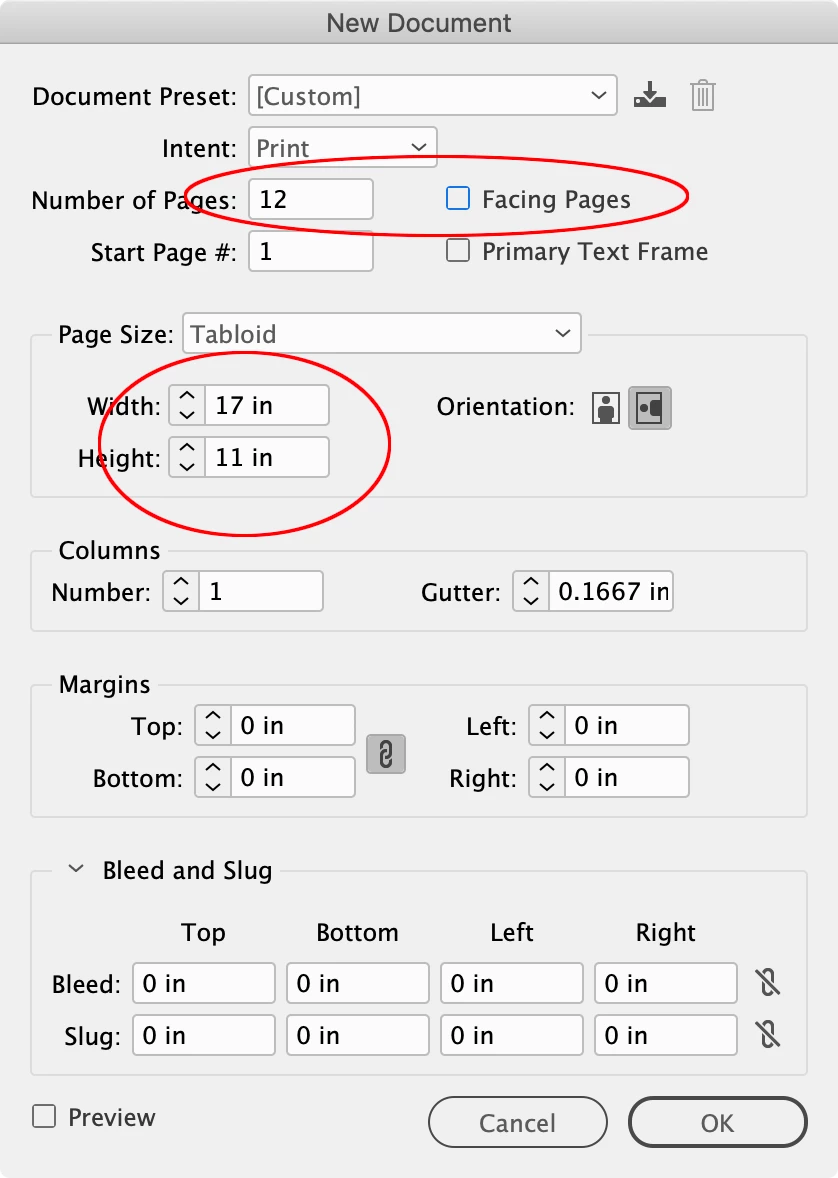
Setup a 17 x 11 document with the number of spreads in your editing document, with Facing Pages unchecked


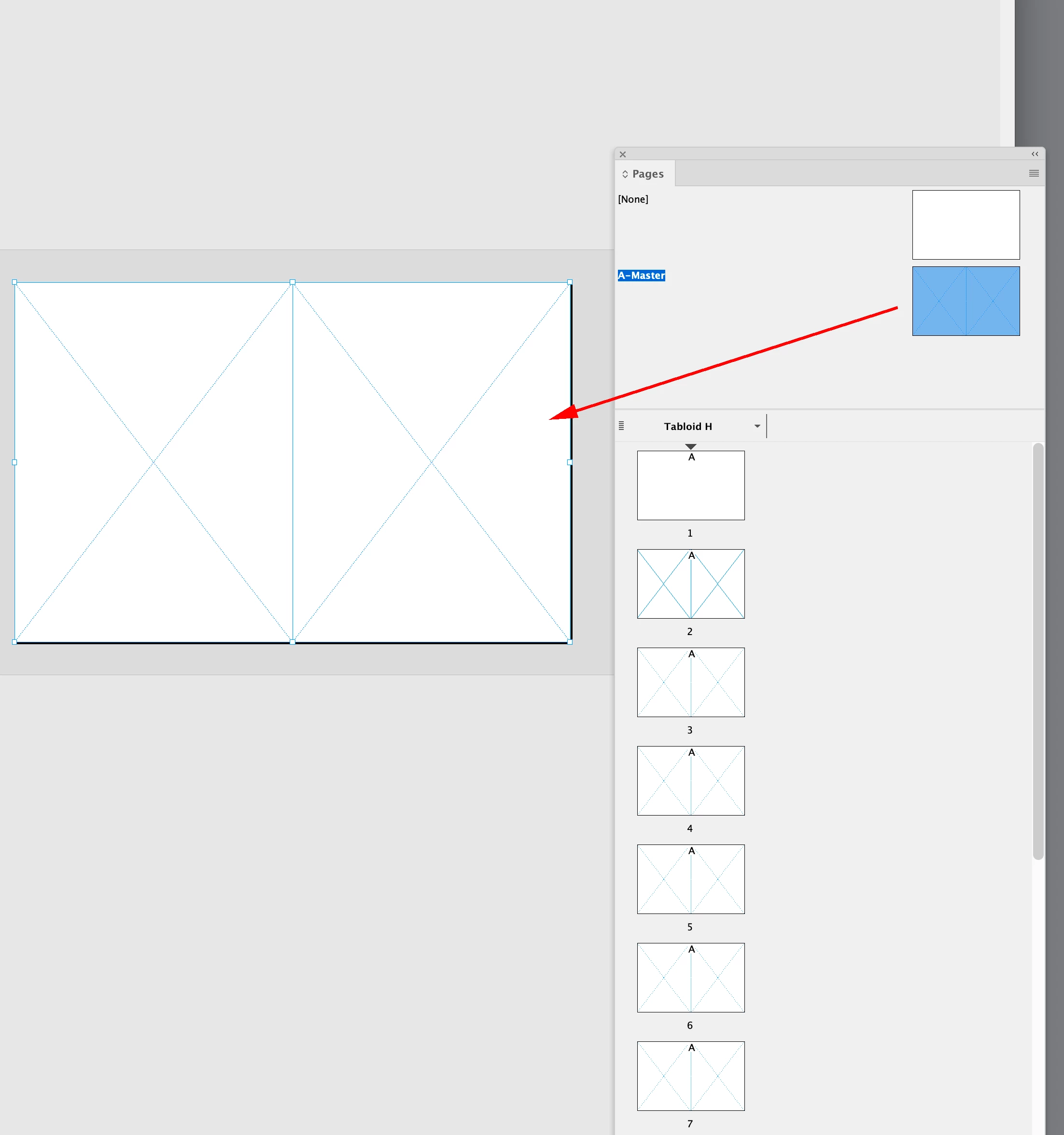
On the new document’s master page, set up two 8.5" x 11 frames side by side:


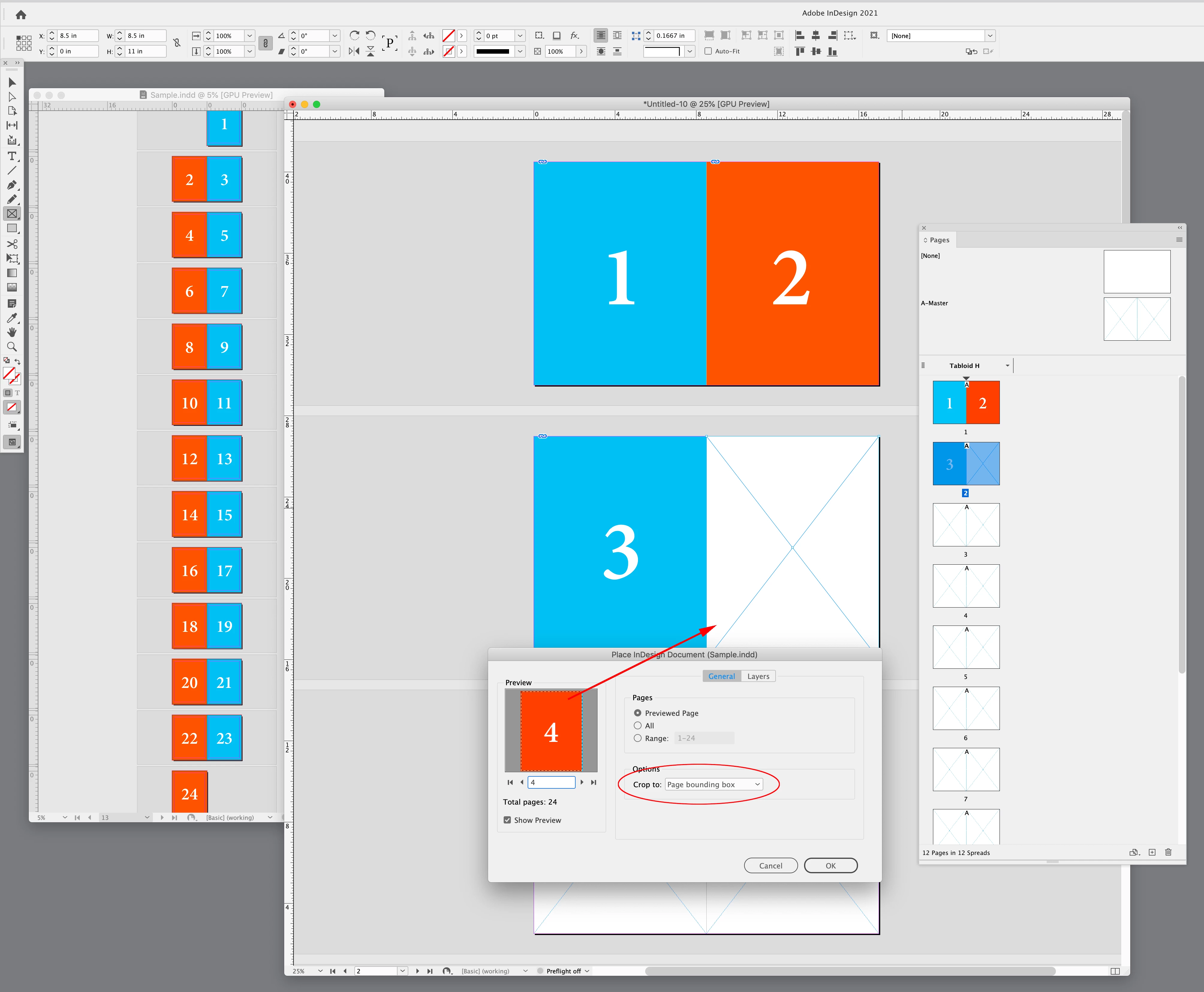
Place with Crop to set to Page Bounding Box. Here I’m overridding and selecting the righthand master frame on page 2 and placing page 4 from the facing page document named Sample.indd


2 답변

Scott Falkner
Community Expert
Community Expert
August 4, 2022

If I were printing and binding it myslef I would make two files. File 1: Normal, in reader spreads. Ignore the French fold. File 2: Imposed. Place each page from file 1 in position. e.g. page 1 next to page 2. Page 3 next to page 4, etc. Print as spreads.

Michael_S33작성자
Participant
August 4, 2022

ah. This sounds like the best approach. I guess I would GROUP the entire page art, then copy-paste to the File 2—letting the rest of the page hang out int he margins as needed. Unless you know a good way to "PLACE EACH PAGE" from File 1?

rob day
Community Expert
rob dayCommunity Expert답변
Community Expert
August 4, 2022

Unless you know a good way to "PLACE EACH PAGE" from File 1?


Hi @Michael_S33 , You can place InDesign pages the same way you place an image or PDF, which is what Scott is suggesting (not a copy and paste). When you Place check Import Options in order to select the page. Assuming you are looking for this:


Setup a 17 x 11 document with the number of spreads in your editing document, with Facing Pages unchecked


On the new document’s master page, set up two 8.5" x 11 frames side by side:


Place with Crop to set to Page Bounding Box. Here I’m overridding and selecting the righthand master frame on page 2 and placing page 4 from the facing page document named Sample.indd


James Gifford—NitroPress
Legend
August 4, 2022

I'd just lay it out on an 11x17 portrait page. The only hitch would be page numbering, and you can double-number pages using several variations of a flowed-text header or footer. Print to 11x17 and cut the stack in half.


I suppose there's a way to manage it all as internal ID layout, but having done such things both ways, there's not much to be gained by spending hours on technical wizardry when a paper shear is a simple device. 🙂