Known Participant
June 12, 2018
Answered

Need to rearrange "sections" of content in doc

  • June 12, 2018
  • 1 reply
  • 1842 views

I imported a Word doc and somehow have sections duplicated and out of place. Not sections in the INDD sense; I mean a heading and its text are sections.

How best to fix this mess? Create a new document and cut and paste sections in the correct order? I do not know how esle to clean it up.

Ken
    This topic has been closed for replies.
    Correct answer Barb Binder

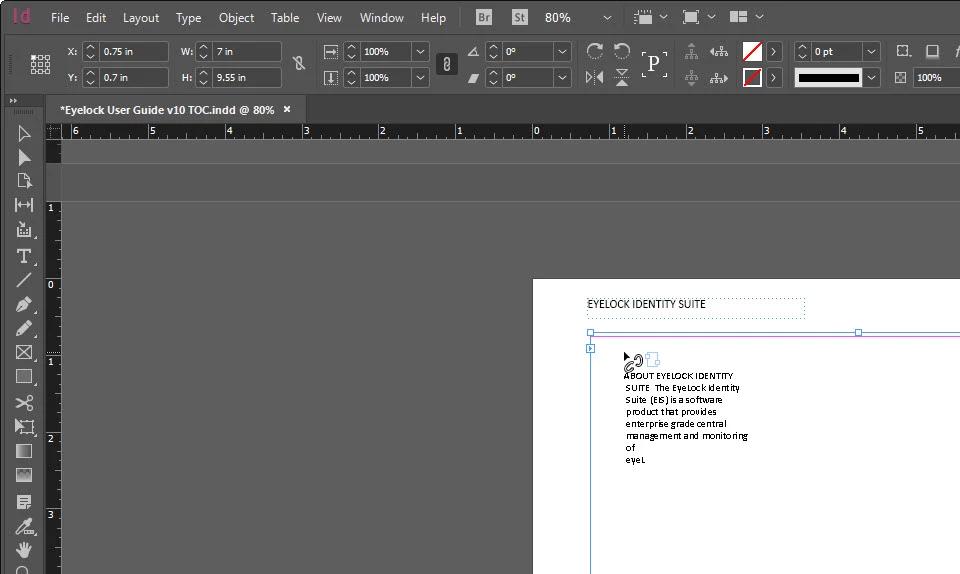
    I found the overset. I click on the red plus and get this:

    I know the broken link is not good.

    Wish I could get rid of the overtext as I do not think it is needed.


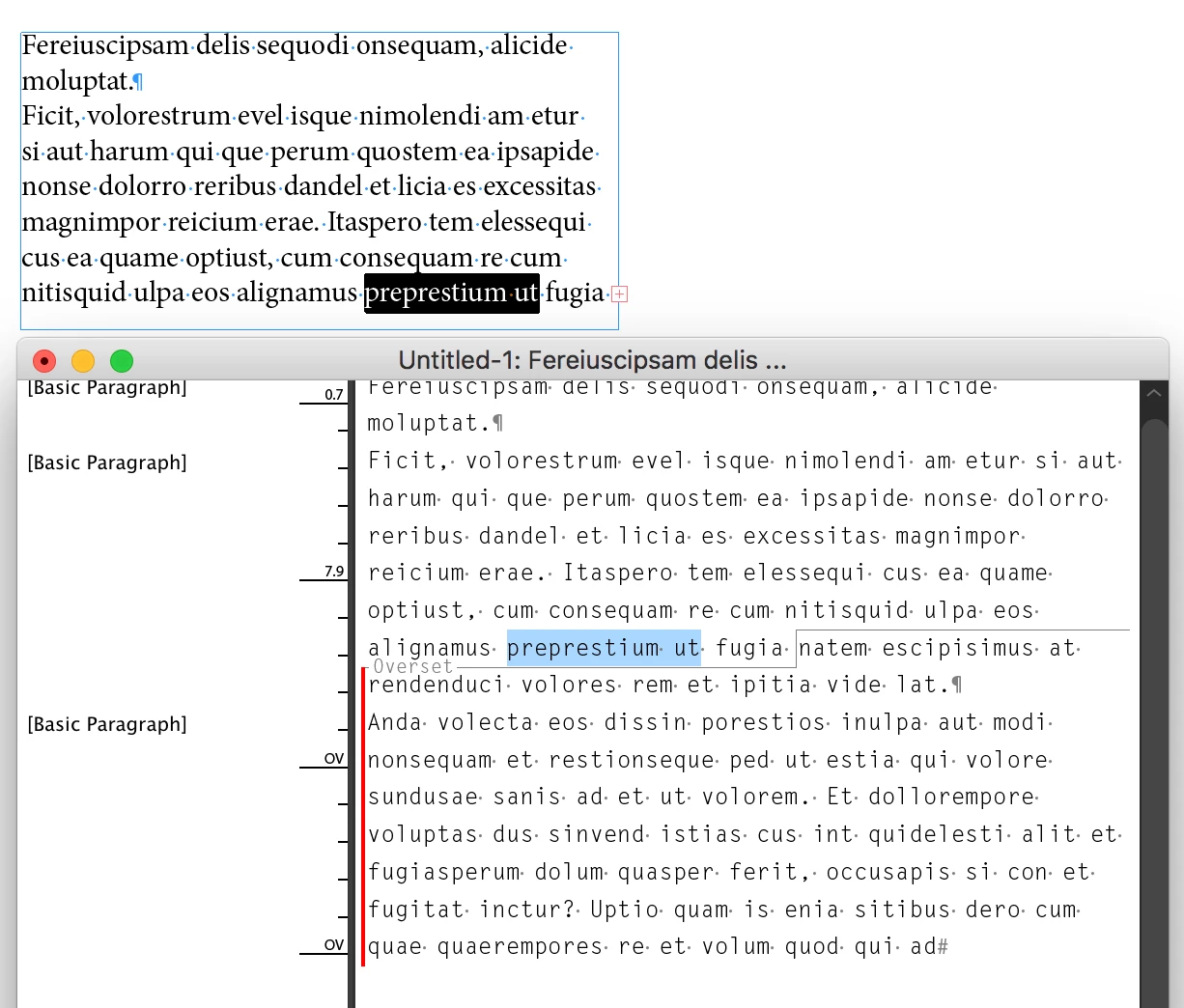
    To see the overset text (and potentially delete it), highlight the last visible words and choose Edit > Edit in Story Editor. Everything under the gray line is overset.

    ~Barb

    1 reply

    happie_97
    Community Expert
    Community Expert
    June 12, 2018

    Have you tried mapping your Word styles to your InDesign styles during your import? Or using Word only styles?

    We may need a little more information to help you troubleshoot this. What version of InDesign are you using? Windows or Mac? Sometimes the software gets glitchy, have you restarted it? Is this a new update? Any more information you can give will help.

    Andrea

    Known Participant
    June 12, 2018

    Thanks for the reply! INDD CC on Windows. I started with a blank INDD and imported the Word doc with its styles.

    Whats weird is that the sections in question do not show page numbers in the TOC! The TOC shows like page 1-44 and then a bunch of sections with no numbers, and then it restarts the numbering a page or two later!

    Also I see them in the INDD doc but when I search for them like by a title, they do not show up in the search! Like they are phantoms or something!

    Known Participant
    June 12, 2018

    "Overset text" is Adobe's way of saying, "Hey tekwrite2013, you have text in this document that doesn't fit in any of your frames, and isn't visible or going to print."

    You can still generate the TOC with overset text as an exercise, but of course you need to resolve this issue at some point in the near future. To figure out where it is happening (and there may be one than one occurrence) go to Window > Output > Preflight. Hyperlink to the specific pages by clicking the page number on the far right, and either make the frames longer or add new frames to hold all of the text. Then generate the TOC again.

    ~Barb


    I found the overset. I click on the red plus and get this:

    I know the broken link is not good.

    Wish I could get rid of the overtext as I do not think it is needed.