
Participant
February 15, 2022
解決済み

Printing indd to composite grey PDF: 100% black turns 92%

  • February 15, 2022
  • 返信数 3.
  • 1181 ビュー

I want to print (or export) a coloured indd to a grayscale PDF (InDesign 2022). In the print/output window I set the output color to Composite Grey. The black objets and text must be remain 100% black. But in the produced PDF all black objets become K 92%  - why? I have already tried all settings, switches and pipes... 

This problem appeared some weeks ago, and the two other PC near mine do it well. Some idea?
このトピックへの返信は締め切られました。
解決に役立った回答 rob day

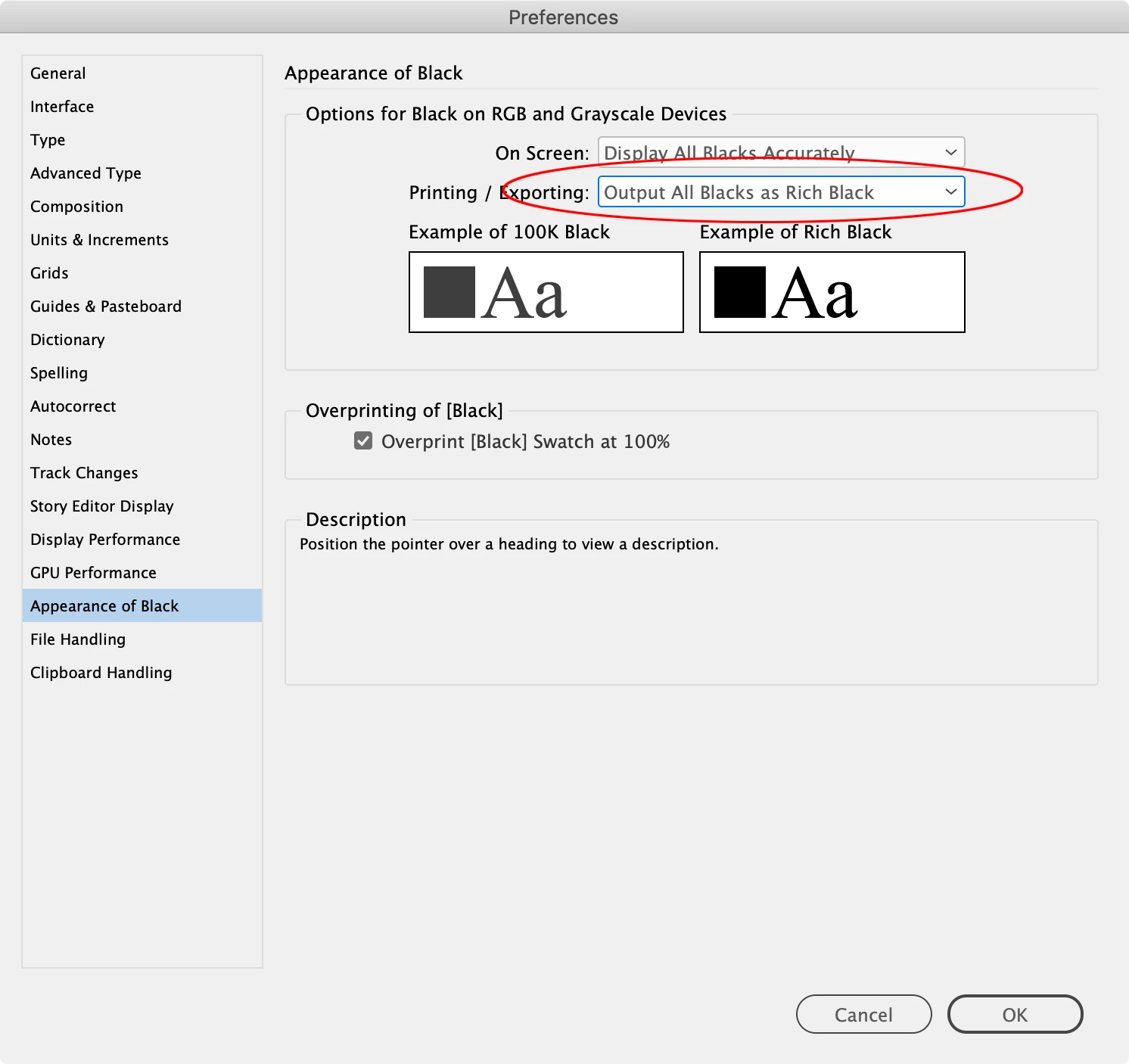
If you are Exporting to a Gray Destination Profile, set your Appearance of Black Exporting Preference to Output All Blacks as Rich Black


返信数 3

rob day
Community Expert
rob dayCommunity Expert解決!
Community Expert
February 15, 2022

If you are Exporting to a Gray Destination Profile, set your Appearance of Black Exporting Preference to Output All Blacks as Rich Black


vargaby作成者
Participant
February 24, 2022

Thousand thanks, it works.  G

Peter Spier
Community Expert
Community Expert
February 15, 2022

Reset the Appearance of Black settings in your prefs to Output All Blacks as Rich Black:


Because rich blacks are darker than 100%K grayscale devices reserve solid black output for rich blacks. Changing the prefs solves that and has no effect on color output.

vargaby作成者
Participant
February 24, 2022

Thousand thanks, it works. G

Geоrge
Legend
February 15, 2022
Remember, never say you can't do something in InDesign, it's always just a question of finding the right workaround to get the job done. © David Blatner