
Inspiring
August 9, 2025
Question

Puzzle: Multiple text threads causing content of others to shift, except the first spread

  • August 9, 2025
  • 2 replies
  • 1241 views

Found something interesting & I'm not quite sure what's causing it - 

Basically, I have some pages with two unconnected threaded text boxes.
When I fill one up the text flows normally.

However, when I fill the other up after the first (in this case, big frames first, then small upper frames), all the content of the bigger frames gets pushed and doesn't start again until the content of the other frames ends.

Adding text in the small upper frames seems to add pages that won't connect properly. In this shot, you can see the thread from the last "big box" going straight down, where it connects again many pages later. 
Strangely, the content on the first page is fine. (Well, maybe it's not strange, but I don't remember seeing this before... 🙂 ) And the file gets weirder every time I change stuff.
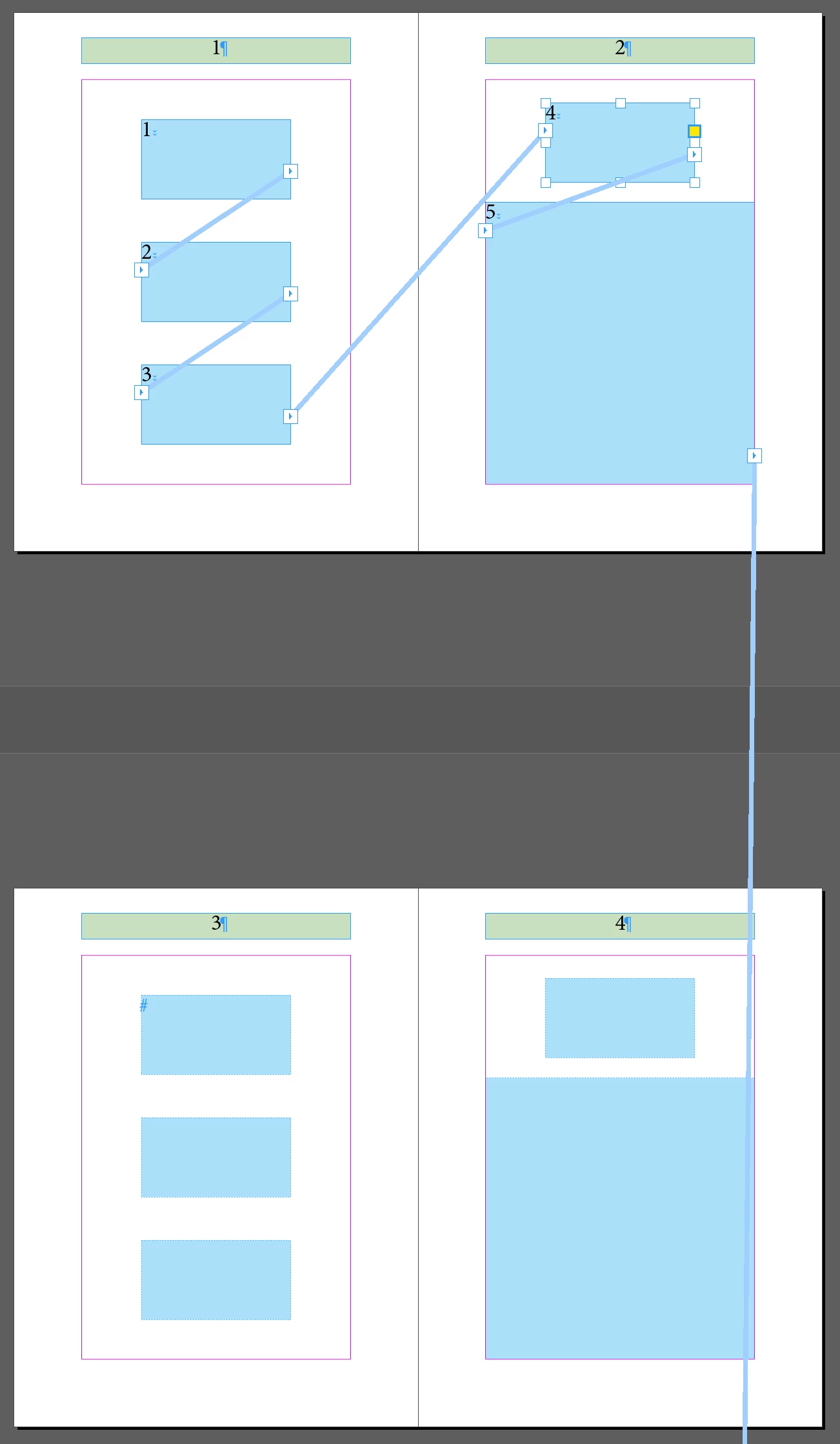
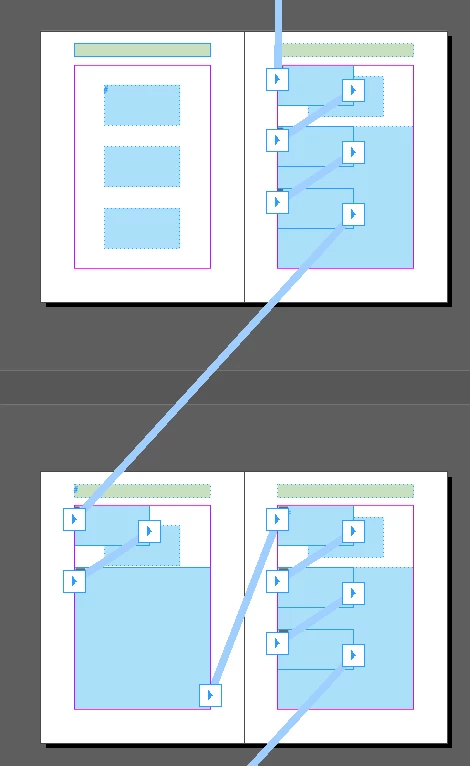
Any ideas what's going on here?

I have some experimenting to do...

thanks!


2 replies

turner111Author
Inspiring
August 11, 2025

Sorry to post kind of about this again - I'm troubleshooting why linked text frames don't seem to be working properly.

Original post here.


It seems that there may be a bug in smart text reflow when there's more than one unconnected text frames being used.


Long story short: I have a file with two sets of linked text frames.


First thread fills / reflows normally.

However, if Smart Text Reflow is ON, the existing text in the other (unconnected) frames gets bumped to the end of wherever the newly flowed text ends.


It seems with Smart Text Reflow OFF, the existing text doesn't reflow, but when text boxes are manually linked, it works normally.

Again, sorry to post separately about possibly related issues, but I haven't been able to solve it so far. I think it's related, but not entirely sure.

thanks

Abhishek Rao
Community Manager
Community Manager
August 11, 2025

Hi @turner111,


I tested the workflow you described on my end and could see a normal reflow of text. To better understand what's happening in your file, would you mind sharing a short screen recording showing the steps you're taking with the file you attached? Also, please confirm the version of InDesign you’re using and the details of your OS.


Looking forward to hearing back

Abhishek

turner111Author
Inspiring
August 11, 2025

Thanks Abishek!
ID is 20.4.1, Mac OS 15.6 (24G84)
Video attached. 


turner111Author
Inspiring
August 10, 2025

Anyone? No luck yet for me, but still experimenting.

turner111Author
Inspiring
August 11, 2025

Additional info... seems like this may be a Smart Text Reflow bug - 
If Smart Text Reflow is ON, the existing text in the other (unconnected) frames gets bumped to the end of wherever the newly flowed text ends.

With Smart Text Reflow OFF, the existing text doesn't reflow, but when the boxes are manually linked, no reflow issues appear.