Participating Frequently
July 8, 2021
Answered

rasterize pdf in indesign

  • July 8, 2021
  • 3 replies
  • 18033 views

Hi!

I am searching for a way to use pdfs in indesign and to rasterize them there. Now I am opening them before in photoshop to rasterize them. I only need the pdf-image rasterized not the whole page or the hole file, is there any way to do that faster in indesign only without a second program?
Correct answer rob day

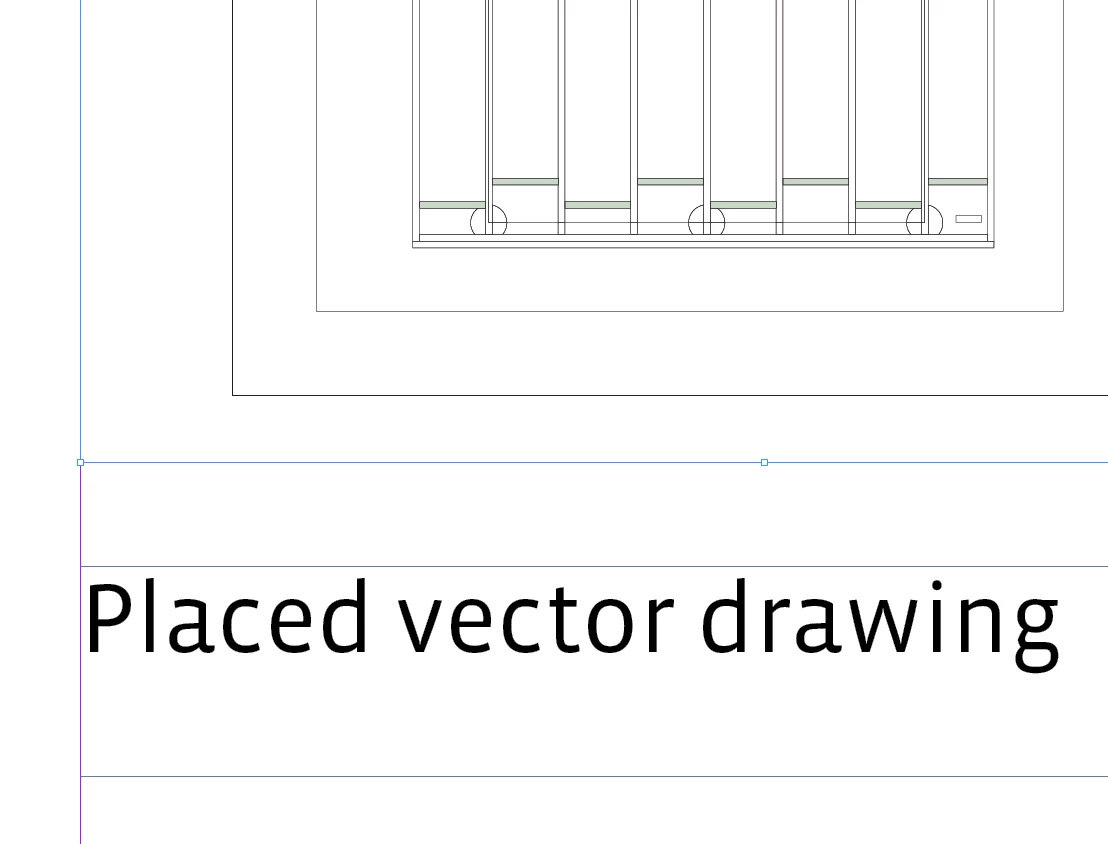
You can force rasters when you export an InDesign page with placed PDFs or vectors as a flattened PDF (Acrobat 4).


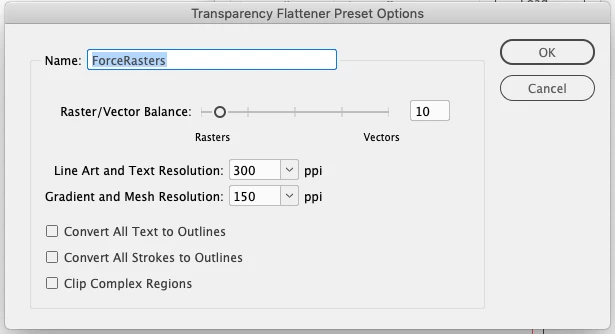
Try creating a Flattener preset with a low Raster/Vector Balance (0 will rasterize the entire ID page), something like this:


Add a transparent object anywhere on the spread and export to PDF/X-1a with the custom Flattener preset selected in the Advanced tab:


3 replies

New Participant
January 6, 2025

Hi - I cant find the Transparency Flattener Preset Options in Acrobat. Where do you find it? 

Is there still no way to do this directly in InDesign? It's strange - you have 'expand' in Illustrator, why isn't there something similar in InDesign?


Thanks in advance!

rob day
rob dayCorrect answer
Community Expert
July 9, 2021

You can force rasters when you export an InDesign page with placed PDFs or vectors as a flattened PDF (Acrobat 4).


Try creating a Flattener preset with a low Raster/Vector Balance (0 will rasterize the entire ID page), something like this:


Add a transparent object anywhere on the spread and export to PDF/X-1a with the custom Flattener preset selected in the Advanced tab:


KL111Author
Participating Frequently
July 9, 2021

Thank you! Both options work for me!

Dave Creamer of IDEAS
Community Expert
July 8, 2021

Why not export the PDF in Acrobat Pro? You can do multiple pages at once or create an action to do dozens/hundreds of files at once. Then import the image into InDesign. 

David Creamer: Community Expert (ACI and ACE 1995-2023)
KL111Author
Participating Frequently
July 8, 2021

Thanks for the answer: There are two problems: it is again a 2 program work

second: Acrobat pro tells me that there is no image to export when I want to export the pdf as png. That is correct because it is a vector drawing so it does not solve the problem.

KL111Author
Participating Frequently
July 8, 2021

I think it is a misunderstanding: I need the whole pdf which is a vector drawing rasterized to layout it in indesign and I am searching for a way to rasterize it in indesign itself