elizabetha82606065
Known Participant
December 31, 2018
Answered

Recovery Folders??

  • December 31, 2018
  • 3 replies
  • 4725 views

I work primarily on indesign and illustrator. Occasionally I have the auto save set to 5 min in AI and periodically it will crash... the only problem, I cant seem to find where the recovery files are stored on the computer. The indication doesn't list the whole part of the location and it doesn't give a total indication about on the web either?

Any help?!

    Correct answer leo.r

    It's 2024 and this is my problem as well for me, finding my Indesign Recovery Data folder in MacOS.
    It tried doing the MacOS directory (Users/[User Name]/Library....) but it doesn't work for me. I also tried doing the "Go > Library" but I couldn't find it. I go to Macintosh HD and there's a lot of folders and it is counterproductive to check each folder. I don't know if this is an Adobe issue, a MacOS issue or both. I'm using an Apple M2 Mac Mini. 

    Need help on this one.


    It's there for me:


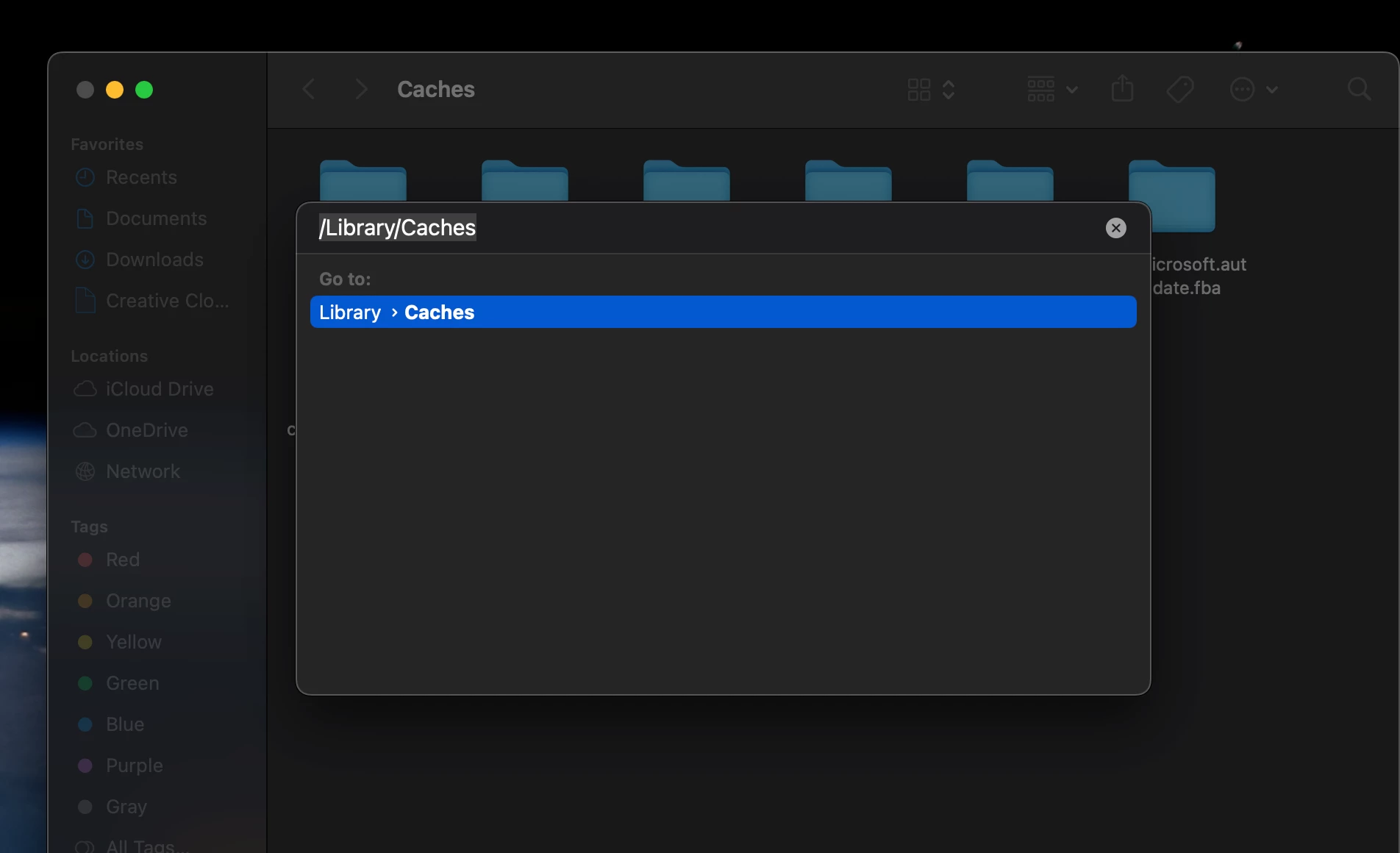
    ~/Library/Caches/Adobe InDesign/Version 19.0/en_US/InDesign Recovery


    You can copy-paste this path into Finder Go > Go to Folder dialog.

    3 replies

    elizabetha82606065
    Known Participant
    December 31, 2018

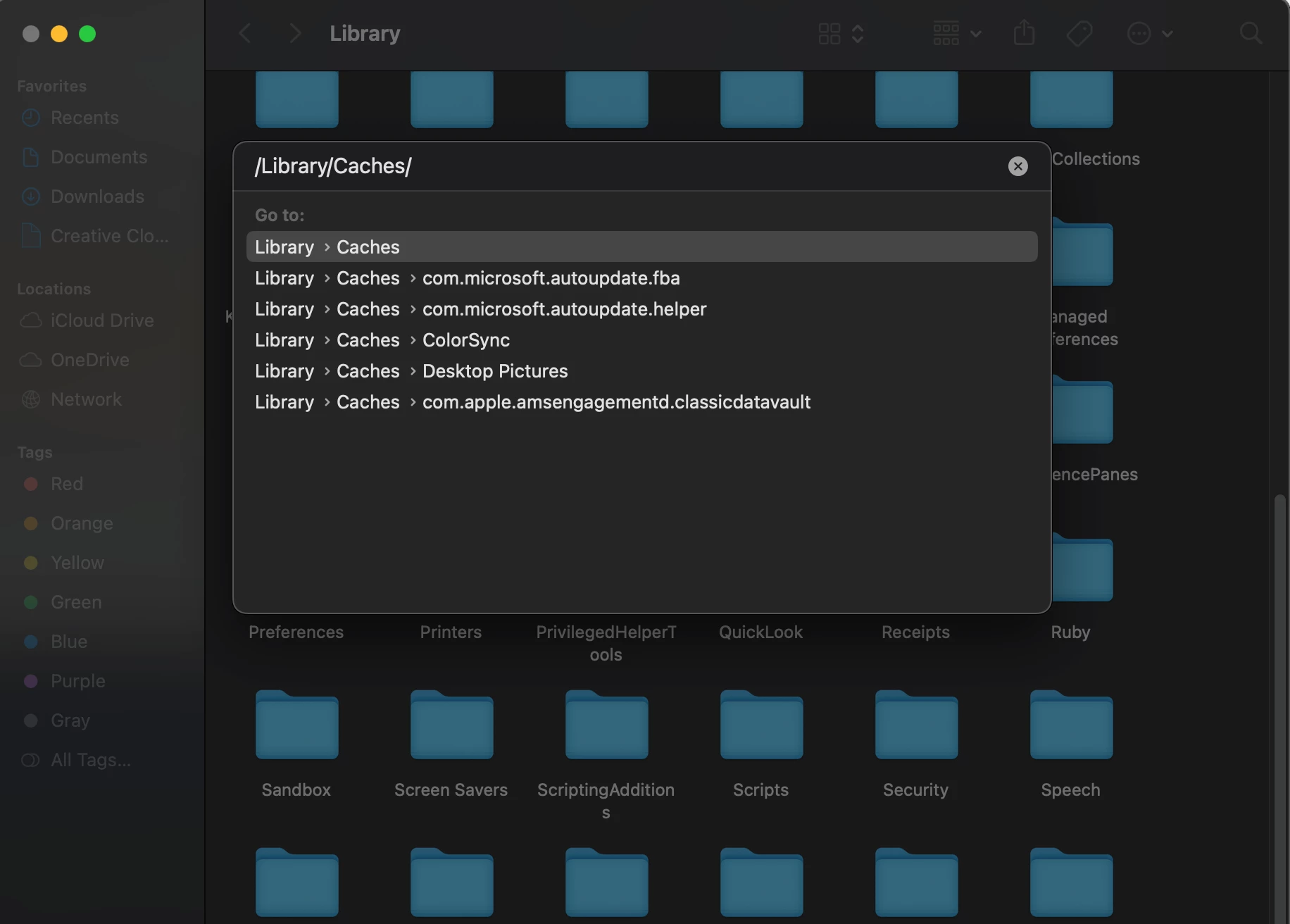
    Thanks for the replies. I knew going to the preferences would tell me where it is only it doesn't show the entirety of the location so it isn't that helpful. I followed the guides for that folder locations above but mine doesn't seem to be in that order. when I go to the library i have a folder labeled "caches" but not cache and nothing shows if i search for the names in the finder. This caches folder doesn't have any sort of file in it related to "Adobe InDesign"

    Alternately, I have done this in the past but not recently so it may have changed. 

    hammer0909
    Community Expert
    Community Expert
    December 31, 2018

    Caches is actually correct. See my screen shot below. The online documentation must be a bit out of date. Maybe we're gong down a rabbit hole here. In InDesign, when you have a file open, in that same folder, you'll find an .idlk file. When you close the InDesign file that file disappears unless InDesign has crashed. Upon relaunching InDesign, it will attempt to reopen that file using the .idlk file which keeps track of any changes made to the file while you were working on it. InDesign doesn't give you any options for this recovery such as a time period. For the most part it just works. Not sure if that helps you or not.

    elizabetha82606065
    Known Participant
    December 31, 2018

    Great thanks! i think I may have solved the problem

    elizabetha82606065
    Known Participant
    December 31, 2018

    I have looked on the website and followed this. It just doesn't lead to the right places. Is t possible my computer has has files moved differently? Let me make sure im following it correctly. Do I start in the hard drive option on the side bar the beginning step to locate users?

    Community Expert
    December 31, 2018

    Hi elizabetha82606065 ,

    if there is a custom place for the recovery folder for InDesign you could look up the path in the preferences.

    From my German InDesign CC 2019 with preference File Handling first item at the top:

    Regards,
    Uwe

    hammer0909
    Community Expert
    Community Expert
    December 31, 2018

    Here are the recovery folder locations for Mac and Windows:

    InDesign Recovery folder locations

    • Mac OS X: Users/[User Name]/Library/Cache/Adobe InDesign/Version[#.0]/InDesign Recovery
    • Windows Vista and 7: C:\Users\[User Name]\AppData\Local\Adobe\InDesign\Version [#].0\en_US\Caches\InDesign Recovery
    Steve Werner
    Community Expert
    Community Expert
    December 31, 2018

    For InDesign:

    Recover InDesign documents

    Ask in in the Illustrator Forum about Illustrator recovery.