



dublove
Legend
June 22, 2025
해결됨

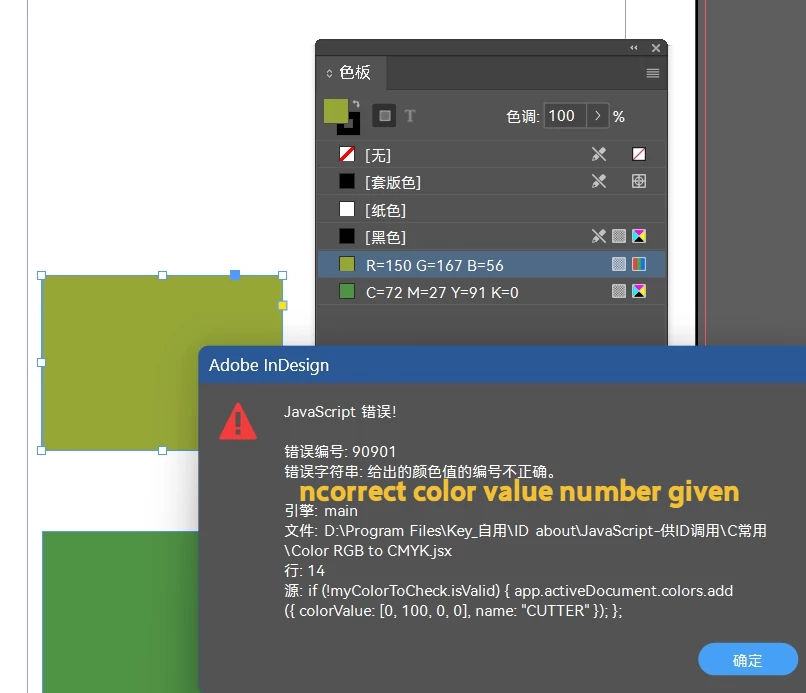
Ripped out an old RGB to CMYK post and found a bug can anyone help with it?

  • June 22, 2025
  • 3 답변들
  • 541 조회

New CUTTER color plate failed?

Suggestion to archive old posts once the issue is resolved.
/**
https://community.adobe.com/t5/indesign-discussions/indesign-script-to-convert-spots-to-cmyk-except-one/m-p/14489457#M566040
**/
#target indesign
app.activeDocument.inks.everyItem().convertToProcess = true;
app.menuActions.item("$ID/Add All Unnamed Colors").invoke();
var myIndesignDoc = app.activeDocument;
var myUnusedSwatches = myIndesignDoc.unusedSwatches;
for (var s = myUnusedSwatches.length - 1; s >= 0; s--) {
    var mySwatch = myIndesignDoc.unusedSwatches[s];
    var name = mySwatch.name;
    if (name != "") {
        mySwatch.remove();
    }
}
var myColorToCheck = app.activeDocument.colors.itemByName("CUTTER");
if (!myColorToCheck.isValid) { app.activeDocument.colors.add({ colorValue: [0, 100, 0, 0], name: "CUTTER" }); };
app.activeDocument.colors.everyItem().properties = { space: ColorSpace.CMYK, model: ColorModel.PROCESS };
app.activeDocument.colors.item("CUTTER").model = ColorModel.SPOT;
 

최고의 답변: rob day

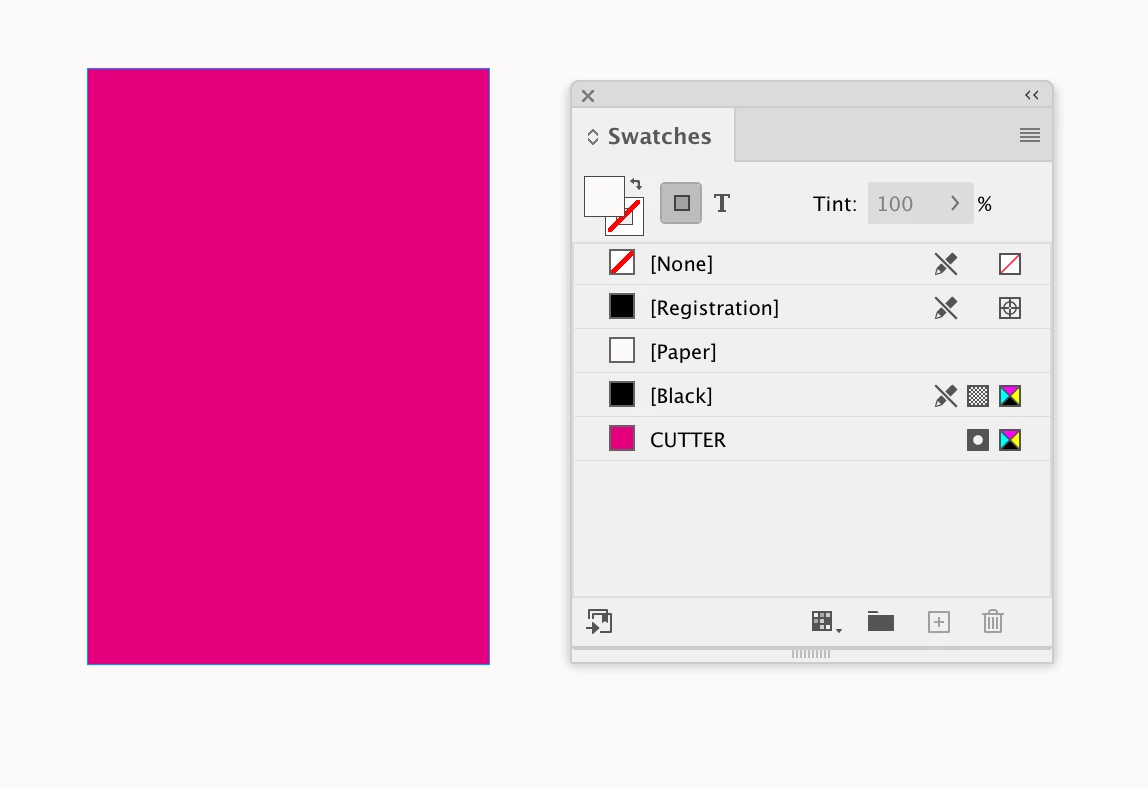
Not a bug—there’s no reason to use a menuItem call to make a swatch. Try this:


var c = makeSwatch(app.activeDocument, "CUTTER")
c.properties = {model:ColorModel.SPOT, space:ColorSpace.CMYK, colorValue:[0,100,0,0]}

function makeSwatch(d, n){
    if (d.colors.itemByName(n).isValid) {
        return d.colors.itemByName(n);
    } else {
        return d.colors.add({name:n});
    }
}


3 답변

Peter Spier
Community Expert
Community Expert
June 22, 2025

At a glance, it looks to me like the script is  taking all unused swatches and removing them, then looking for for a color named CUTTER, and if not found adding it with a value of 0,10,0,0 (why you would want to add it back, if it wasn't used is a mystery to me), then converting everything to CMYK . Finally it converts the CUTTER Swatch to spot.


What's the bug?

What is the purpose for the CUTTER color? That sounds like it's meant for a die line, and it should be spot, and set to overprint.

rob day
Community Expert
rob dayCommunity Expert답변
Community Expert
June 22, 2025

Not a bug—there’s no reason to use a menuItem call to make a swatch. Try this:


var c = makeSwatch(app.activeDocument, "CUTTER")
c.properties = {model:ColorModel.SPOT, space:ColorSpace.CMYK, colorValue:[0,100,0,0]}

function makeSwatch(d, n){
    if (d.colors.itemByName(n).isValid) {
        return d.colors.itemByName(n);
    } else {
        return d.colors.add({name:n});
    }
}


dublove
dublove작성자
Legend
June 23, 2025

Hi rob day.

Can color swatches be named with their color value?
Like this: C=0 M=100 Y=0 K=0


rob day
Community Expert
Community Expert
June 23, 2025

The 2nd name parameter can be whatever you want


var c = makeSwatch(app.activeDocument, "C=0 M=100 Y=0 K=0")


Willi Adelberger
Community Expert
Community Expert
June 22, 2025

I would change the cutter color to spot color. RGB makes no sense here.