Inspiring
January 8, 2022
解決済み

Spacing problems in justified text

  • January 8, 2022
  • 返信数 2.
  • 1532 ビュー

InDesign 2022 on a Mac.

I am working for the first time on a very long nonfiction book that is laid out with 10/12 type and 4" wide columns of justified text.

I am familiar with the tool for highlighting hyphenation and justification errors on the full page.

But even so, everyone in a while my eye falls on a single word like the "are" in this image and I want to scream:
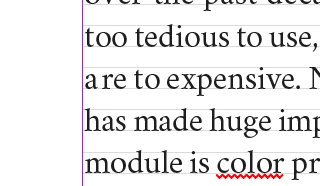
Do readers notice just things? Do you go through and fix individual words in a 340 page document? If so, how?
このトピックへの返信は締め切られました。
解決に役立った回答 rob day

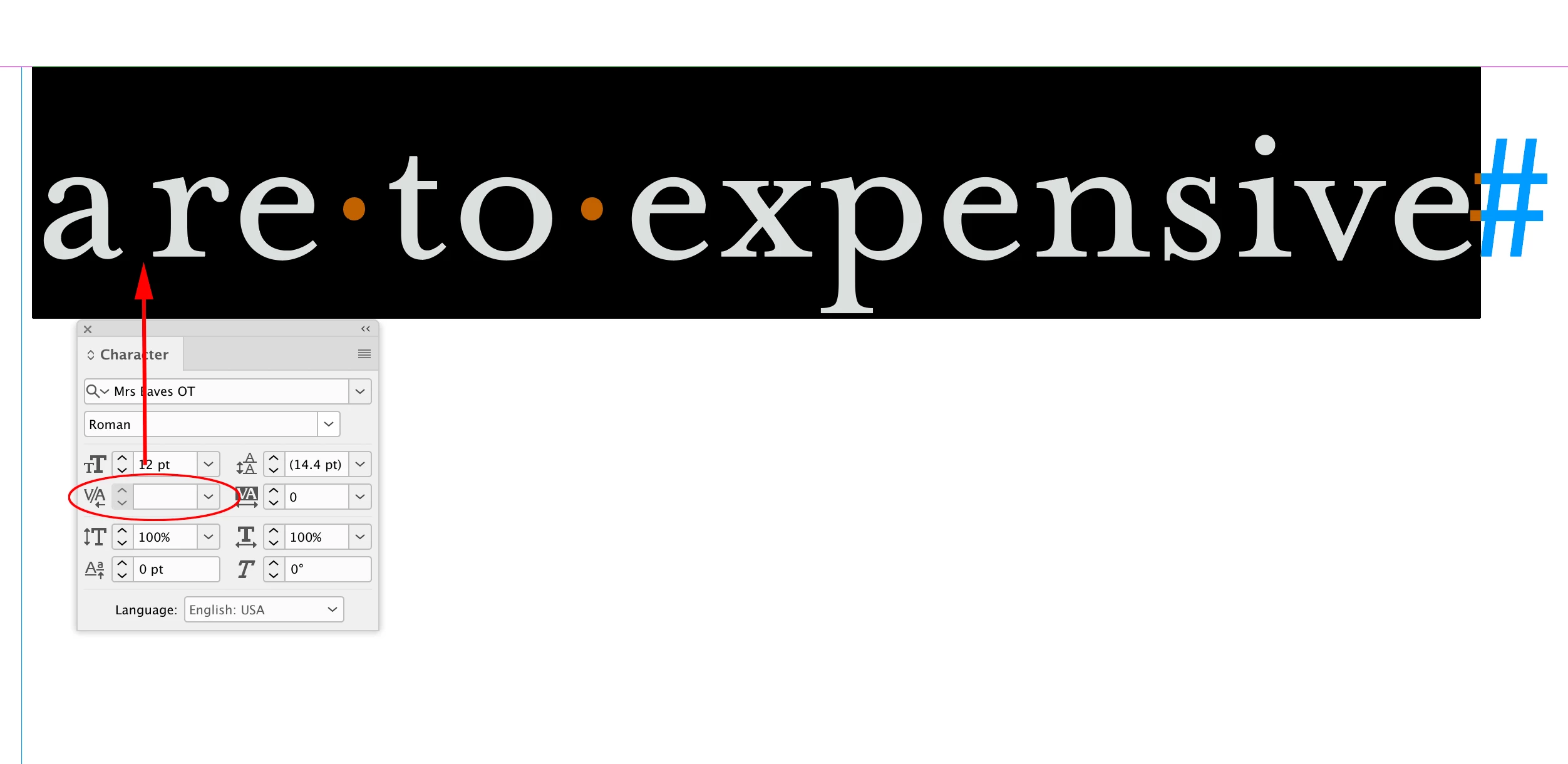
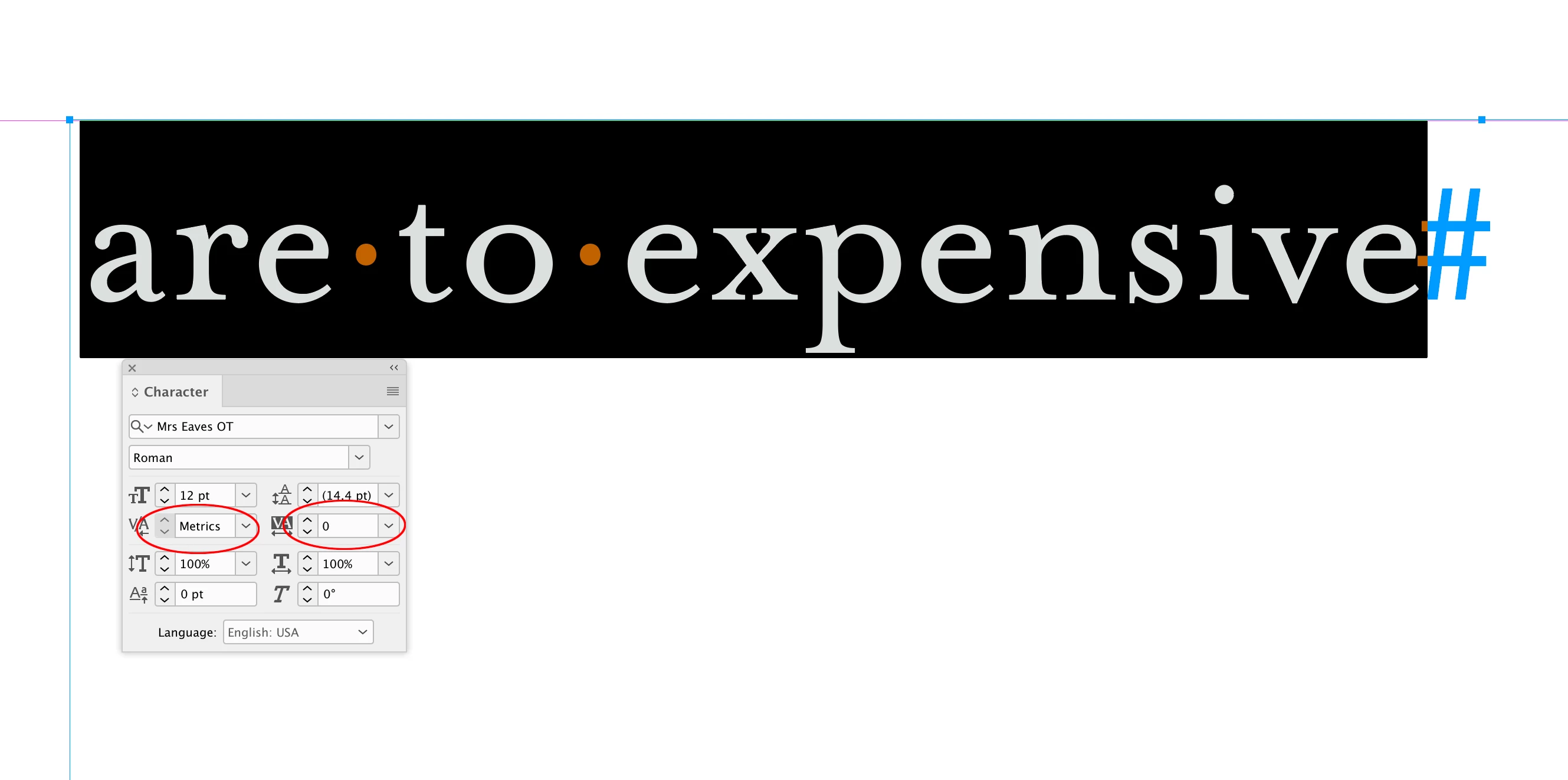
Hi @MarieMeyer , did you select the line and double-check that there’s no custom kerning or tracking applied:


Also turn on Hidden Characters and make sure there’s no white space character inserted between the a and r—like a thin space:


返信数 2

Community Expert
January 8, 2022

If you don't mind me saying so, you may also want to proof the text. "To" is a perfectly good word that spellchecking would pass by every time, but I think you want to say items "are too expensive."


Meaning no disrespect,


Randy

rob day
Community Expert
rob dayCommunity Expert解決!
Community Expert
January 8, 2022

Hi @MarieMeyer , did you select the line and double-check that there’s no custom kerning or tracking applied:


Also turn on Hidden Characters and make sure there’s no white space character inserted between the a and r—like a thin space: