


Known Participant
March 7, 2025
Question

Trying to line up a left column of numbers anchored to a right column of text blocks

  • March 7, 2025
  • 3 replies
  • 6923 views

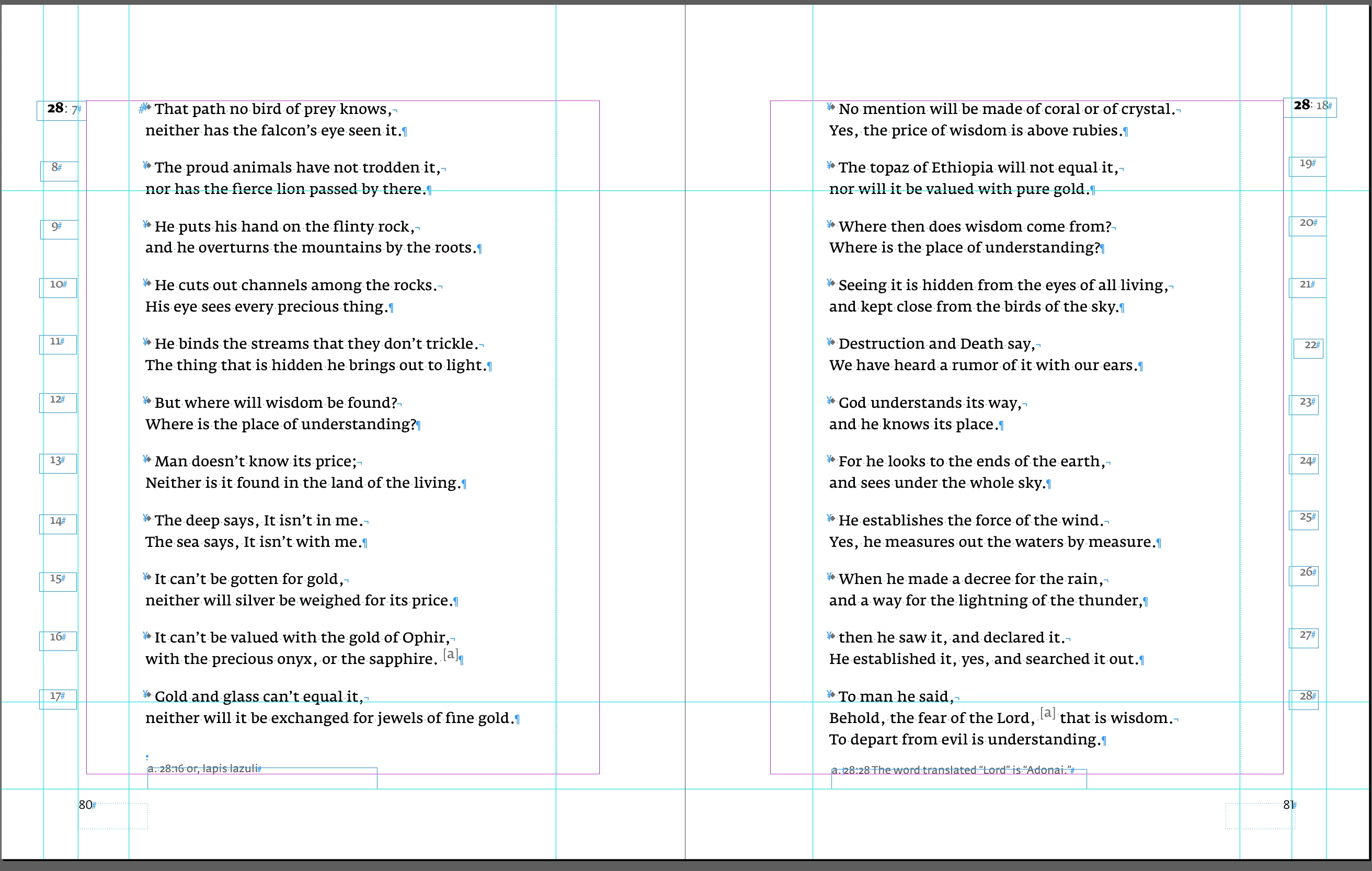
Here's an example of the page spread I am trying to line up the numbered section on the left column after I have anchored the number to the right column text reference. 
3 replies

Peter Spier
Community Expert
Community Expert
March 7, 2025

It looks to me like you mean aligning the numbers on the horizontal axis as they read down the column.


Your text frames should all be the same width and you can set a text alignment as part of the paragraph style assigned to the numbers.

Known Participant
March 7, 2025

Can I set up a fake decimal point for vertical alignment going down the column in paragraph styles? Currently, I have the numbers anchored to the scripture reference text. Now I am trying to figure out the best way to line those numbers going down. 

Known Participant
March 7, 2025

If you move one spread into a new document - InDesign will make a copy of just this portion of the text. 


It's the same as if you would select both TextFrames and made a duplicate - or copy&paste. 


Help_page.indd
Willi Adelberger
Community Expert
Community Expert
March 7, 2025

Use a 2 column table 

Robert at ID-Tasker
Legend
March 7, 2025

With each number and text in a separate row.


Known Participant
March 7, 2025

They are in separate text boxes. I just can't figure out how to place the numbers in the same position going down the pages.


Thank you,

Jeanette


Robert at ID-Tasker
Legend
March 7, 2025

Set up and turn on Align to Baseline Grid. 


https://helpx.adobe.com/uk/indesign/using/aligning-text.html