Kenneth C. Benson
Inspiring
October 25, 2022
해결됨

Turkey is now Türkiye, but in all caps it's TÜRKİYE

  • October 25, 2022
  • 1 답변
  • 15873 조회

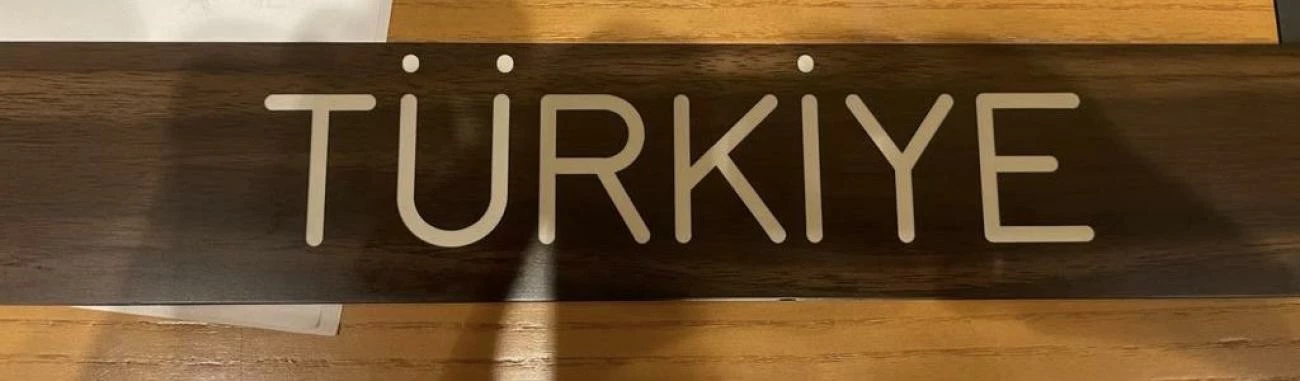
I'm working on an NGO publication that lists the names of most countries of the world. As of June, the leaders of Turkey ask that the name be spelled "Türkiye" (https://turkiye.un.org/en/184798-turkeys-name-changed-turkiye). On that page, there's an image of the UN name tag, showing the name in all caps: TÜRKİYE. Note that the capital letter I is dotted.


I'm using Indesign, and my publication has a table of contents that lists the names of countries. The country names are in all caps, but the TOC shows then in initial caps. Indesign can change case via formatting, so the paragraph style for the country names forces UC (but the underlying text is initial caps). The TOC sees the unformatted text (initial caps) and aggregates the country names in their unformatted state with page numbers. This has worked nicely for several years now.


Türkiye's new name has a problem, though. There doesn't seem to be a lower case equivalent for a dotted capital I. Or maybe I just can't find it. Or maybe the fonts I'm using don't have it (Chaparral Pro and Myriad Pro). So I can get the country name right (by using a caps dotted I), but the TOC displays the country name as "Türkİye" instead of "Türkiye".


I can change the TOC, but I have to remember to change it every time I regenerate the TOC. Does anyone know if there is a lower-case dotted i glyph that will format in all caps to an upper case dotted I? It would probably look just like a regular lower case i.
 

    이 주제는 답변이 닫혔습니다.
    최고의 답변: Joel Cherney

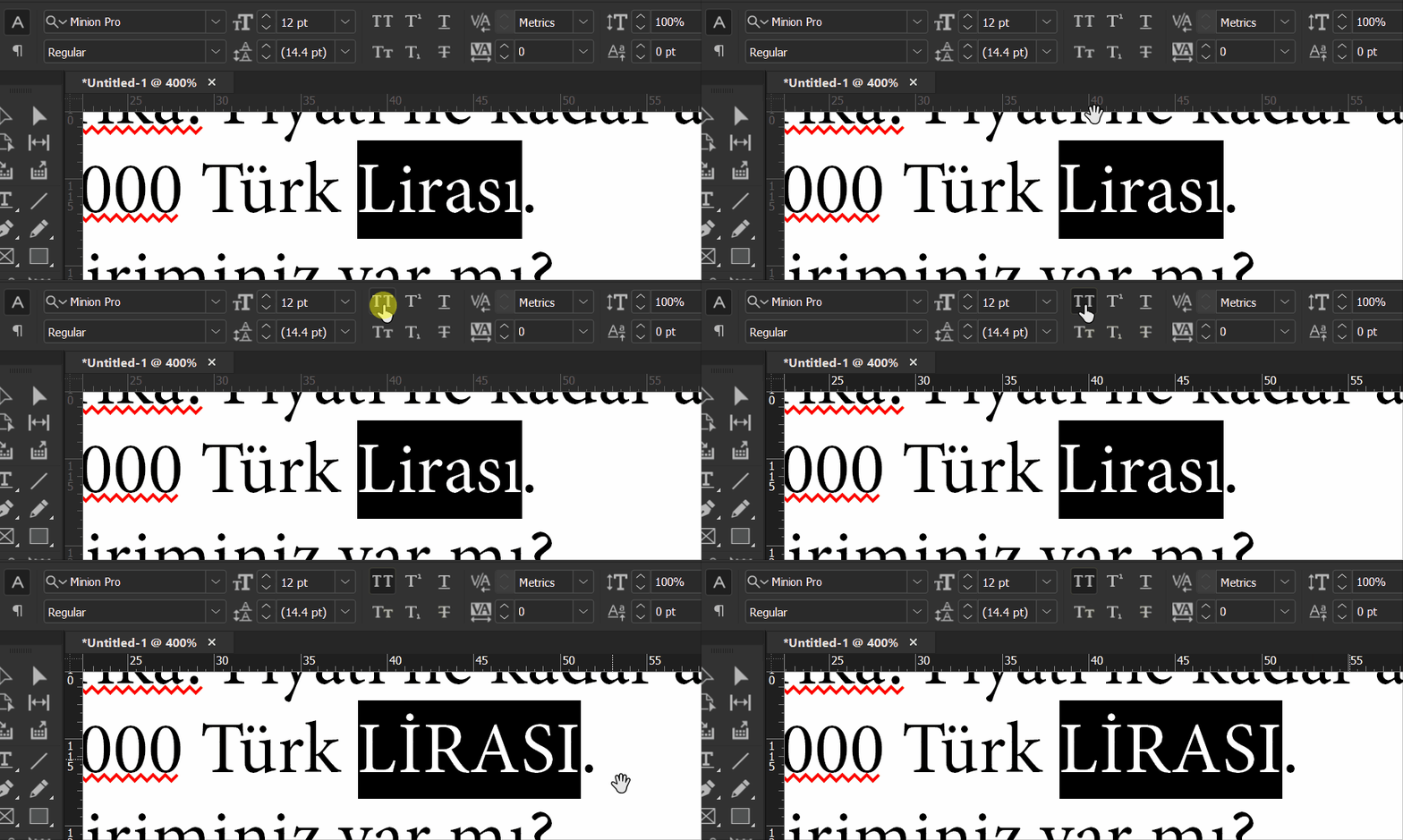
    That's a small caps dotted i. I attached an Indesign file copied straight from the report.


    Which version of Chaparral exactly are you using?  Also, which language are you using for your installation of ID? Either one of those facts might be important here, as I went and tried this with Minion Pro on my InDesign ME install and it worked exactly as I would have expected. I should also add that it did not work if the language was marked as English; it has to be marked as Turkish. 


    1 답변

    jane-e
    Community Expert
    Community Expert
    October 28, 2022

    @Kenneth C. Benson 


    Can you tell us how are you entering the capital "i" with a dot? With Alt codes? In the Glyphs panel?


    (I tried to put it here, but my iPad keyboard is not supporting it.)


    One possibility would be to use GREP. Is it okay to move your post to the InDesign forum?


     Jane


    Kenneth C. Benson
    Inspiring
    October 28, 2022

    Thanks, Jane


    Yes, from the glyphs panel. This is Chaparral Pro Bold Display. This character is probably not in all fonts, and perhaps some fonts have a lower case dotted i that transforms into an uppercase dotted I with UC formatting (but I'm stuck with Chaparral for this design).


    Unfortunately, the dot on the capital I in Chaparral is fatter than the umlaut dots.


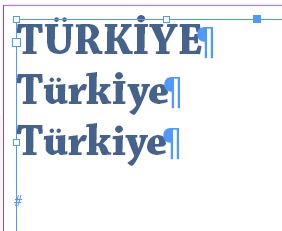
    In the screenshot below, the text you're seeing is typed in sentence caps (Türkİye), but formatted in upper case. The dotted I, though, has no lower case equivalent. If I use an ordinary lc dotted i, UC formatting changes it to an ordinary dotless uc I.


    A GREP style is a great idea (in the TOC paragraph style, replace "Türkİye" with "Türkiye"). This will solve the problem for the printed TOC. This report is also released electronically (last year's report: https://www.insead.edu/sites/default/files/assets/dept/fr/gtci/GTCI-2021-Report.pdf), and the PDF has an interactive bookmarks TOC. I can change it in the bookmarks from within the PDF, but I have to change it each time I generate a new PDF.


    By all means, please move this to the Indesign forum. I was going to wait a week and then repost there, but moving it is even better.


    jane-e
    Community Expert
    Community Expert
    October 28, 2022

    @Kenneth C. Benson 


    I've moved your post to the InDesign forum.


    Does it work for you if the glyph to the right (highlighted) is used in the TOC?


    Jane