

Chris Panny
Inspiring
July 22, 2023
Answered

Unable To Convert Spreads To Pages

  • July 22, 2023
  • 2 replies
  • 662 views

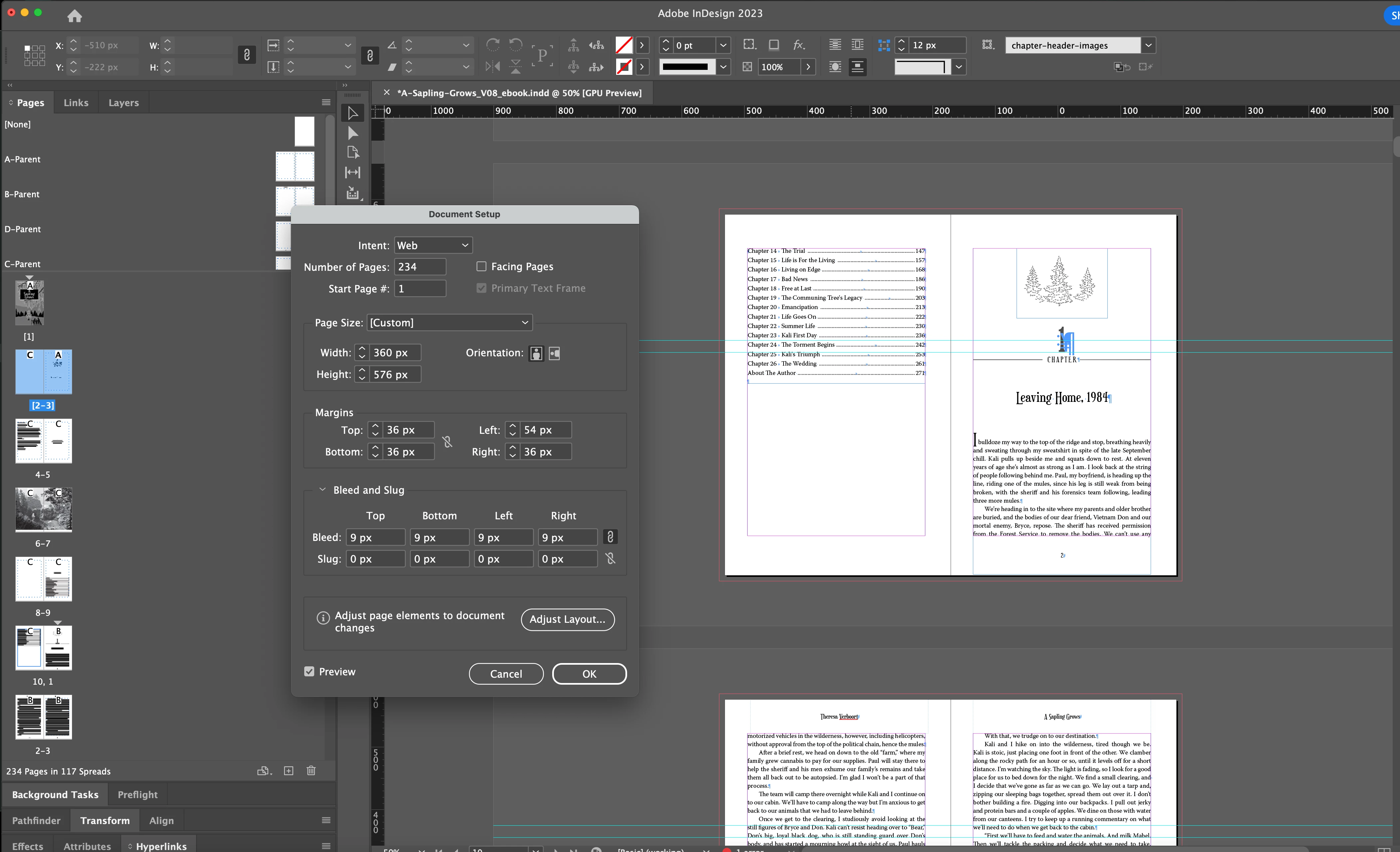
I'm working on a book that was setup for print. Now I need to make an ePub out of it. I went into the Docunent Setup and changed the Intent to Web and unchecked Facing Pages. The document is still showing the content as spreads. 


This topic has been closed for replies.
Correct answer Manan Joshi

I see another thread by you with the same question. Did you try the suggestions marked in the correct answer there?

https://community.adobe.com/t5/indesign-discussions/unchecking-facing-pages-to-convert-spreads-to-pages-not-working/td-p/13277272
You could also try exporting your document to IDML and resaving it to INDD and then try again, maybe the document is corrupted somehow and hence things are not working as expected.

-Manan

2 replies

Brad @ Roaring Mouse
Community Expert
Community Expert
July 26, 2023

Based on your screen grab, since your "spreads" are no longer arranged on a center line, I suspect you had "Allow pages to Shuffle" unchecked before you did the change.  Check that setting and try again,

Chris Panny
Inspiring
July 26, 2023

You're spot on. Pages to Shuffle was not checked. I also forgot to select all of the pages, but "thanks" to my previous post on this, I was able get the document into single pages. Thanks again for your help!

It's only an island if you look at it from the water.
James Gifford—NitroPress
Legend
July 26, 2023

It's a problem worth resolving, but if you're exporting to reflowable EPUB, the document/print layout should be irrelevant.

Manan JoshiCommunity ExpertCorrect answer
Community Expert
July 22, 2023

I see another thread by you with the same question. Did you try the suggestions marked in the correct answer there?

https://community.adobe.com/t5/indesign-discussions/unchecking-facing-pages-to-convert-spreads-to-pages-not-working/td-p/13277272
You could also try exporting your document to IDML and resaving it to INDD and then try again, maybe the document is corrupted somehow and hence things are not working as expected.

-Manan

-Manan
Chris Panny
Inspiring
July 26, 2023

Thanks for pointing my other post out to me which I forgot about. Now it's working properly.

It's only an island if you look at it from the water.