Hi 喜狼_edny,
the art of formatting tables with the table options and cell styles is not to define values for cell properties where the table style already defines them and they fit with your design. What you want to do is perfectly possible.
It requires:
1 table style and 3 cell styles
One cell style for the header row
One cell style for all body rows*
One cell style for the footer row
* Could be even optional, but I assume that you'd like to apply different paragraph styles in header, body and footer cells.
The table style dictates which cell styles are used for the header row, the body rows and the footer row.
The table style defines that there is no stroke around the table.
Tip: If the property of a cell is defined with the table style do not define it with a cell style if the value is the same.
Some screenshots from my German InDesign 2021 on Windows 10:
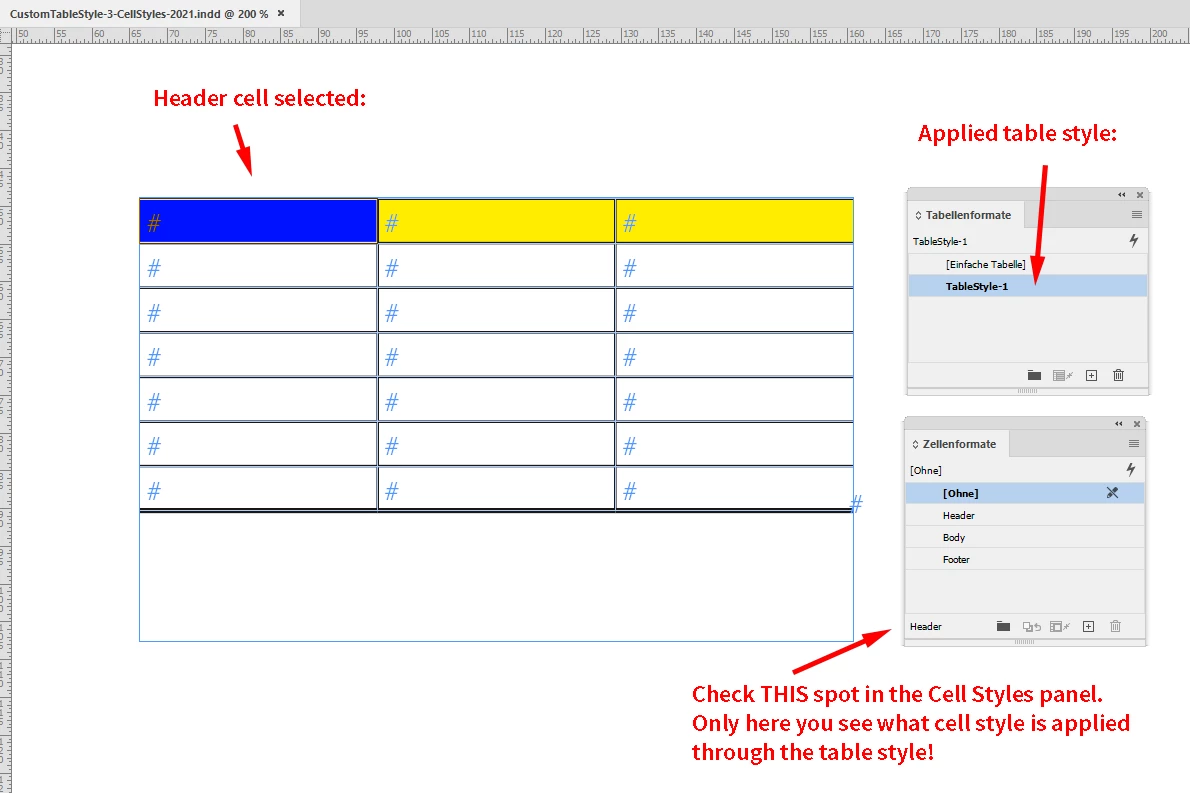
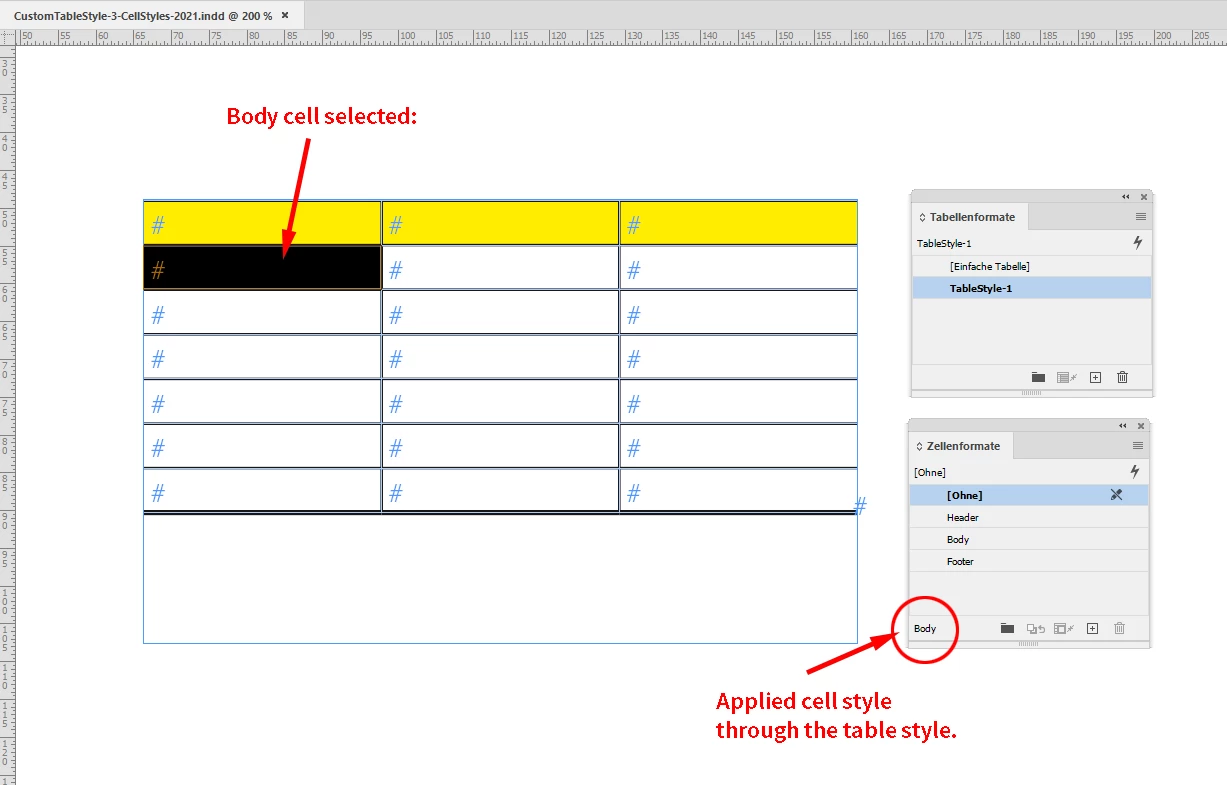
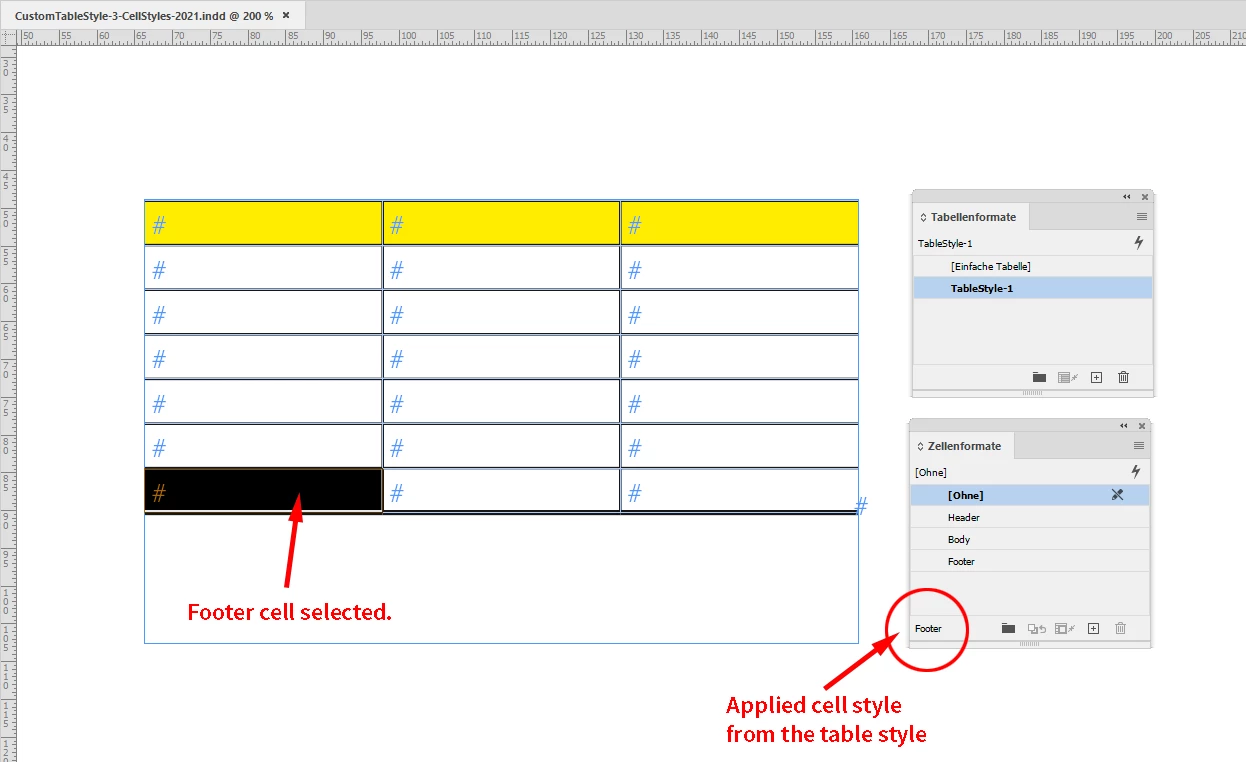
Download this sample document from my Dropbox account and inspect the table style and the cell styles:
https://www.dropbox.com/s/2zpaphy651n4y60/CustomTableStyle-3-CellStyles-2021.indd?dl=1
Regards,
Uwe Laubender
( ACP )


 AdChoices