Thanks Rob,
whilst I understand Pantone is a 3rd Party, it was and should still be an intrinsic part of the workflow... Pantone not responding has not helped at all.
In most cases I don't know the destination presses I have it as a default the FOGRA39 profile that suits Aus - I've been using Colour Bridge for many years and have exclusively used these swatches for clients work to maintain the consistency online and in print.
Regards
Taso
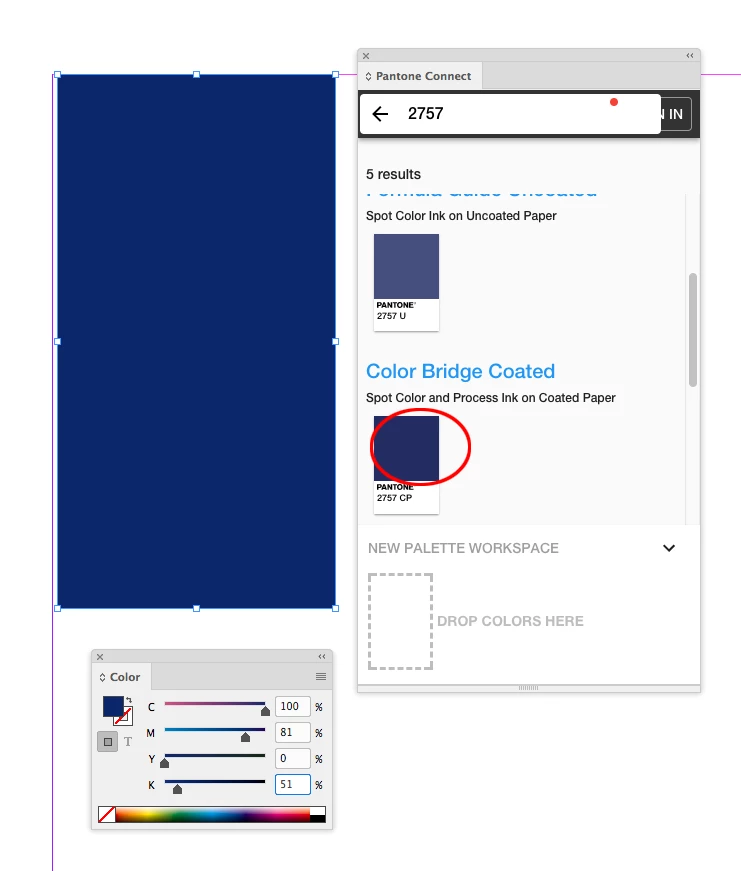
Hi Taso, Pantone has a new CC extension that is different than the Pantone Color Manager. You can install it from InDesign via Window>Find Extensions on Exchange—search for Pantone Connect.
The web extension connects to Pantone’s website and you can search for any Pantone Color without leaving InDesign. So I can search for 2757CP and get the current Bridge CMYK value. There is also an option to create a Pantone account, which adds some features to the extension. The extension would not be a replacement for the Pantone Color Manager application, which lets you export full Pantone books as .acb files, but it does let you get current Pantone values — Lab for solid ink colors and CMYK for simulations, and their conversions to other spaces.



 AdChoices