Jose,
I only come back here to post this and give you the most simplistic way to fix your issue [in bold below]!
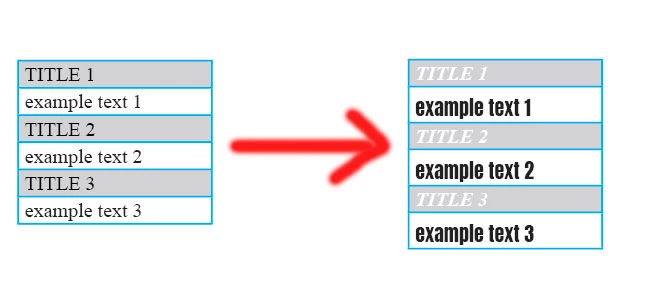
• You have a table as you said [It could a basic table].
• Create (if not already done) 2 cell styles you could call "Title" (including the grey background and the "Title" para style) and "Description" (including the white (or no) background and the "Description" para style).
[Link the 2 para styles has no interest.]
• Just apply (manually) the cell style "Title" to the first cell of the table.
• Just apply (manually) the cell style "Description" to the second cell of the table.
Normally, all I previously mentioned has already be done by you when you posted your question!!
So, now, you just needed to do this:
Select these 2 first cells … and play this script!
Dropbox - FRIdNGE-0499_TableCellStyles.jsxbin - Simplify your life
Done! The cell styles have been alternatively applied to all the cells!
Have a good day! … and next time, read your Adobe private messages!
Best,
Michel, for FRIdNGE

 AdChoices