Participant
April 9, 2020
Answered

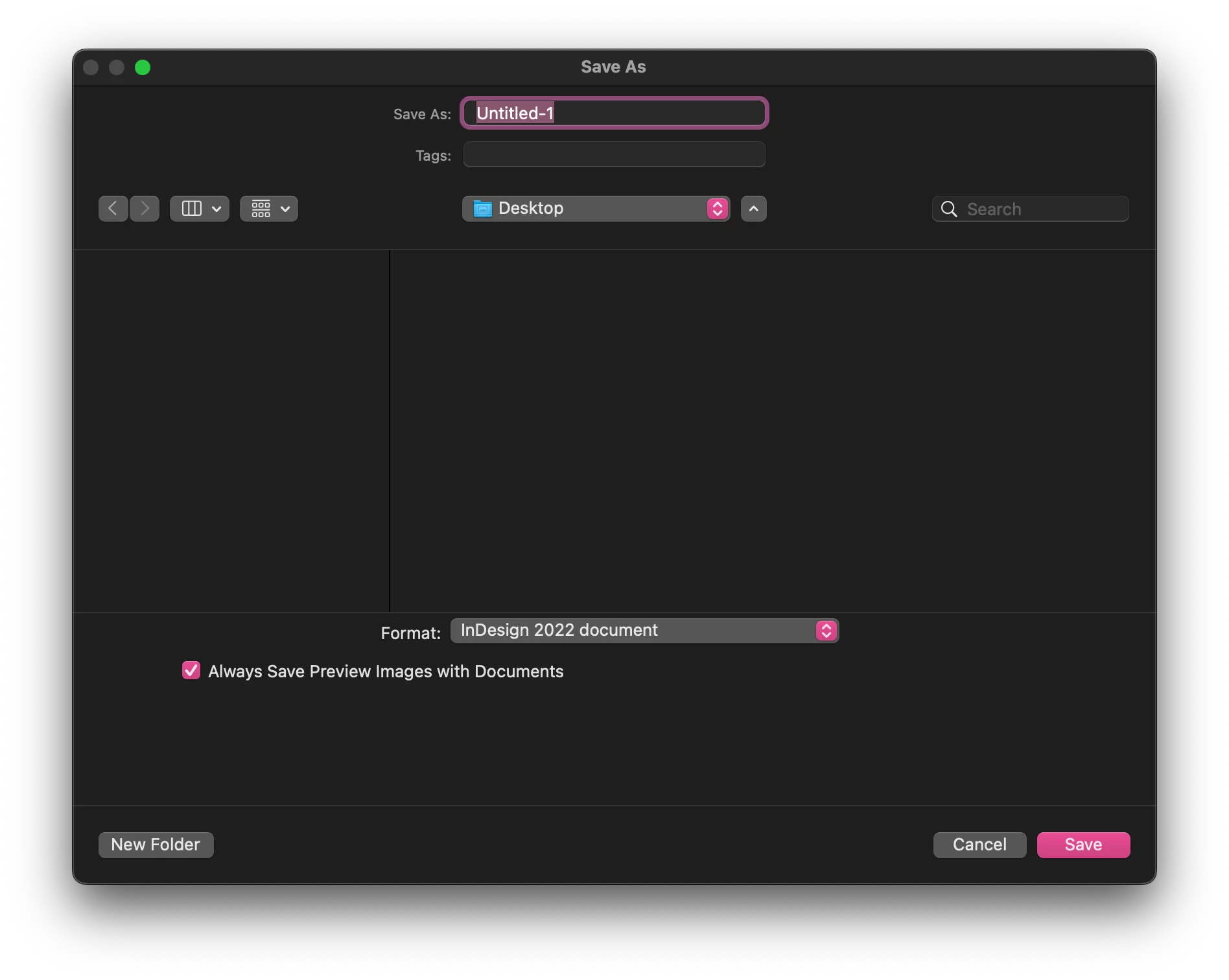
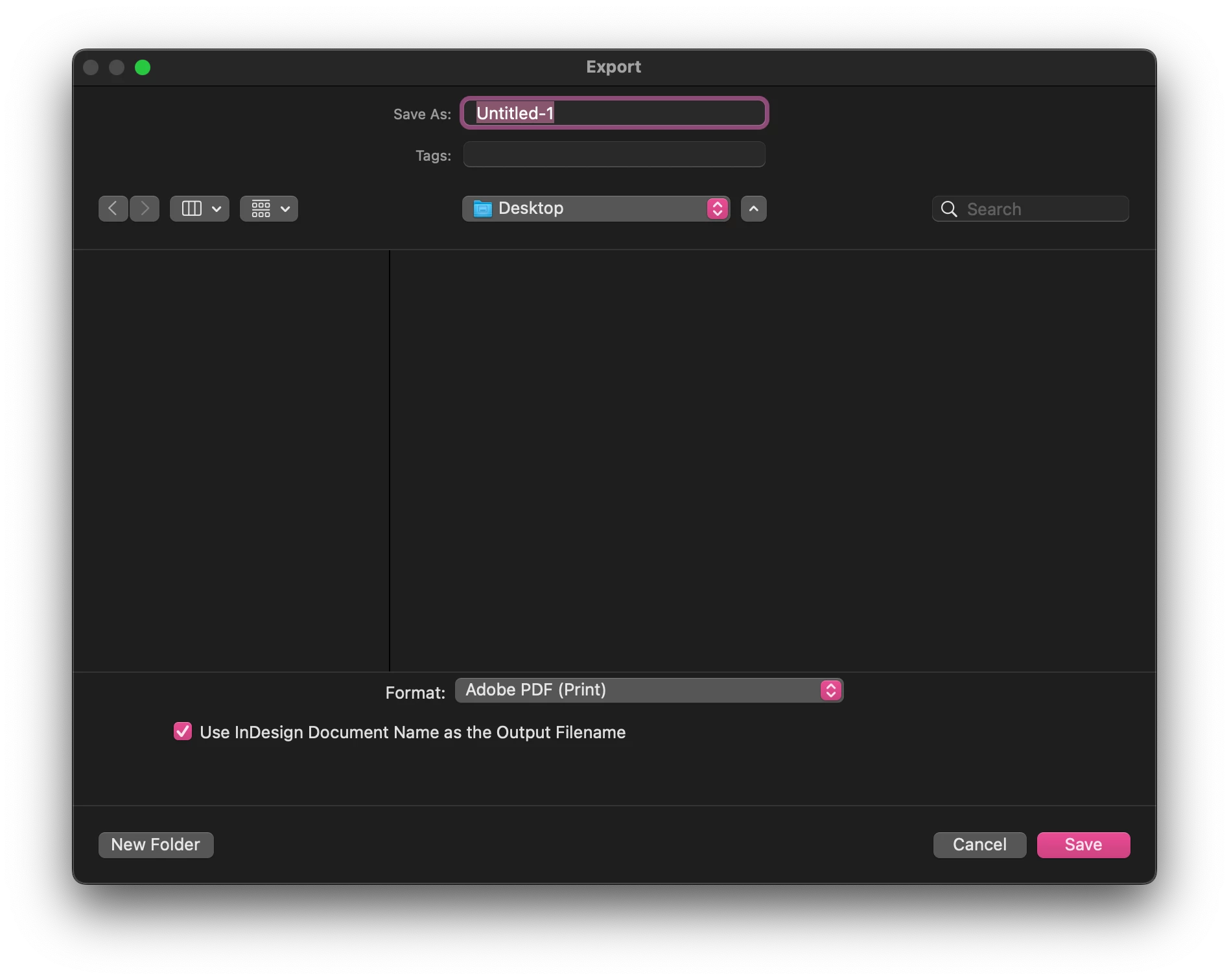
Finder window (Save As/Export, etc) show up in light color even though the system/app theme is dark

  • April 9, 2020
  • 11 replies
  • 9993 views

I know its not a huge issue but as a designer its a little irritating. When running under the darkest theme in Illustrator and Indesign the open, save, export, and place dialogues are all in light themes even with the OS in Dark mode. All of the dialouges in Photoshop however show up dark.


{Renamed by MOD}
Correct answer Christopher-James

Hi @msingleton 


I know this is an old thread but the answer from @Ashutosh_Mishra - Adobe Employee just said a lot about how Adobe are blind to anything any end user has to say, they don't even read a post correctly, time and time again!


You can force dark mode for the finder UI windows for InDesign for Mac using this command through the Terminal app.

Currently on InDesign 17.4


  1. Make sure InDesign is closed
  2. Open a new terminal window
  3. Copy and paste the below code and press return
  4. Open InDesign and test


defaults write com.adobe.InDesign NSRequiresAquaSystemAppearance -bool NO


 Hope this makes you happy that now all adobe apps have the same UI, it makes me happy (kind of, just now have to assign global palette names!!)

11 replies

March 8, 2023

2023 and still no fix from Adobe.  Still no relevant response from Ashtuosh.

Inspiring
September 26, 2023

The question was asked in April 2020. We are at the end of September 2023 and the problem still persists. The solution given by Christopher-James works great. Meanwhile, Adobe still hasn't fixed the bug. Shame.

Rishabh_Tiwari
Legend
December 19, 2023

Hi,


Sorry to hear about the trouble. Can you share a few screenshots of the UI and  the version of InDesign & OS so that we can reproduce the issue on our end? We'll try our best to assist you with this.

Thanks
Rishabh

FoxCadet
Known Participant
February 24, 2023

Seriously? It's been 3 years and no one fixed this yet?

Participant
March 8, 2023

I find this issue very intruiging honestly, the simple fact that they think its a user setting issue or something like that. But Ironcialy sometime during all of this they implemented the option to change the Adobe Cloud app to dark mode so theres that. 

Participant
November 21, 2022

I can't believe this hasn't been rolled out to InDesign yet - like what!

It honestly can't be that difficult to implement as its already done for PS.

It ALOT of things like this that show that Adobe are lazy - and too busy adding expanding rather than fixing the programs they have. 

Christopher-James
Christopher-JamesCorrect answer
Participant
September 8, 2022

Hi @msingleton 


I know this is an old thread but the answer from @Ashutosh_Mishra - Adobe Employee just said a lot about how Adobe are blind to anything any end user has to say, they don't even read a post correctly, time and time again!


You can force dark mode for the finder UI windows for InDesign for Mac using this command through the Terminal app.

Currently on InDesign 17.4


  1. Make sure InDesign is closed
  2. Open a new terminal window
  3. Copy and paste the below code and press return
  4. Open InDesign and test


defaults write com.adobe.InDesign NSRequiresAquaSystemAppearance -bool NO


 Hope this makes you happy that now all adobe apps have the same UI, it makes me happy (kind of, just now have to assign global palette names!!)

Inspiring
September 9, 2022

Hey, works great. Many thanks.

Inspiring
May 11, 2022

+1. Very annoying, both the original issue and the fact that nothing happens.

PixelFactory Agency
Participating Frequently
December 15, 2021

Any news about it?

I guess enough time has passed for the Adobe team to fix such a little thing like this.

Barb Binder
Community Expert
Community Expert
April 11, 2020

Hi Srishti:


Oddly, Photoshop honors the dark interface for those dialog boxes.

~Barb

~Barb at Rocky Mountain Training
Srishti Bali
Community Manager
Community Manager
April 13, 2020

Thanks for sharing this, Barb. I will pass it on to our engineers to look into this. 


Regards!

Participant
December 18, 2020

It has gotten even worse.

In the latest version of InDesign (16.01) the dialog boxes do not remember resizing, and always appear in default size.

They are still white even if the Dark mode is enabled in system and Indesign has dark interface.

It seems that the focus in Adobe software development is not on usability that such a basic things can not be fixed for so long time. Stop developing all those new marketing features and concentrate on making everything you have crammed into your programs work, so that they become usable for real work again.


BTW with latest 2 updates I have had hundreds of crashes with basic functions, way more than in previous years combined. Indesign has become a major obstacle on getting my work done in time.

Srishti Bali
Community Manager
Community Manager
April 10, 2020

Hi Barb,


Thanks you so much for reaching out and highlighting this. I understand your concern but this is an expected behavior in all Adobe Applications (even with PS).

I will pass on this feedback to our Product team and you could you also post it on our UserVoice page and paste the link here, so that others can also upvote this request. 


Regards,

Srishti

December 1, 2020

Can we get an update on this as it was 7 months ago, and Dark Mode in MacOS was released widespread 2.5+ years ago.


Yet this still doesn't work, and nothing has been communicated to users.


We expect more from an industry leader in creative software.

Participant
December 1, 2020
Barb Binder
Community Expert
Community Expert
April 10, 2020

Having Ashtuosh (an Adobe employee) on this thread is helpful, but I recommend filing a bug report for both apps:


If you come back here and post the links, I will vote for them.


~Barb

~Barb at Rocky Mountain Training
Barb Binder
Community Expert
Community Expert
April 10, 2020

Hi Ashutosh:


I think the OP is pointing out that even with the dark interface selected, those four specific dialog boxes are still light. I have my Mac in dark mode as well as InDesign in dark mode and those dialog boxes don't honor it. It bothers me as well—my eyes are very sensitive to light.


~Barb

~Barb at Rocky Mountain Training