
Participant
January 30, 2017
Question

How to Paste object library into Frame

  • January 30, 2017
  • 6 replies
  • 3447 views

Hi guys, I have a library named "Products" which contains images and groups of image/text. Based on tutorials, there are two ways of placing object library in a document. One is dragging the object and the other one is using  place item. I know what those approaches do but what I want to do is something different. What I want to do is to drag the object library (item) and place into a frame. I tried this many times without success. When I drag the item over the frame and release it, it pastes outside the frame and not inside (images or image/text). I achieved my goal by adding an additional step.

Drag item -> release item in any part of the document -> cut item (ctrl+x) -> select frame -> place into
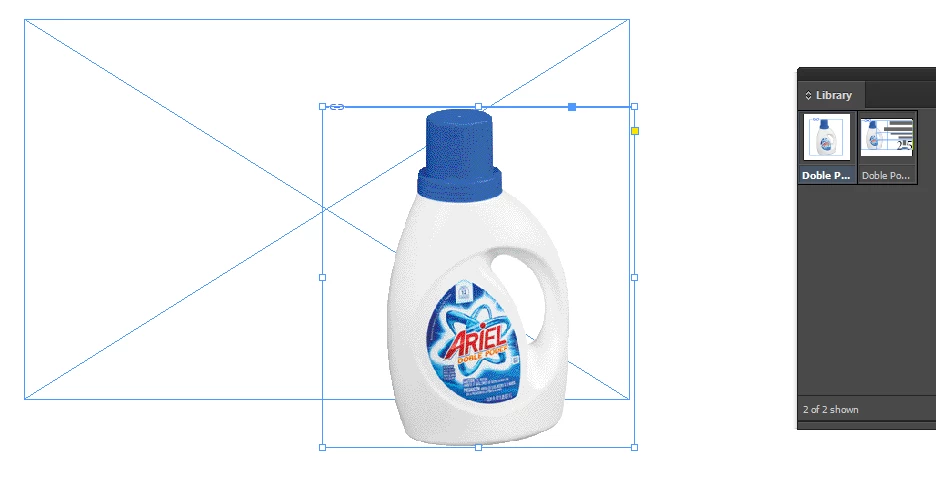
But what i want is:

Drag item over the frame -> release the item -> done! item is placed into the frame.
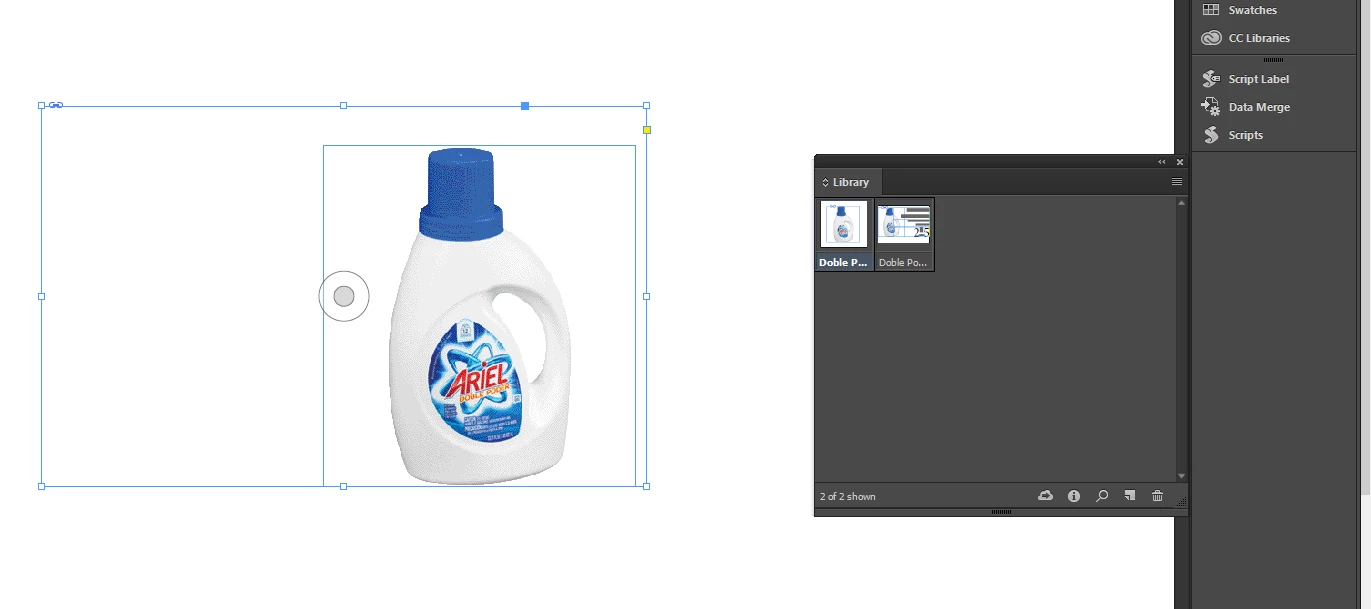
Can someone help me with this question?

This topic has been closed for replies.

6 replies

Participant
May 5, 2023

If you right click on the image within the library and click "place linked" and the click on the frame that you want it to occupy, it works!

Erica Gamet
Inspiring
February 2, 2017

I think I misunderstood the original post. I thought we were discussing InDesign libraries, and not CC Libraries. Either I hadn't had my caffeine yet or maybe there really IS confusion over having two very similarly-named panels in InDesign. ;-)


Thank you BarbBinder for that link. I haven't read my latest copy of ID Mag just yet. That makes total sense when using CC libraries and maybe gives me more incentive to start migrating some of my InDesign libraries to CC libraries.

Barb Binder
Community Expert
Community Expert
February 2, 2017

Good morning, Erica Gamet​! You know what, you are the only one that got it right. The original image is of an InDesign library and Uwe's is of a CC Library and my answer addressed CC Libraries.

So jersonb20949735 —did you know you have two libraries in InDesign? (If you didn't, you do now!)

I'd suggest moving over to the new, much more powerful CC Library. It will be worth in the the long run for the reason I mentioned above, and oh, so many others.

Manage assets with Creative Cloud Libraries

Adobe Creative Cloud Libraries

Creative Cloud Libraries | Sync digital assets in Adobe apps

~Barb at Rocky Mountain Training
Community Expert
February 2, 2017

Hi Barb,

ahem, yes.

I did not look hard enough.
The screenshot from the OP is showing a InDesign Library.

And yes, my reply 4 was about CC Libraries and assets that were stored from InDesign:
Frames holding images, layouts that holding images.

But here is the good news:

Gerlad Singelmann's script can also be used for assets drawn and placed out of InDesign libraries. :-)

After placing the asset, it is not important anymore if a CC or an InDesign Library stored the asset before.

Just place the asset and run the new menu item from Gerald's script: "Load image in Placecursor" when the placed asset is selected. The placegun is populated with the image(s) of the selected item(s) on the page.

Caveat: A quick test is showing that you have to ungroup a placed group to have access to all the images in the group.

Maybe a bug with Gerald's script? Don't know. At least I was able to store two out of three images of a group of images in the placegun.

When ungrouping first all images will be stored in the placegun. Provided the links are intact of course.

Regards,
Uwe

Barb Binder
Community Expert
Community Expert
February 2, 2017

Hi jersonb20949735​: I just finished reading the current issue of InDesign Magazine from InDesign Secrets, and an article from Keith Gilbert clarified this issue for me. I remembered your question from the other day, so thought I'd come back and add it to the thread.

When you look at a library in list view (which I tend not to do, and based on the screen shots above, I'm not alone) you can see if the image originated in In, Ps or Ai.

When you have graphic frames on the page, you can drag the Ps and Ai files from the library directly into the frames. It is the InDesign files that go into the library already in frames that come back out in their frames, and necessitate the cut/paste workflow you indicated above. My apologies if you already knew this, but I didn't understand the what I thought was inconsistent behavior prior to reading the article.

Can you add future images to your library directly from the source application—Ps and Ai—to avoid the extra frame issue as you move forward?

~Barb at Rocky Mountain Training
Community Expert
February 1, 2017

Hi jersonb20949735,

just recalled that a script by Gerald Singelmann can be of help here:

swapImages.jsx

Swapping images | InDesign FAQ

For downloading and installing read the notes by Gerald. You have to restart InDesign before three new menu items are installed with the context menu of InDesign. One of it—"Load image in Placecursor" is the one you need.

1. Drag the asset from the CC Library to the page.

The image(s) are selected.

2. Right-click with the mouse and go to "Load image in Placecursor"

3. Now that the images are in the placegun—you can remove the empty frames with backspace on the keyboard

4. and place the images in the prepared frames:

Thanks Gerald!

Tested with InDesign 2017 on Mac OSX 10.10.5.

Regards,
Uwe

Erica Gamet
Inspiring
January 30, 2017

Nope. Sadly, your way of doing it is the way to do it (or at least how I do it). That being said, I wonder if there is a script or plug-in that does this? I don't know of one personally, but I wonder how hard it would be?

Community Expert
January 31, 2017

Hi Erica,

yes, it would be cool if there would be a functionality in InDesign that would load all graphics of an asset to the placegun instead loading the asset itself to the placegun. As it is right now with CC Libraries not the image file itself is stored but the graphic frame holding the image.

// EDIT:

I have to correct myself a bit: "…but the graphic frame holding the image plus the image".
FWIW: From experiments with CC Libraries using older versions of InDesign and now using them with CC 2017  I can see that sometimes its possible that links get lost. Graphics like that in principle cannot populate the placegun, but an asset using that graphic with the lost link can populate the placegun.

Let's try a feature request:

Wishform - Adobe InDesign

Regards,
Uwe

Mike Witherell
Community Expert
Community Expert
January 30, 2017

I wish it did that, too! It's the same with Swatches. I cannot drag them straight into Swatches panel.

Mike Witherell