mickyhulse
Known Participant
March 26, 2017
Answered

I can't change name of Document Preset

  • March 26, 2017
  • 1 reply
  • 2067 views

Hello,

Me: Indesign CC 2017, Mac OS X

For some strange reason, I can't seem to name/re-name a document preset.

In the "Edit Document Preset" dialog window, I type in a new name in the "Document Preset:" field and hit "OK".

No matter what I do, it just says "Document Preset 1".

Just curious if anyone has experienced this as well?
This topic has been closed for replies.
Correct answer Barb Binder

Yes, I can confirm that behavior. You can report it here:

Wishform - Adobe InDesign

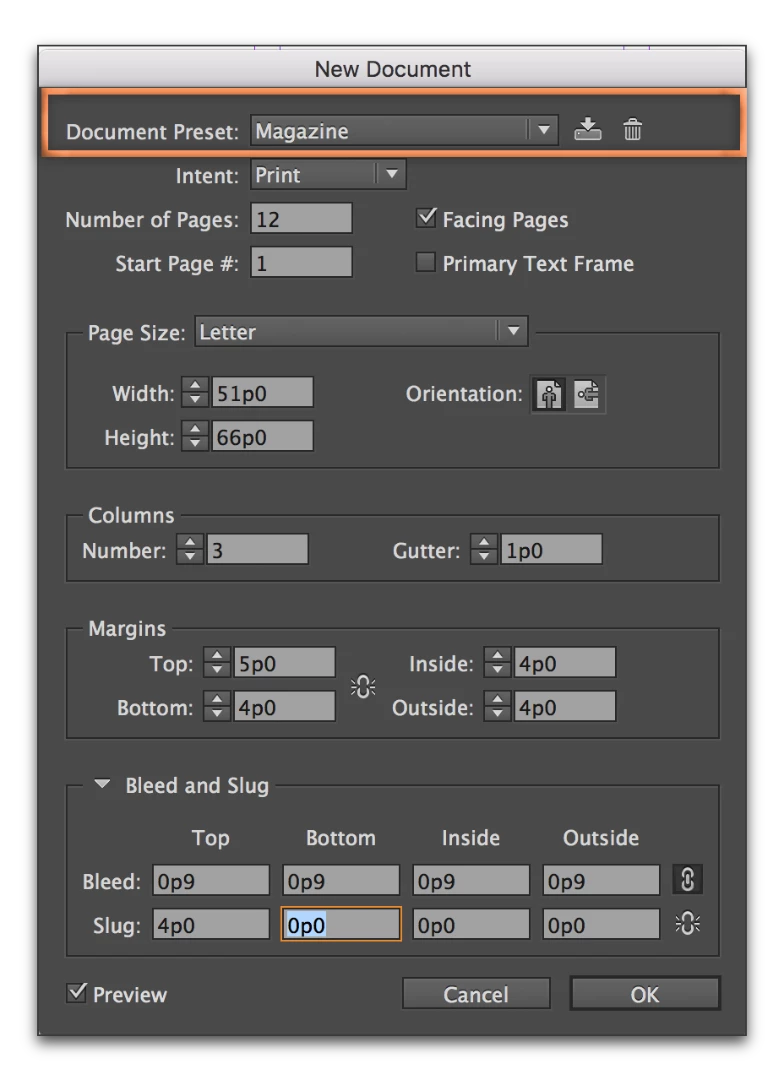
While we wait for a patch, you can create a preset in the New Document dialog box, too. And that one works.

  1. File > New
  2. Set the new document settings
  3. Click the Save Preset button on the top row and call it anything you like!

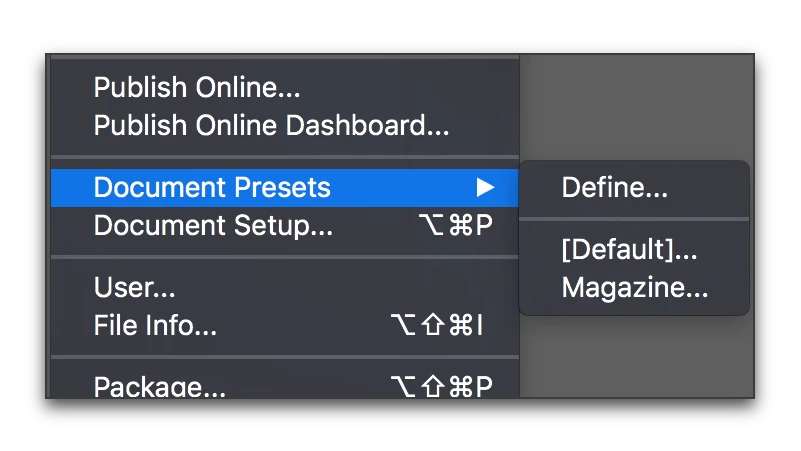
And it shows up under File > Doc Presets as well.

1 reply

Barb Binder
Community Expert
Barb BinderCommunity ExpertCorrect answer
Community Expert
March 26, 2017

Yes, I can confirm that behavior. You can report it here:

Wishform - Adobe InDesign

While we wait for a patch, you can create a preset in the New Document dialog box, too. And that one works.

  1. File > New
  2. Set the new document settings
  3. Click the Save Preset button on the top row and call it anything you like!

And it shows up under File > Doc Presets as well.

~Barb at Rocky Mountain Training
mickyhulse
Known Participant
March 26, 2017

Thank you for your help BarbBinder​, I really appreciate it!

Barb Binder
Community Expert
Community Expert
March 26, 2017

Always happy to help, Micky!

~Barb at Rocky Mountain Training