clovisd47241245
Participant
November 30, 2016
Answered

Sidenote system in new document

  • November 30, 2016
  • 11 replies
  • 8111 views

Hello community,

I want to create sidenotes (or "margin notes") and to set up a sidenote system in new inDesign documents.

Somebody know how can I do that ?

I work with InDesign CC 2015

I'm on Mac OS X Yosemite

Thank you !
This topic has been closed for replies.
Correct answer Barb Binder

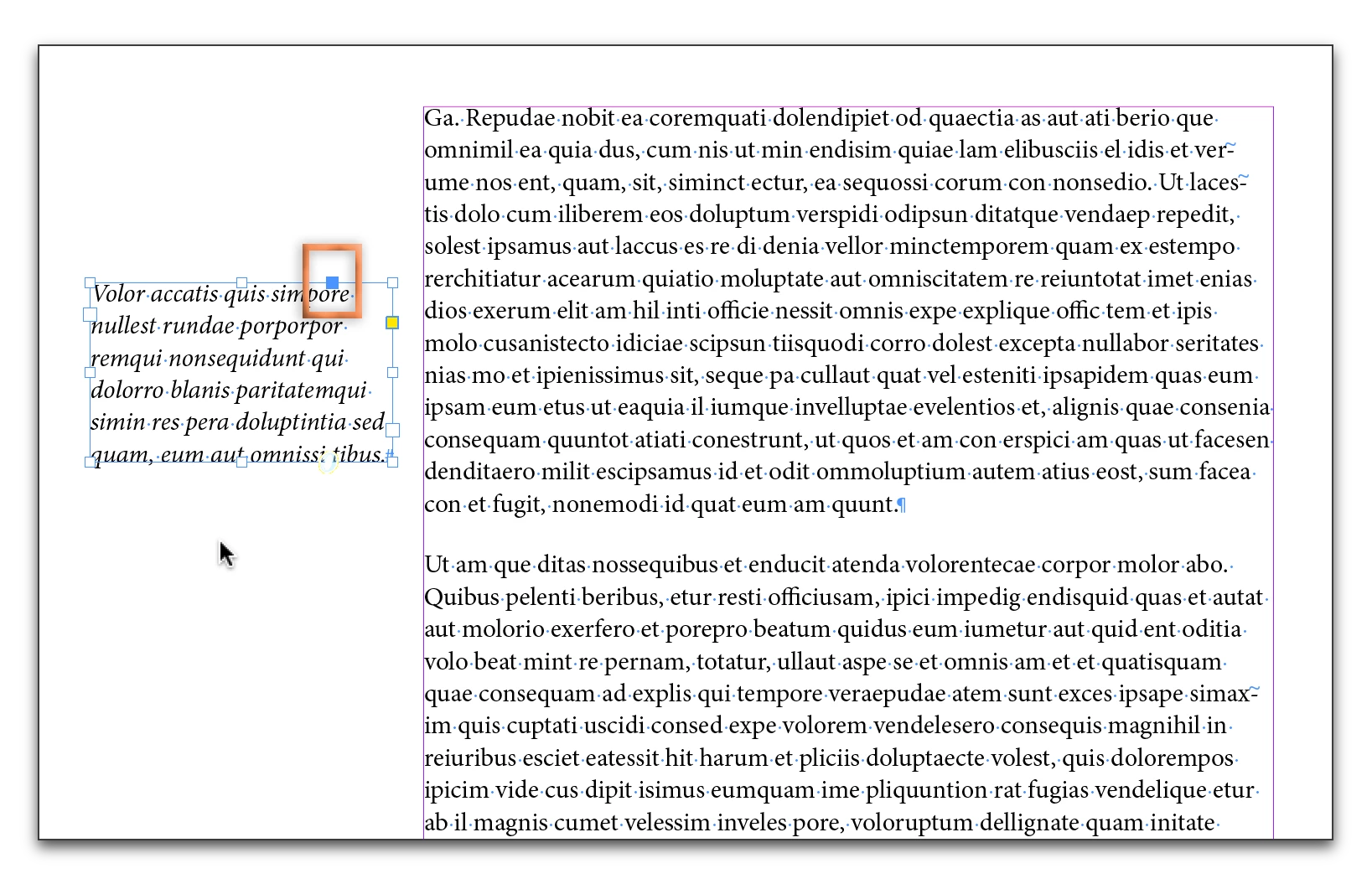
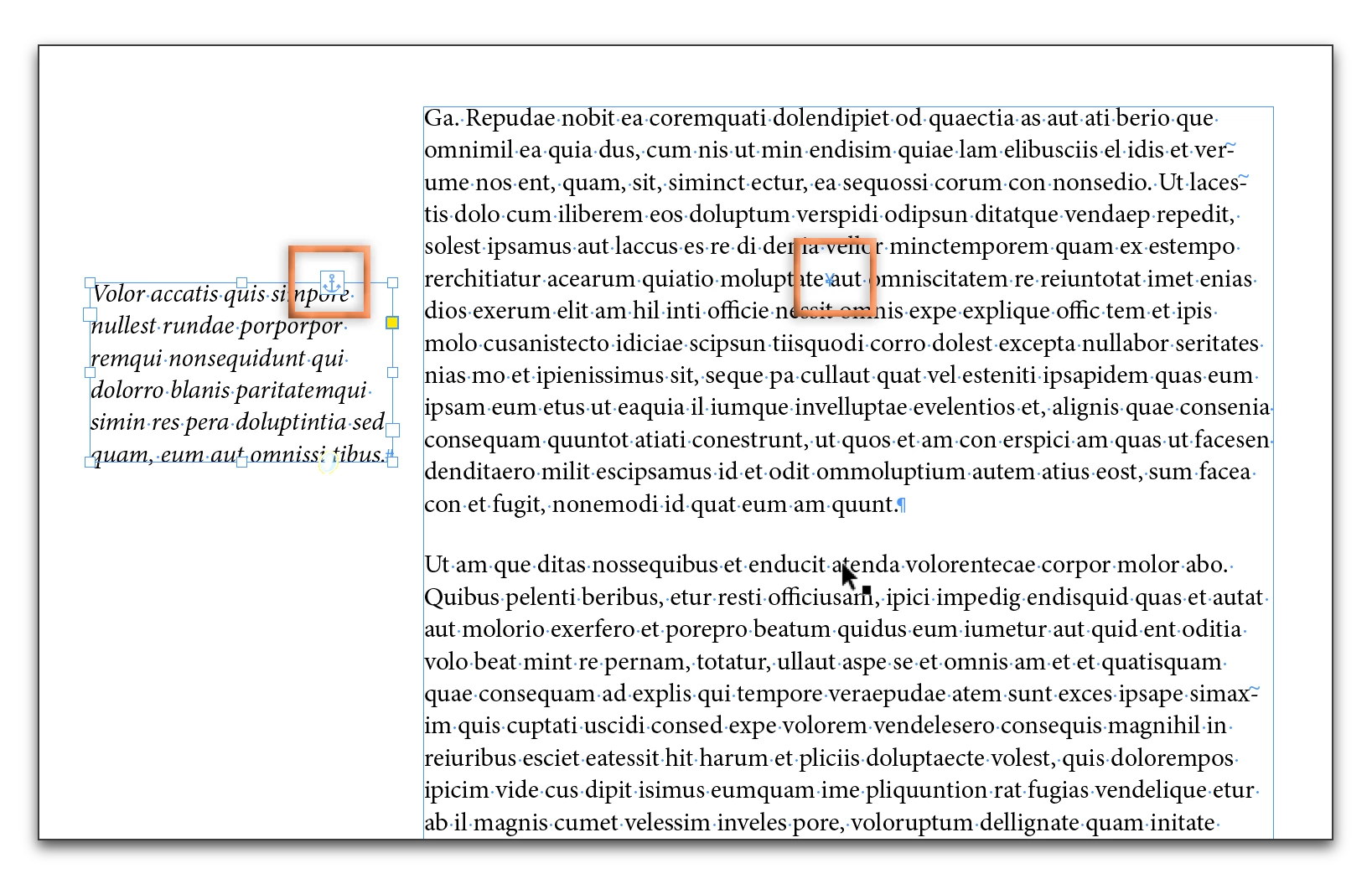
You can do this in InDesign using anchored frames. Put the notes in a separate text frame, and drag the blue square in the top right corner to where you want to place the anchor.

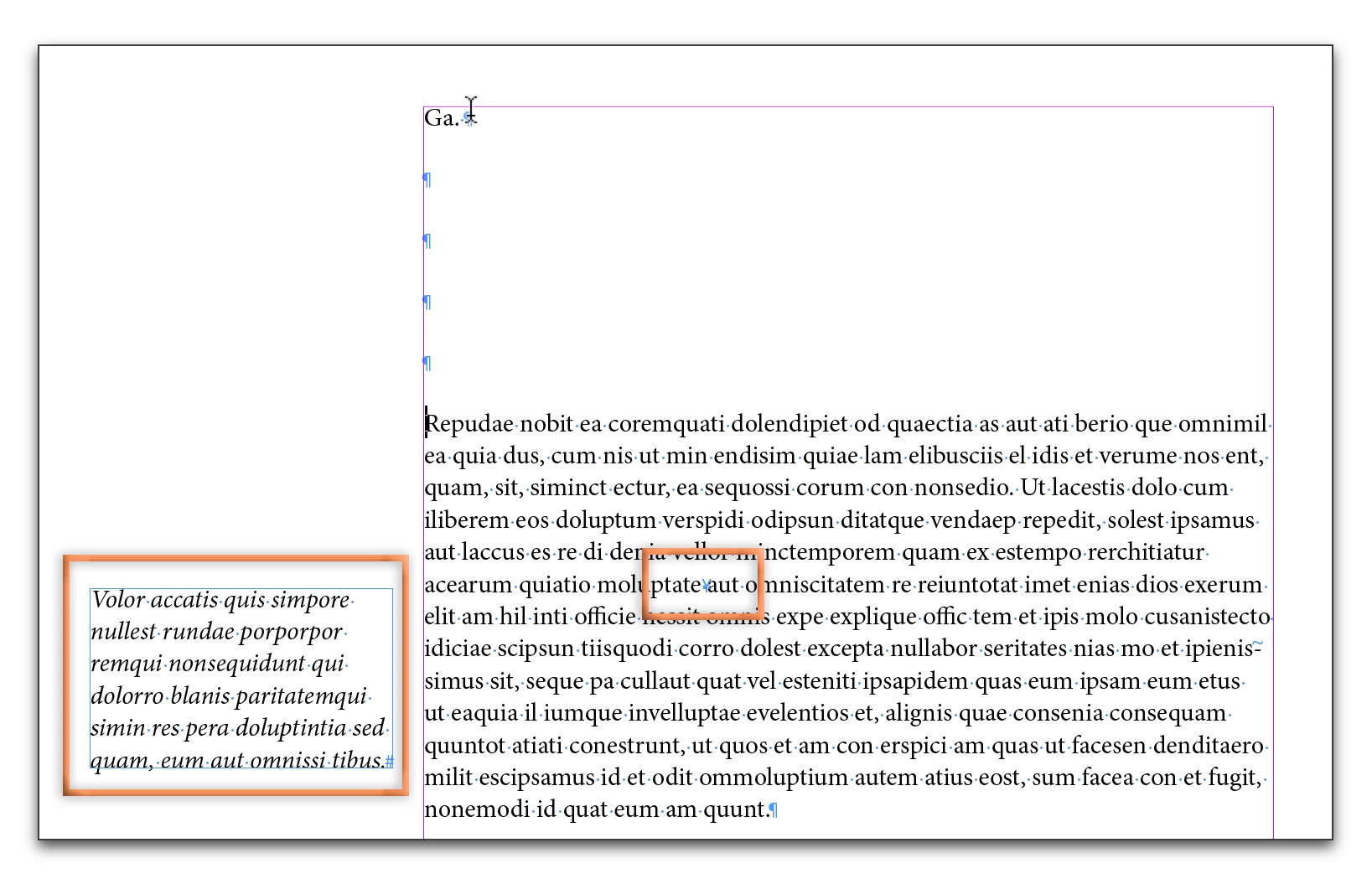
You can Alt/Opt click the anchor symbol on an anchored frame to set the properties. Once anchored, as the text reflows, the frame moves along with the anchor.

11 replies

Barb Binder
Community Expert
Community Expert
December 2, 2016

It looks like you want to align away from the spine:

Or if you are using styles:

~Barb at Rocky Mountain Training
clovisd47241245
Participant
December 9, 2016

Thank you @Barbinder ! When I tried, InDesign not responding. I had to create a new document and actually it works perfectly.

Thank you !

Barb Binder
Community Expert
Community Expert
December 9, 2016

That's great news, ClovisD. Glad it is working for you.

~Barb at Rocky Mountain Training
Peter Kahrel
Community Expert
Community Expert
November 30, 2016

Funny -- you copy a screenshot from a web page that deals with setting up sidenotes (http://www.kahrel.plus.com/indesign/sidenotes.html), then you ask how to set up sidenotes.

Peter

Obi-wan Kenobi
Legend
November 30, 2016

Aha! 

(^/)

Barb Binder
Community Expert
Barb BinderCommunity ExpertCorrect answer
Community Expert
November 30, 2016

You can do this in InDesign using anchored frames. Put the notes in a separate text frame, and drag the blue square in the top right corner to where you want to place the anchor.

You can Alt/Opt click the anchor symbol on an anchored frame to set the properties. Once anchored, as the text reflows, the frame moves along with the anchor.

~Barb at Rocky Mountain Training
clovisd47241245
Participant
December 1, 2016

Perfect ! Thank you BarbBinder for this answer very simple !

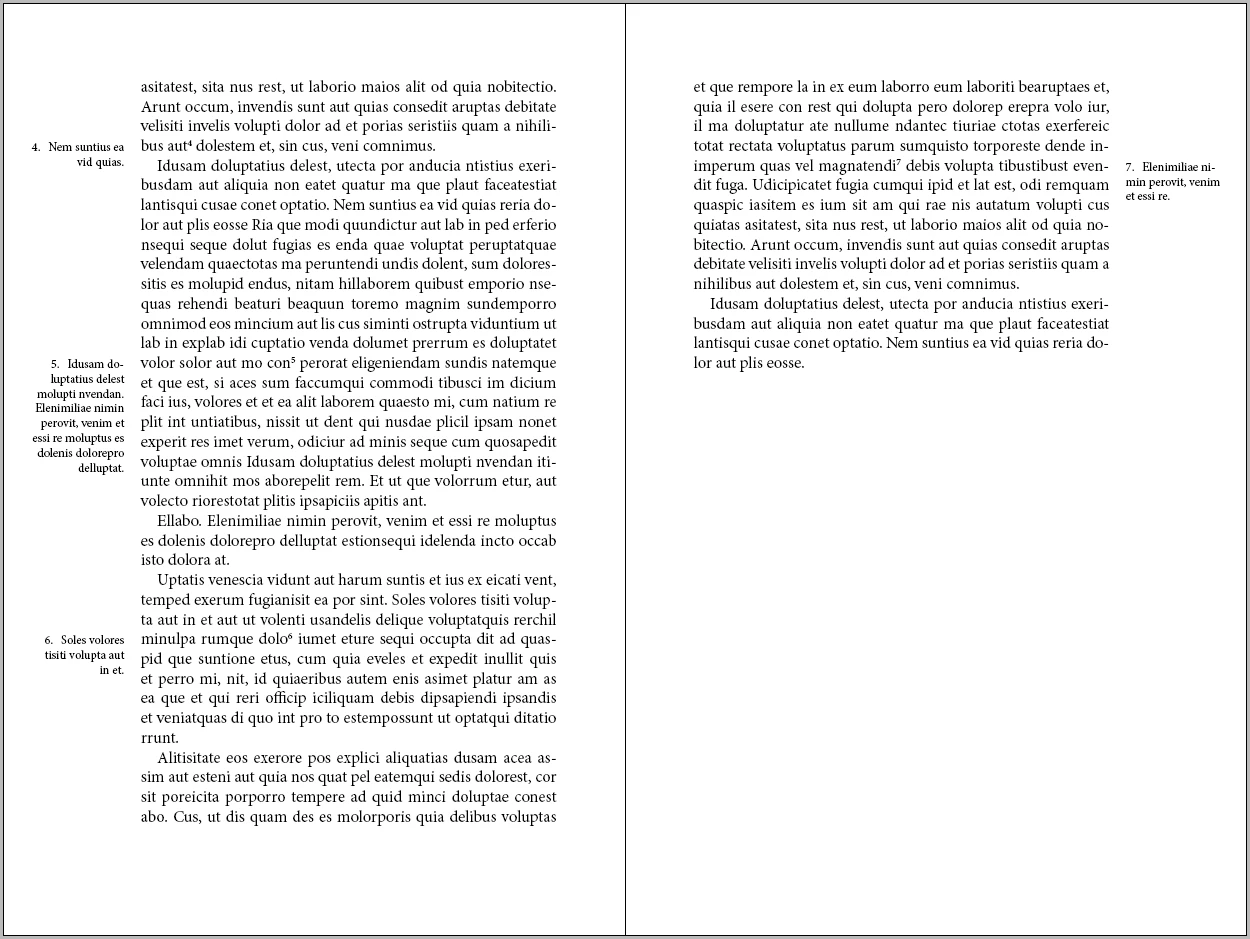
I tried today and I have an other question : in "my" picture (thanks pkahrel​ ) the "margin notes" are left-justified on the left page, right-justified on the right page. ​

How can I do for keep the good "style paragraph"  (left-justified or right-justified) if I add text before ?

Peter Kahrel
Community Expert
Community Expert
December 1, 2016

Well, in 'my' picture they're actually left-justified on the right-hand page and right-justified on the left-hand page.

Question now is, what do you mean by 'good "style paragraph"' and by 'if I add text before'? Before what?