Answered
Why are there white lines in InDesign preview mode
See attached screenshot, these lines appear in the same place on every spread when viewed in preview mode of InDesign CC 2015 - how do I fix this??
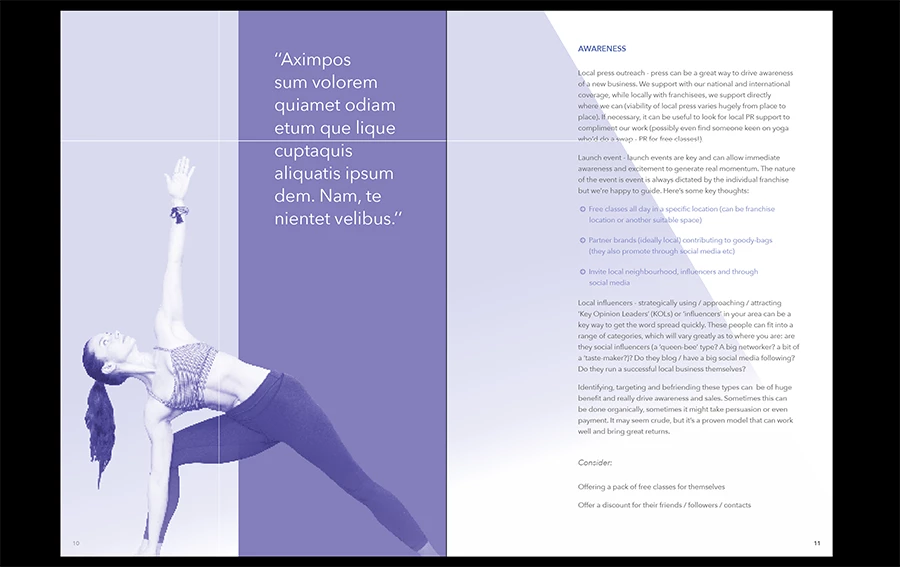

See attached screenshot, these lines appear in the same place on every spread when viewed in preview mode of InDesign CC 2015 - how do I fix this??
Hi @Bim_H -
I came here looking for an answer to the same question, but in tinkering just figured it out.
Turn off Overprint Preview then try presentation mode again.
I had the exact problem you have in the screenshot. I can replicate it repeatedly now. When Overprint Preview is turned on, white lines. Turn it off, white lines gone. You have to do it outside of presentation mode.
Already have an account? Login
Enter your E-mail address. We'll send you an e-mail with instructions to reset your password.


 AdChoices